

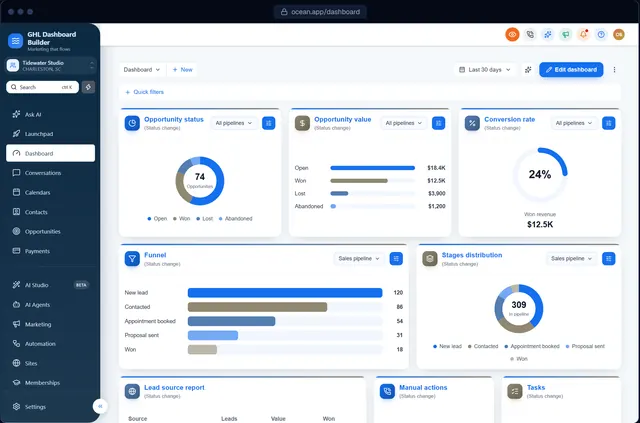
GHL custom CSS
GHL custom CSS, generated from a visual design
Skip the selectors and !important rules. Design your GoHighLevel theme visually and get the custom CSS and JavaScript as two lines that always load the latest version.
Where does custom CSS go in GoHighLevel?
In your agency account, under Settings → Company → Whitelabel → Custom Code, there are boxes for Custom CSS and Custom JavaScript. Code there applies across the HighLevel interface. GHL Dashboard Builder generates both from a visual design and gives you one line for each box.
Last updated
What you can change
What the generated CSS and JavaScript cover
Theme CSS
Colors, fonts, sidebar, header, buttons, tabs, tags, dropdowns, cards and forms across HighLevel.
Menu JavaScript
Renamed, reordered and hidden menu items, custom items and hover menus with every page.
Live features
Live menu counts, the appointments board and notification pop-ups, using HighLevel's own data in the browser.
Privacy mode
An eye button that blurs names, emails, phone numbers, conversations and deal values.
Sub-account targeting
Code that applies the design only to the sub-accounts you choose.
Your own code
Add your own CSS and JavaScript on top of the generated theme (Agency).
How it works
GHL custom CSS in three steps
No developer, and nothing changes in HighLevel until you paste the two lines.
- 1
Design it in the builder
Design the theme; the CSS and JavaScript are written for you as you go. Free, no sign-up, on a live copy of HighLevel's screens.
- 2
Get two install lines
Choose a plan and you get one CSS line and one JavaScript line (or we install them for you on Pro and Agency).
- 3
Paste them into HighLevel
Settings → Company → Whitelabel → Custom Code: CSS in Custom CSS, JavaScript in Custom JavaScript. Save, refresh, done.
Compare
Hand-written GHL custom CSS vs generated
| Question | Hand-written CSS | Copied snippets | GHL Dashboard Builder |
|---|---|---|---|
| Finding HighLevel's selectors | You | Done once, may be outdated | Done and kept current |
| Changing a color | Edit many rules | Edit the code | Color picker |
| What you paste into HighLevel | The whole stylesheet | The whole stylesheet | One short line each for CSS and JS |
| Updating the theme later | Paste it all again | Paste it all again | Deploy to live; the same lines load the new version |
| After a HighLevel update | You debug it | Wait for a new snippet | 12 months of updates (lifetime on Agency) |
Which plan? Every plan includes the generated CSS and JavaScript. Agency also lets you add your own custom CSS and JavaScript on top of the theme.
See plansFAQ
GHL custom CSS: questions agencies ask
What is GHL custom CSS?
It's CSS added in your HighLevel agency's Custom Code settings that restyles the HighLevel interface: colors, fonts, the sidebar and more. Custom JavaScript alongside it can change text and behavior, such as renaming menu items.
Why is my GoHighLevel custom CSS not working?
Common causes: it was pasted into the wrong box, HighLevel's own styles are more specific than your rule, or HighLevel changed the element you targeted. Generated code avoids the first two, and our updates cover the third.
Is the generated CSS heavy?
No. The two install lines load one stylesheet and one script from our site, which the browser caches after the first visit, and the theme only changes styling, menu labels and the features you switch on.
Can I see the generated code?
Yes. The builder's code view shows the CSS and JavaScript, and Pro and Agency can export the design file.
Can I add my own CSS to the theme?
Yes, on Agency: your own CSS and JavaScript are added after the generated theme, so your rules win.
Get your GHL custom CSS without writing it
Try it free in the builder, no sign-up. When you're happy, pay once and install it in two lines.