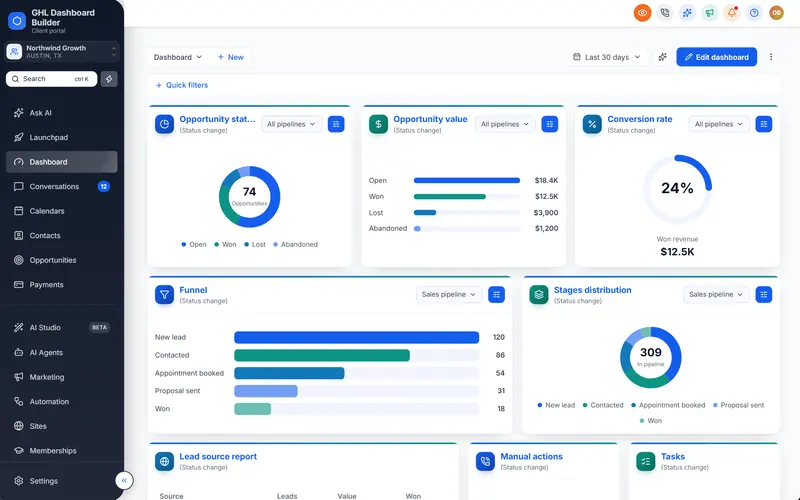
The plain HighLevel dashboard
HighLevel's own default sub-account UI, before any customization.
This is HighLevel exactly as it ships, kept here so you can compare it side by side with any branded template.
How to use a template
- Click through the live preview above — switch between desktop, tablet and phone, or change the language.
- Open it in the builder and swap in your logo, colours, fonts, menu names and login page. No sign-up needed.
- Pick a plan to get your install code, then paste it into HighLevel's Custom Code settings. Every sub-account picks up the new look.
Guides
More HighLevel templates
See all 29 templates →
We use Google Analytics cookies to understand how visitors use this site, only if you allow it. Privacy policy