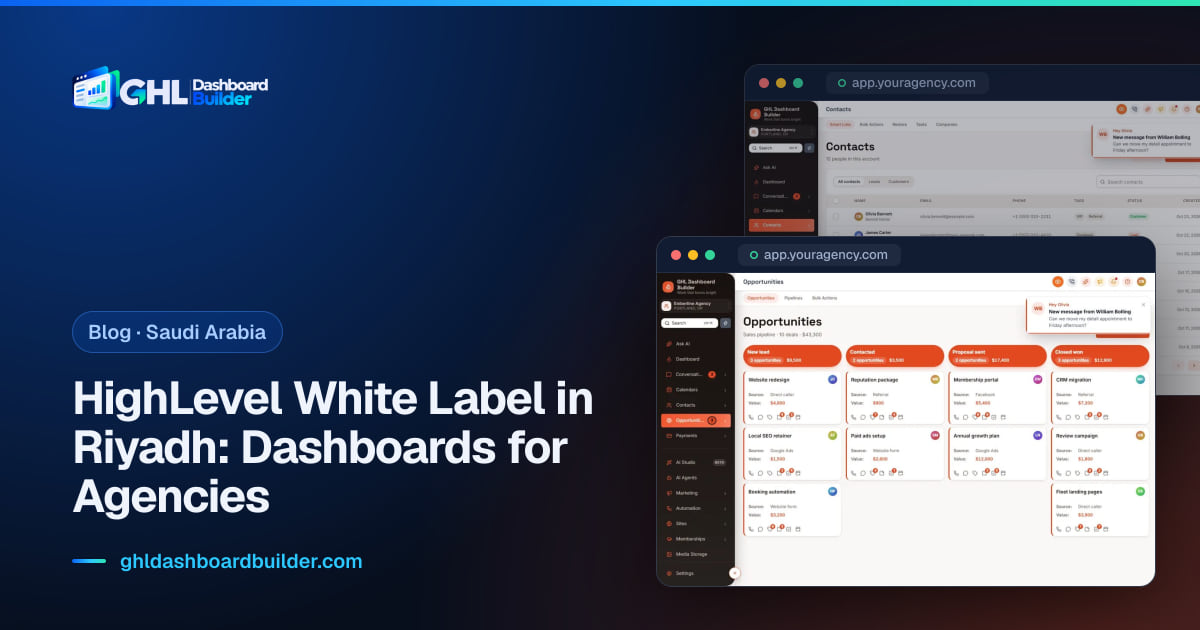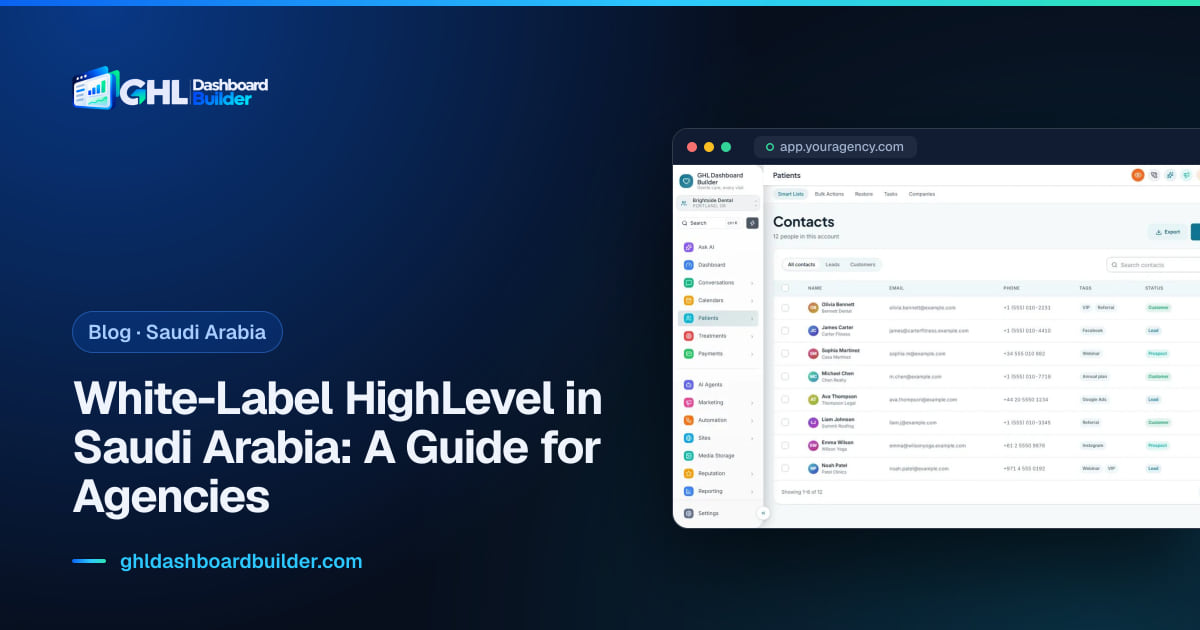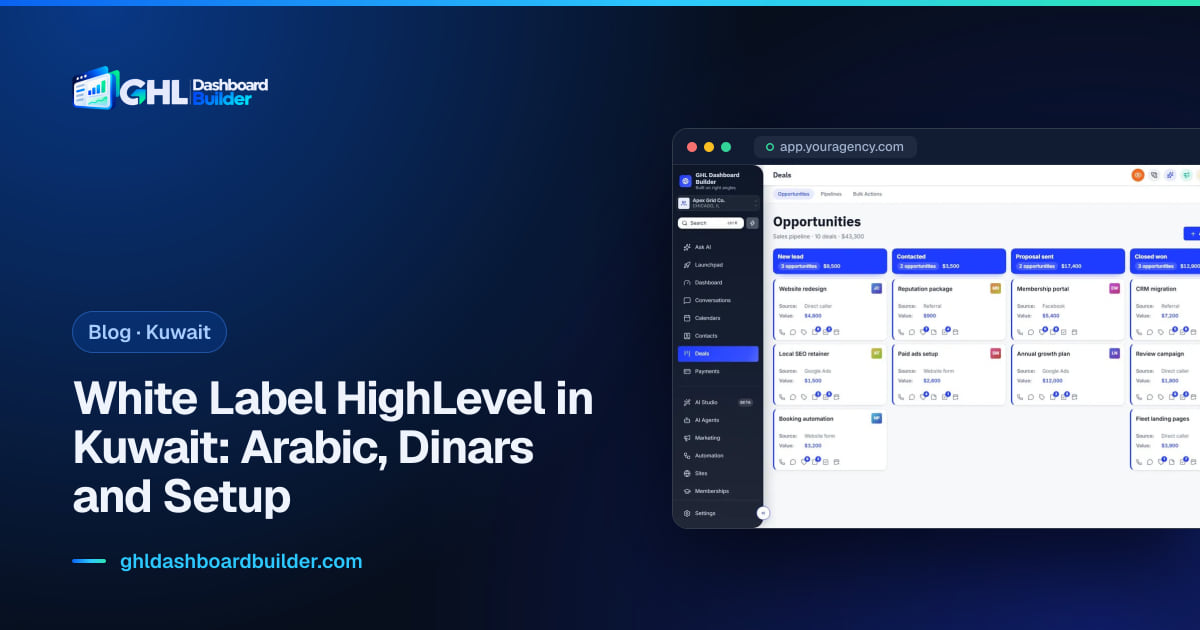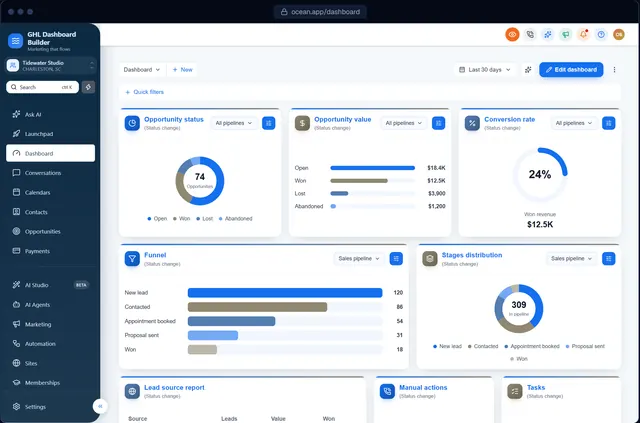
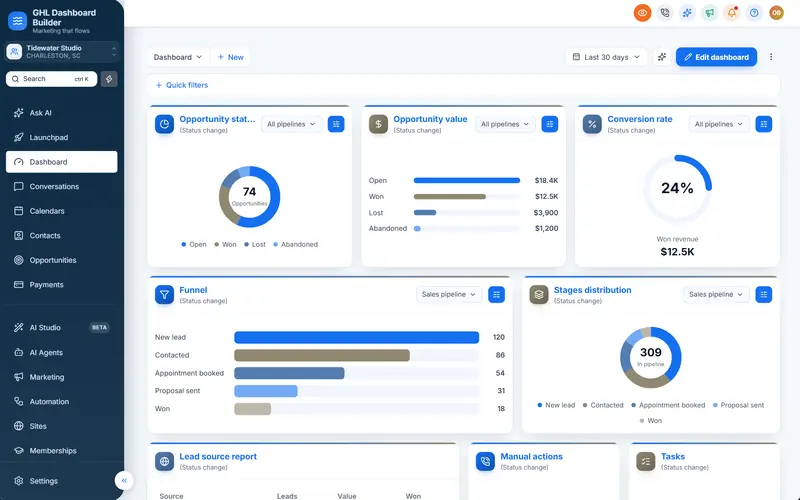
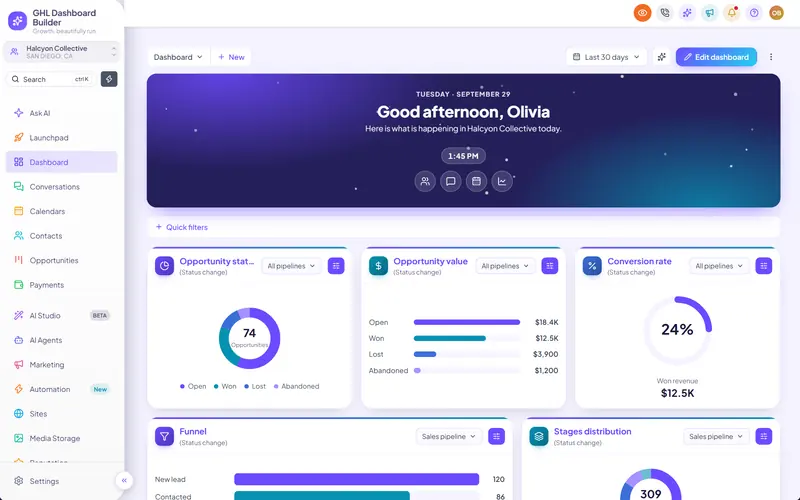
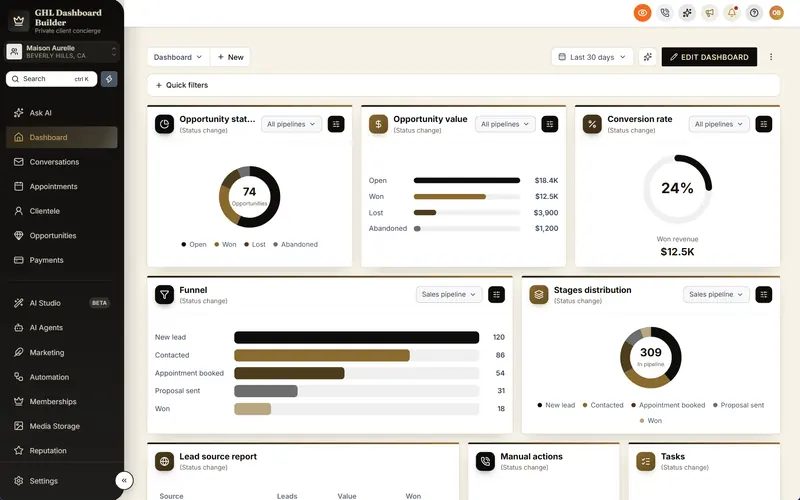
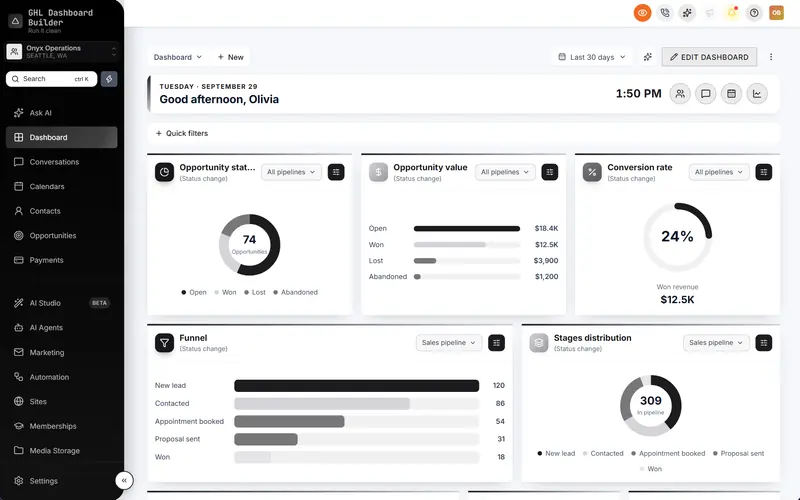
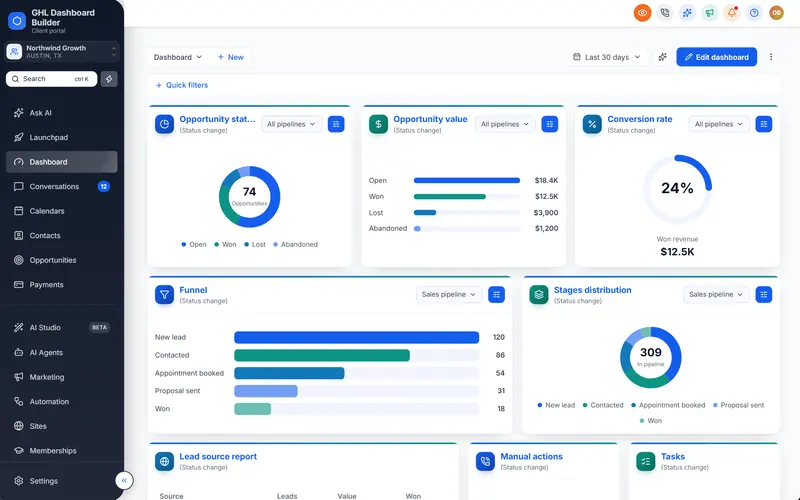
A custom reporting dashboard in Saudi Arabia, for most HighLevel (also called GoHighLevel or GHL) agencies, is not new software. It is HighLevel’s own dashboards and Custom Reports, set up for each client’s business, with riyals and dates shown the way the client expects, an Arabic right-to-left menu, and your brand around the numbers.
That is the short answer, and it saves many agencies from an expensive detour. Clients in Riyadh, Jeddah and Dammam ask for “a custom dashboard” because the reports they get today are screenshots, spreadsheets or an English interface that their team doesn’t read comfortably. This guide covers what those clients want to see, which reports HighLevel can build without a developer, when real custom dashboard development is worth it, how to handle riyals, Arabic digits, Hijri dates and the Sunday-to-Thursday week, how to run a dashboard on an office screen safely, and what it costs to brand the result.
What is a custom reporting dashboard for Saudi clients?
A custom reporting dashboard for a Saudi client is a screen and a set of scheduled reports that show that client’s own numbers: leads, calls, bookings, deals and revenue in riyals, in the language their team uses. In HighLevel it has three layers: the Dashboard page, the Reporting area and the design around both.
When an agency owner in the Kingdom says “custom reporting dashboard”, the client usually means one of three things, and it pays to ask which before quoting:
- A live screen for daily work. The sales manager or clinic coordinator opens it every morning to see today’s appointments, unread messages and new leads. In HighLevel this is the sub-account Dashboard page, built from widgets.
- A report for the owner. A weekly or monthly summary that arrives by email without logging in, showing what the marketing produced. In HighLevel this is a Custom Report under Reporting, scheduled by email or exported as PDF.
- A product that looks like the agency’s own. An interface in the agency’s colors, with an Arabic menu that reads right to left and the client’s business words. That is a design layer on top of HighLevel, not a HighLevel setting.
Most “premium” requests are the third point dressed up as the first two. A client who sees accurate numbers inside a generic English interface still feels they bought a reseller login. A client who sees the same numbers in an Arabic, branded screen with their name at the top feels they bought a platform. Our guide to what the GoHighLevel dashboard shows by default explains the widgets, filters and permissions in detail; this post focuses on what changes when the client is in Saudi Arabia.
What do clients in Riyadh, Jeddah and Dammam want to see?
Saudi clients want the few numbers their business runs on, in Arabic, in riyals and on the week they actually work. What those numbers are depends heavily on the city and the industry, because Riyadh, Jeddah and the Eastern Province have very different economies.
The population figures make the point. According to Saudipedia’s summary of the 2022 census, Riyadh city holds 21.8% of the Kingdom’s population, Jeddah Governorate 11.7% and Makkah city 7.8%. Saudipedia’s census overview puts the total at 32,175,224 people and says the Riyadh, Makkah and Eastern provinces together hold about 67.5% of it. The Eastern Province, where Dammam is the capital, counts 5,125,254 residents in the same census, about 15.9% of the total.
Source: Saudipedia, based on the 2022 Saudi Census (Riyadh city, Jeddah Governorate and Makkah city shares; Eastern Province share calculated from 5,125,254 of 32,175,224 residents).
Those markets buy different things, so the first screen of their reporting dashboard should differ too. Riyadh is the capital and the base for many regional headquarters and professional firms. Jeddah is the Red Sea commercial port and the main gateway for pilgrims travelling to Makkah, so many of its businesses serve visitors as well as residents. The Eastern Province around Dammam, Khobar and Dhahran is built around energy and industry, with Saudi Aramco headquartered in Dhahran, and a large population of engineers, contractors and service companies that serve them.
| City or region | Typical agency clients | Put these numbers first | Language mix |
|---|---|---|---|
| Riyadh | Clinics, real estate brokerages, B2B service firms, education | Booked consultations, leads by source, open opportunities by stage | Arabic first, English for expatriate managers |
| Jeddah | Hospitality, retail, clinics and med spas, Umrah-related travel services | Bookings and no-shows, missed calls, messages answered | Arabic first, often bilingual front desks |
| Dammam, Khobar, Dhahran | Contractors, industrial services, training centers, clinics | Quote requests, quotes in the pipeline, won value per month | Arabic and English used side by side |
| Agencies serving all three | A mix of the above | One short default dashboard per client, plus a monthly owner report | Arabic menu with English one setting away |
Two Saudi details cut across every city. First, owners often want a summary they can read on a phone in a few seconds, which argues for five or six figures, not twenty widgets. Second, many teams are mixed: Saudi staff who prefer Arabic and expatriate managers who read English. A good reporting dashboard serves both without making either feel second-class. Our Saudi Arabia white-label guide covers the language and data-protection background in depth; the Riyadh guide goes further into the capital’s client mix.
How does GHL Dashboard Builder brand a Saudi reporting dashboard?
GHL Dashboard Builder is an independent design service that turns the standard HighLevel (GoHighLevel) dashboard into a branded platform: your colors, menu, login design, privacy mode and your clients’ language, installed with two lines of code. For Saudi clients that means an Arabic right-to-left menu, live figures on the Dashboard and your brand around HighLevel’s reports.
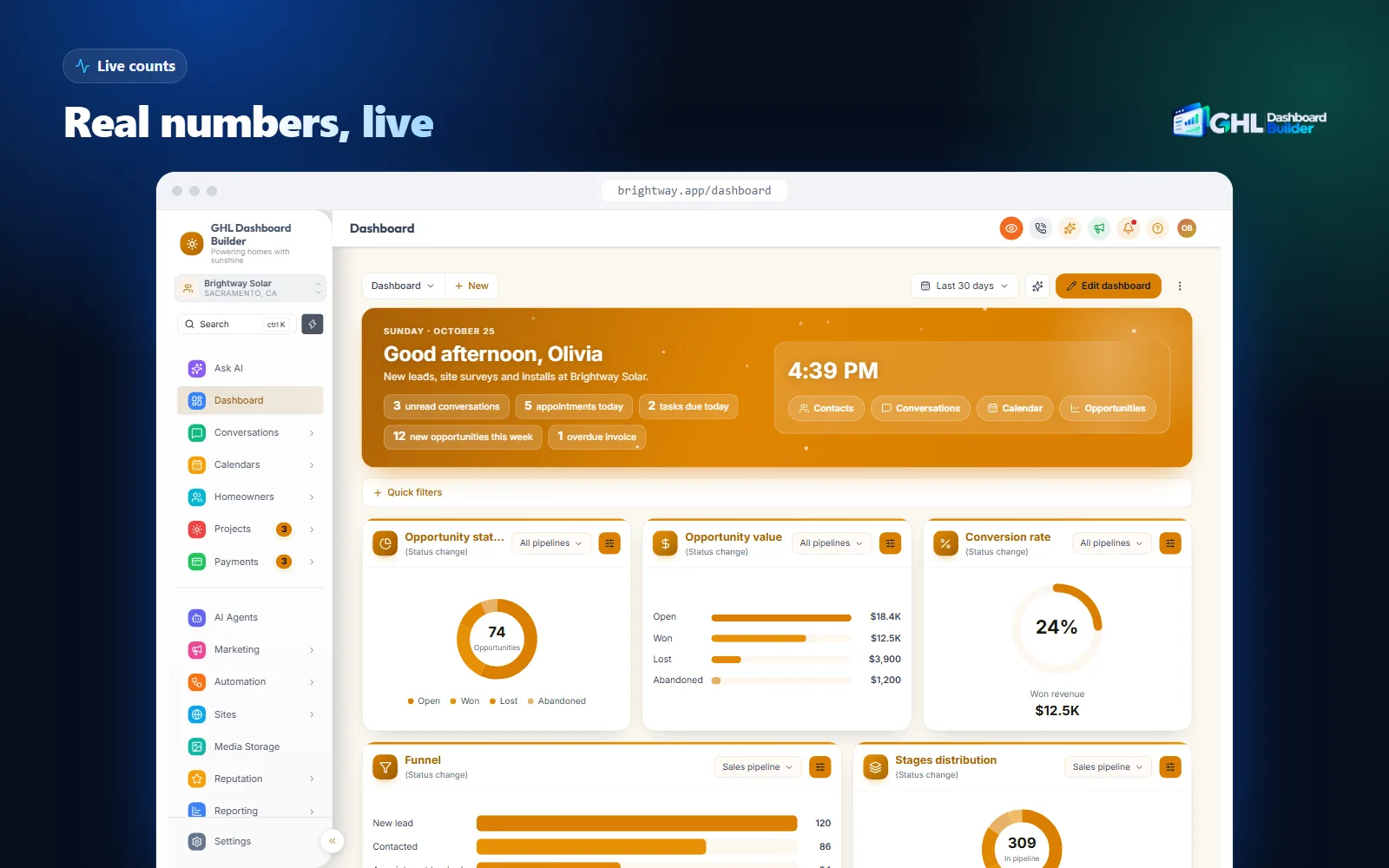
The numbers still come from HighLevel’s widgets and reports; nothing is copied to another service. What changes is the screen around them. The sidebar and header take your color system and fonts, the menu reads right to left in Arabic with your own wording for any label (for example “المرضى” for Contacts in a clinic), and the Dashboard page opens with a welcome banner that greets the user by first name, with the date, a clock and quick links. Menu badges and banner figures show unread conversations, appointments today, tasks due, new opportunities and overdue invoices.
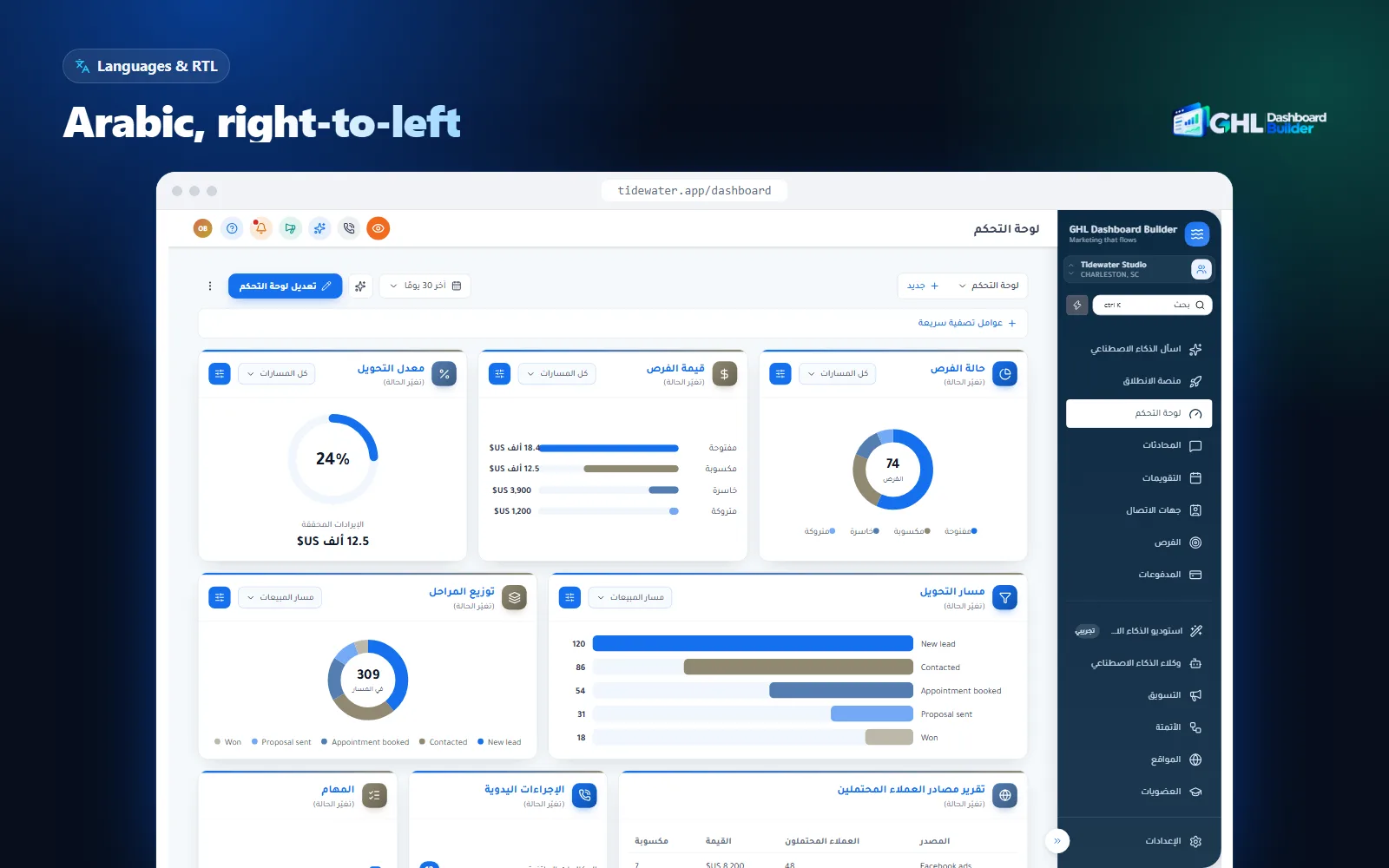
The Arabic menu is the feature Saudi clients notice first, so be exact when you sell it. The menu and navigation are translated (15 languages, with right-to-left layout for Arabic, Urdu and Hebrew), and you can write your own label for any item. Text inside HighLevel’s own pages, such as widget names you didn’t write, report builders, system emails and the mobile app, follows HighLevel’s language settings. Name your dashboards, widgets and custom reports in Arabic yourself and most of the reporting screen will read in Arabic too.
At a glance: what each feature adds for Saudi clients, and which plan
The full list of 18 features is on our features page. These are the ones that matter for a reporting dashboard in the Kingdom.
| Feature | What it does for your Saudi clients | First plan that includes it |
|---|---|---|
| Brand and colors | Your color system, fonts and favicon across HighLevel, not only on widgets | Starter |
| Welcome banner | Greets each user by first name with the date, a clock and quick links above the widgets | Starter |
| Live counts | Unread conversations, appointments today, tasks due, new opportunities and overdue invoices, refreshed every minute | Starter |
| Appointments board | The next appointments from every calendar at the top of the Dashboard | Starter |
| Privacy mode | Blurs names, emails, phone numbers, conversations and deal values for screen shares and office screens | Starter |
| 15 languages, 3 right-to-left | Arabic menu and navigation, mirrored layout, your own labels | Pro |
| Two ready-made Arabic dashboards | The Noor template, right to left or left to right | Pro |
| Menu editor | Rename, reorder and hide any of the 19 menu items, with live menu counts | Pro |
| Custom CSS and JavaScript | Your own code on top of the design, for agencies with a developer | Agency |
Installation is the same everywhere: one CSS line and one JavaScript line in HighLevel under Settings, Company, Whitelabel, Custom Code, done for you as part of the one-time $100 setup fee. It takes about five minutes, and clearing the two boxes removes it. The ready-made Arabic look is the Noor template, and the Saudi market page lists the templates we suggest for the Kingdom.
Infographic
Reporting for Saudi clientsby the numbers
33.9M
internet users in Saudi Arabia in January 2025
(DataReportal, Digital 2025: Saudi Arabia)
15%
standard VAT rate, so say whether revenue widgets include it
(PwC Worldwide Tax Summaries)
15
dashboard languages, with Arabic, Urdu and Hebrew right to left
(GHL Dashboard Builder)
1 min
how often live counts refresh while HighLevel is open
(GHL Dashboard Builder)
Sources: DataReportal Digital 2025 Saudi Arabia; PwC Worldwide Tax Summaries, Saudi Arabia; GHL Dashboard Builder features, November 2026.
The internet figure comes from DataReportal’s Digital 2025 report for Saudi Arabia, which counts 33.9 million internet users at the start of 2025. It explains why Saudi owners expect software to feel as polished as the consumer apps they use every day, and why an English, generic reporting screen is a weak first impression.
Which HighLevel reports can you build without a developer?
HighLevel covers most client reporting on its own: several dashboards per sub-account, Custom Reports you can schedule by email or export as PDF, an agency Report Scheduler that sends a summary to many sub-accounts, and dedicated reports such as attribution and ads. A developer is only needed for data that lives outside HighLevel.
Dashboards inside each sub-account
The Dashboard page is built from widgets for opportunities, appointments, contacts, conversations and other figures, filtered by a date range. HighLevel’s changelog entry Dashboard and custom report available on all plans says sub-accounts on all three HighLevel plans now get multiple dashboards and fully customizable reports. That lets you build a short default dashboard for the whole team, a sales dashboard for managers and a private one for your agency.
Custom Reports under Reporting
HighLevel’s help article on creating, scheduling and exporting custom reports describes reports you build under Reporting, schedule by email and export as PDF. The email settings include a sender, subject, recipients and an optional message, you can send a test email first, and recipients can be any valid email address with no HighLevel login. The same article notes two limits that matter for owners: table widgets in emailed and PDF reports show only the first 100 records, and drill-down charts are not available in those formats.
The agency Report Scheduler
For agencies with many Saudi clients, HighLevel’s Report Scheduler article describes an agency-level tool that combines key dashboard metrics into one email and sends it at the frequency and time you set. According to the article, it covers areas such as contacts, appointments, deal overview, SMS, email, overdue tasks and unread or missed conversations, can be applied to other sub-accounts, and sends to each sub-account’s business email from its business profile. That makes the business email field worth checking for every client before you switch it on.
What the native tools can’t do
HighLevel’s reports read HighLevel’s data. If a Jeddah retailer wants point-of-sale revenue next to HighLevel leads, or a Dammam contractor wants project costs from an ERP in the same chart, the native widgets can’t merge those sources. That is the moment custom dashboard development becomes a real question, which the next section answers.
Should you build custom dashboard software or customize HighLevel?
Customize HighLevel first and build only when a client’s numbers live outside it. Custom dashboard tool development makes sense for multi-system reporting, such as combining an ERP, a point-of-sale system and HighLevel in one chart. For leads, calls, bookings and deals already in HighLevel, configuration and a design layer are faster, cheaper and easier to maintain.
Agencies are often asked for “custom dashboard development” because the client has seen a bespoke business intelligence screen elsewhere. Before quoting a build, check where the data is. If nearly everything the client wants is already recorded in HighLevel, a custom tool means paying to rebuild charts that already exist, then paying again to keep its connection to HighLevel working.
| Option | Best when | What the client gets | Trade-offs |
|---|---|---|---|
| HighLevel dashboards and Custom Reports only | The client’s leads, calls, bookings and deals are all in HighLevel | Accurate widgets, scheduled email reports, PDF export | Generic interface, widget and report names in HighLevel’s language, limits on emailed tables |
| HighLevel plus a branded design layer | You want the same numbers to feel like your own Arabic platform | Your brand, Arabic right-to-left menu, welcome banner, live figures, privacy mode | Restyles the browser interface only; HighLevel doesn’t officially support custom code, so a big update can need a theme refresh |
| A business intelligence tool connected to HighLevel | Data from several systems must sit in one chart | Merged charts across HighLevel, finance and operations systems | A second login, connector costs, a developer to maintain it, data leaving HighLevel |
| Fully custom dashboard software | Unusual workflows, government or enterprise requirements, very large data | Exactly what was specified | Highest cost and time, ongoing maintenance, its own data-protection review |
For most agency clients in the Kingdom, the second row is the right answer, and it can be extended later. If a Dammam industrial client eventually needs ERP data in a chart, you can add a business intelligence tool for that one report while the daily HighLevel screen stays branded and in Arabic. The landing page on GHL dashboard customization lists everything the design layer changes, and our GoHighLevel white label dashboard page explains how it sits on top of HighLevel’s own white-label settings.
How should riyals, Arabic digits and Hijri dates appear in reports?
Show values in Saudi riyals (SAR), say whether they include 15% VAT, use the digits the client’s own documents use, and agree on Gregorian or Hijri dates before the first report goes out. Browser defaults for Saudi Arabic differ from English, and HighLevel’s widgets don’t always follow the business currency.
What browsers do by default
We formatted the same amount and date in Node.js 22 with ICU 78.3, which ships Unicode CLDR 48, the locale data browsers also use (versions vary by browser). The results show why a Saudi report can look different on two screens.
| Locale setting | 12,500.50 SAR | 18 November 2026 (long) | Short date |
|---|---|---|---|
| ar-SA (default) | ١٢٬٥٠٠٫٥٠ ر.س. | ١٨ نوفمبر ٢٠٢٦ | ١٨/١١/٢٠٢٦ |
| ar-SA with Latin digits | 12,500.50 ر.س. | 18 نوفمبر 2026 | 18/11/2026 |
| ar-SA with the Umm al-Qura calendar | ر.س. as above | ٨ جمادى الآخرة ١٤٤٨ هـ | Hijri date |
| en-SA | SAR 12,500.50 | November 18, 2026 | 11/18/26 |
Three conclusions follow. First, the default ar-SA format uses Arabic-Indic digits (١٢٣), while many Saudi businesses use Latin digits (123) on invoices and in spreadsheets, so ask the client. Second, Saudi Arabic locale data now defaults to the Gregorian calendar; Hijri dates only appear when they are requested explicitly. Third, the English locale for Saudi Arabia writes the short date month first (11/18/26), which a Saudi reader can easily misread as 11 June. If a report is in English, write dates with the month as a word.
Currency and VAT
HighLevel’s help article on business profile settings describes a Business Currency field under General Information that sets a sub-account’s default currency. Set it to Saudi riyal for every Saudi client. Then check each revenue widget, because a HighLevel feature request asking the dashboard and opportunities to follow the business currency shows that values have not always done so.
VAT is the second trap. PwC’s tax summary for Saudi Arabia lists the standard VAT rate as 15% since July 2020. A clinic owner comparing “revenue” on your dashboard with the accountant’s figures will see a 15% gap if one includes VAT and the other doesn’t. Pick one rule per client and put it in the widget title, for example “Won value, excl. VAT (SAR)”.
The new riyal sign is a smaller detail. The Unicode Consortium announced that the symbol approved in 2025 is encoded as U+20C1, but fonts and locale data are still catching up. Use SAR or ر.س. in report titles and menu labels until your chosen font contains the new sign.
How do you set up a custom reporting dashboard for a Saudi client, step by step?
Agree the numbers and conventions with the client, build a short default dashboard and a scheduled Custom Report in HighLevel, then add the branded Arabic layer and test as a staff user. The whole setup fits into one working week for a typical sub-account.
Infographic
A Saudi reporting dashboardin seven steps
- 1
Agree the numbers
Pick five or six figures, the currency rule and the date format with the client.
- 2
Set the profile
Business Currency to SAR, time zone to Riyadh, business email checked.
- 3
Build the dashboard
Add widgets, name them in Arabic and set View for staff.
- 4
Schedule the report
A Custom Report every Sunday morning to the owner.
- 5
Brand it in Arabic
Colors, right-to-left menu and welcome banner in the free builder.
- 6
Install
Two lines in Settings, Company, Whitelabel, Custom Code.
- 7
Test as the client
Log in as a staff user on desktop and phone.
Step 1: Agree the numbers and conventions
Meet the owner and the person who will open the dashboard daily, and write down five or six figures they act on. For a Riyadh clinic that might be consultations booked, no-shows, new patients by source and messages waiting. Agree whether revenue includes VAT, whether digits are Arabic-Indic or Latin, and whether report titles need Hijri dates.
Step 2: Set the business profile
In the client’s sub-account, open Settings, Business Profile. Set the Business Currency to Saudi riyal, the time zone to Asia/Riyadh (Saudi Arabia does not use daylight saving time) and check the business email, because the agency Report Scheduler sends to it. Menu names may differ slightly in your HighLevel version at the time of writing.
Step 3: Build the default dashboard
Open Dashboard, create a new dashboard and add the agreed widgets from the widget gallery. Give each widget an Arabic title that states its period and rule, such as “القيمة المكتسبة هذا الشهر (بدون ضريبة)”. Set permissions so staff get View and your agency keeps Full, then make it the default dashboard.
Step 4: Schedule the owner report
Under Reporting, create a Custom Report from the dashboard or from scratch, then schedule it weekly for Sunday morning, Riyadh time, to the owner and one manager. Send a test email first and check how the 100-record limit affects any table widget.
Step 5: Design the branded Arabic layer
In the free builder, apply the agency’s colors, switch the menu to Arabic, rename items in the client’s words and choose a welcome banner with quick links to the reports they open most. If you serve several clients and only some want this look, limit the design to their sub-accounts.
Step 6: Install
We install the design with one CSS line and one JavaScript line under Settings, Company, Whitelabel, Custom Code as part of the one-time setup. Later changes go live when you press Deploy, with no new code to paste.
Step 7: Test as the client
Log in as a staff user, not as an agency admin, on a laptop and a phone browser. Check that the Arabic menu reads right to left, that widget numbers match the client’s own records for one recent week, and that the Sunday report arrives at the expected time.
How do you show a reporting dashboard on an office screen in Riyadh?
Run HighLevel’s Dashboard page in a browser on the computer behind the screen, keep it signed in as a View-only user, and turn on privacy mode before visitors can see it. With our live counts, the figures on the menu and in the welcome banner refresh every minute while the page stays open.
Dashboard displays are common in Riyadh sales floors, clinic back offices and call centers: a wall screen that shows today’s appointments, new leads and unread messages so the team can react without opening their own laptops. HighLevel’s widgets work on a large screen and follow the dashboard’s date filter. The design layer adds the parts a wall screen needs most: a clock and date in the welcome banner, the next appointments from every calendar in a board at the top of the Dashboard, and live counts for unread conversations, appointments today, tasks due, new opportunities and overdue invoices.
A few practical rules keep an office display useful and safe:
- Use a dedicated View-only user. Create a HighLevel user for the screen with View access to the default dashboard and nothing it doesn’t need. If the screen’s computer is left unlocked, nobody can change settings from it.
- Keep the numbers few and large. Four to six widgets readable from across the room work better than a full dashboard. Put the figures that drive action today at the top.
- Mind who walks past. A reception or showroom screen is visible to visitors, which is where privacy mode comes in, as the next section explains.
- Plan for the week. Set the screen’s computer to sleep on Friday and Saturday if the office is closed, so it doesn’t show stale numbers all weekend.
How do the Saudi week and the PDPL shape reporting?
Schedule reports around the Sunday-to-Thursday week and treat every report as personal data under Saudi Arabia’s Personal Data Protection Law (PDPL). In practice that means Sunday morning reports covering the previous working week, summaries rather than contact lists, and privacy mode on any screen others can see.
Reporting on the Saudi working week
Saudi Arabia moved its weekend to Friday and Saturday in 2013, as Bloomberg reported at the time, so most offices work Sunday to Thursday. A weekly report sent on Monday, the default in many tools built for Europe and the Americas, arrives after the Saudi week has already started. Schedule weekly Custom Reports for Sunday morning, Riyadh time, and make sure their date range covers the previous Sunday to Thursday, or the previous seven days if the client also works on Saturday.
Ramadan changes the rhythm again. Working hours are shorter for many teams during the month and activity often moves to the evening, so expect lower daytime figures and do not read them as a drop in performance. Our Saudi Arabia white-label guide explains the labor-law hours behind this.
Reports and personal data
According to Clyde & Co, the PDPL took effect on 14 September 2023 and became fully enforceable on 14 September 2024, with the Saudi Data and Artificial Intelligence Authority (SDAIA) as regulator. This is an overview, not legal advice, but three habits reduce risk in reporting:
- Send summaries, not lists. A widget that counts new leads by source is enough for an owner; a table of named contacts in a scheduled email is personal data travelling to an inbox.
- Limit recipients. HighLevel lets Custom Reports go to any email address. Keep a list of who receives each client’s report and review it when staff change.
- Hide data on shared screens. Office displays, screen shares with the client’s board and recorded walkthroughs should not show names, phone numbers or deal values to people who don’t need them.
Privacy mode solves the third point. An eye button in HighLevel’s header blurs contact names, emails, phone numbers, the conversation list and opportunity values on every page, remembers the setting as you move between pages, and hides details in notification pop-ups while it is on. It only blurs what’s on screen; nothing in HighLevel changes.
What can go wrong, and what doesn’t a branded dashboard solve?
The common problems are numbers that don’t match the client’s records, reports that arrive at the wrong time, and English text left inside HighLevel’s own pages. A design layer fixes how the dashboard looks and reads; it doesn’t change HighLevel’s data, its report engine or its mobile app.
| Problem | Why it happens | What to do |
|---|---|---|
| Revenue differs from the accountant’s figures | One side includes 15% VAT, or the widget isn’t in SAR | Set Business Currency to SAR, state the VAT rule in the widget title |
| Weekly report arrives mid-week | Schedule set for Monday or in the wrong time zone | Schedule for Sunday morning in Asia/Riyadh time |
| Owner’s emailed table is incomplete | Emailed and PDF tables show only the first 100 records | Use counts and charts in emails; keep long tables on the dashboard |
| Widgets show zeros for a new client | Little data in the first weeks | Start with appointments and leads, add revenue widgets later |
| Some text stays in English | HighLevel’s own pages follow HighLevel’s language settings | Name dashboards, widgets and reports in Arabic; set expectations early |
| Branding doesn’t appear on the phone app | Custom code runs only in the browser | Tell clients the branded view is in the web app, including phone browsers |
| Theme looks off after a HighLevel update | HighLevel doesn’t officially support custom code | Updates are included for 12 months (lifetime on Agency) |
The limits of the design layer are worth saying plainly to clients. It restyles HighLevel’s interface in the browser; HighLevel’s built-in white-label settings handle the domain, logo and mobile app. The installed code doesn’t change HighLevel’s login page yet; on the Pro plan we design it with you. And it doesn’t merge data from other systems: if a client needs ERP or point-of-sale data in a chart, that is still a job for a business intelligence tool.
Can each Saudi client get their own branded reporting dashboard?
Yes, within limits. One install can apply a design to the whole agency or only to chosen sub-accounts, added by link or Location ID, and the rest stay plain HighLevel. One design is shown in those sub-accounts; if different clients need different looks, talk to us about how to set that up.
This matters for agencies with a mixed client list. A premium reporting dashboard for a Dammam engineering firm can go live in that firm’s sub-account while your other clients keep their current screens. It is also a low-risk way to pilot: brand one client first, check the Sunday report and the office screen for two weeks, then roll out.
Plans set how many complete looks you can keep. Starter includes 1 design, Pro up to 3, for example one per key client, and Agency up to 100, one for each client sub-account. Each design can cover the whole agency or only the sub-accounts you choose, all from the same two-line install. Our guide to giving clients an Arabic dashboard in HighLevel covers how to decide which clients need Arabic and which are better served in English.
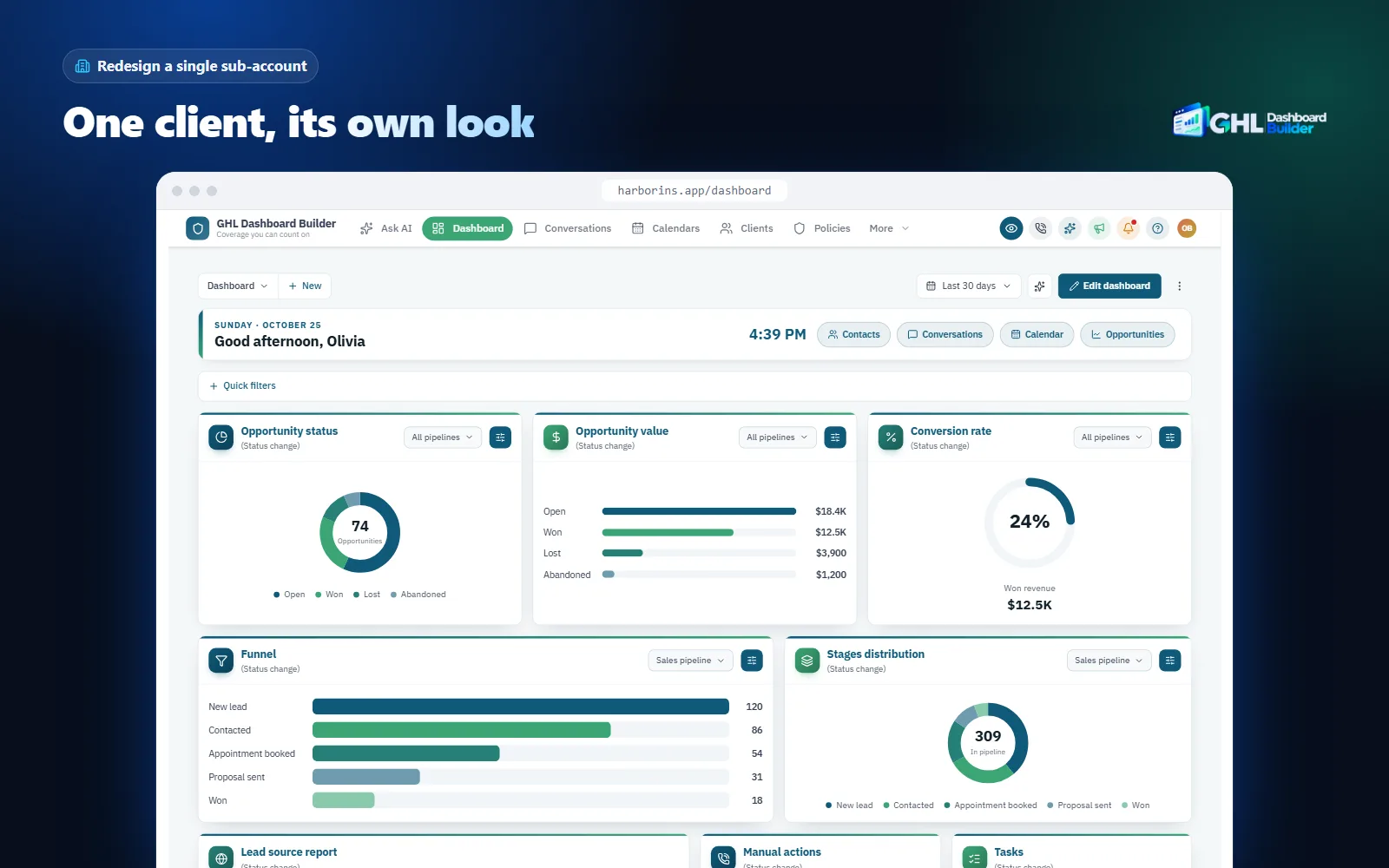
When you choose sub-accounts, use the Location ID from the sub-account’s settings or paste its link, and keep a note of which client has which design. If a client later wants a different look from another branded client, plan it as a second design rather than changing the shared one.
What does a branded reporting dashboard cost a Saudi agency?
GHL Dashboard Builder plans are one-time payments in US dollars: Starter $280, Pro $480 and Agency $880, plus a one-time $100 setup fee on every plan, for which we install and configure the design in your HighLevel. For Arabic, Saudi agencies need Pro or Agency. There are no monthly fees.
| Plan | One-time price (plus $100 setup) | Designs | What matters for Saudi reporting |
|---|---|---|---|
| Starter | $280 | 1 | Brand, welcome banner, live counts, appointments board, privacy mode; no Arabic menu |
| Pro | $480 | Up to 3 | Everything in Starter plus 15 languages with Arabic right to left, the Noor Arabic templates, menu editor and login page design |
| Agency | $880 | Up to 100 | Everything in Pro plus a look designed by our team, custom CSS and JavaScript, lifetime updates |
Starter and Pro include 12 months of updates, then optional updates at $99 a year; without them the theme keeps working as it is. Agency includes lifetime updates. You can upgrade by paying the difference between plans, and the setup fee is never charged twice. Because you pay once, you set your own price to clients: a setup fee in riyals, a premium reporting tier or part of your monthly retainer. We take no share and charge no per-client fee. Full details are on the pricing page, and the Saudi market page shows the templates and conventions we suggest for the Kingdom.
For context, compare the cost with a custom build. A bespoke reporting tool needs design, development, hosting and maintenance before the first client sees a chart, and it adds a second login. A branded HighLevel dashboard uses the reports you already have and goes live in about five minutes once the design is approved. If you are not sure which route a client needs, contact us with the client’s requirements and we’ll tell you honestly whether the design layer covers them.
What to do next
You now know what Saudi clients mean by a custom reporting dashboard, what HighLevel builds on its own, and where a branded Arabic layer fits. Turn that into a working setup this week:
- Pick one client and five figures. Agree the numbers, the VAT rule, the digits and the date format with the owner.
- Fix the business profile. Set Business Currency to SAR, the time zone to Riyadh and check the business email.
- Schedule a Sunday report. Build a Custom Report from the default dashboard and send it weekly, Sunday morning, to the owner.
- Design the Arabic frame in the free builder with your colors, a right-to-left menu in the client’s words and a welcome banner.
- Pilot on one sub-account for two weeks, including an office screen with privacy mode, then roll it out to your other Saudi clients.