GHL HIPAA compliance is not automatic. HighLevel (also called GoHighLevel or GHL) becomes suitable for patient data only after an agency buys HighLevel’s optional HIPAA add-on, signs its business associate agreement and enables HIPAA for the right sub-accounts. Your agency’s contracts, permissions and marketing habits then decide whether the setup actually holds up.
Agency owners usually meet this question when a dentist, therapist, chiropractor or clinic asks, “Is your CRM HIPAA compliant?” and nobody on the team is sure what to answer. This guide explains what HighLevel’s HIPAA add-on covers and costs, which clients need it, where your agency fits in the chain of agreements, how to switch it on step by step, what changes for marketing, and what a branded dashboard can and cannot do in a healthcare account. It is practical guidance, not legal advice: have a healthcare compliance adviser review your setup.
Is GHL HIPAA compliant out of the box?
No. HighLevel’s help center states that accounts are not HIPAA compliant by default. HIPAA-covered use becomes possible only with HighLevel’s optional HIPAA add-on, which adds encryption of electronic protected health information, a business associate agreement, audit logging and enforced multi-factor authentication. Without the add-on, do not store patient health information in HighLevel.
Two terms come up throughout this guide. Protected health information (PHI) is health information that identifies a person and is held by a covered entity or its business associate; ePHI is the electronic form. A business associate agreement (BAA) is the contract HIPAA requires between a covered entity and a vendor that handles PHI on its behalf.
HighLevel’s article on HIPAA compliance describes the add-on as account-wide and lists the places PHI can live once it is active: contacts, notes, custom fields, SMS and MMS, voice recordings, email bodies and attachments, form and survey submissions, calendars and invoices. The same article says the Conversations, Calendars and Contacts parts of HighLevel’s mobile app inherit the same encryption and multi-factor controls.
The honest summary for a client is this: “HighLevel offers a HIPAA-eligible configuration, and we have enabled it for your account under a signed BAA.” That sentence is true only when every part of it is done. “HighLevel is HIPAA compliant” on its own is not something you should say to a practice, because compliance also depends on how the account is used.
What does the HighLevel HIPAA add-on include, and what does it cost?
At the time of writing, HighLevel lists the HIPAA add-on at US$297 a month or US$2,970 a year, on top of the agency’s normal HighLevel subscription. For that price you get the BAA with HighLevel, encryption of ePHI, audit logging and enforced multi-factor authentication, applied across the agency account. HighLevel says the add-on cannot be disabled once purchased.
The prices come from HighLevel’s HIPAA page and match the help center article. The cost is not small for an agency with one or two healthcare clients, and agencies say so on the ideas board: a request titled the price of $297 per month is extreme asks HighLevel for a cheaper tier for small practices. Until something changes, build the add-on into the price of your healthcare package rather than absorbing it.
This is on top of the agency's HighLevel plan. The add-on cannot be disabled once purchased. Source: HighLevel HIPAA page (gohighlevel.com/hipaa), checked November 2026. Monthly price x 12 vs the listed annual price. Prices can change.
What the add-on does and does not cover
The add-on changes how HighLevel stores and protects data. It does not decide who in your agency can open a patient’s record, what your workflows send, or what your client posts on social media. The table below separates the two.
| Question | Covered by HighLevel’s HIPAA add-on? | Who handles it |
|---|---|---|
| Is ePHI encrypted in HighLevel? | Yes | HighLevel, once the add-on is active |
| Is there a BAA with HighLevel? | Yes | Agency signs it in HighLevel |
| Is access logged? | Yes, audit logging | HighLevel; you review the logs |
| Is multi-factor authentication enforced? | Yes | HighLevel; users must set it up |
| Is there a BAA between agency and practice? | No | Agency and practice, with their advisers |
| Which staff can see patient records? | No | User roles and permissions you set |
| Are third-party apps and integrations covered? | Not by HighLevel’s BAA | Each vendor needs its own review and BAA |
| Are campaigns and pixels appropriate? | No | Practice policy, HHS marketing and tracking guidance |
| Are review replies safe? | No | Practice policy and staff training |
That middle column is why a single checkbox never settles the question. The add-on is the foundation; the other rows are where most real-world mistakes happen.
Which clients actually need HIPAA in HighLevel?
HIPAA applies to covered entities and their business associates. Covered entities are health plans, health care clearinghouses and health care providers that transmit health information electronically in standard transactions, such as billing insurance. Most dental, medical, chiropractic and therapy practices are covered; many gyms, coaches and cash-only spas are not.
The definitions sit in 45 CFR 160.103, the HIPAA definitions section. A business that falls outside HIPAA can still be subject to state privacy laws or consumer-protection rules, so “not covered by HIPAA” never means “anything goes”. It means the HighLevel HIPAA add-on may not be the right tool, and a different set of rules applies.
| Client type | Usually a HIPAA covered entity? | What to do in HighLevel |
|---|---|---|
| Dental or medical practice billing insurance | Yes | HIPAA add-on, BAAs, HIPAA on for that sub-account |
| Therapist, psychologist or counselor billing insurance | Yes | Same, plus extra care with notes and message content |
| Chiropractor or physical therapist | Usually yes | Same as a medical practice |
| Med spa with medical services | Often, depends on billing and structure | Ask the client and their adviser before importing data |
| Cash-only wellness studio, salon or gym | Often not | Keep health details out of HighLevel unless advised otherwise |
| Health coach or fitness trainer | Often not | Avoid collecting diagnoses or treatment details in forms |
| Business that only markets to the public | Not on its own | Standard privacy practices; no PHI in campaigns |
The safest default for agencies is simple: if a client cannot tell you whether they are a covered entity, treat their account as if they were until their adviser says otherwise. Our industry guide to HighLevel for dental and medical practices covers the practice-side setup in more depth, and the one for med spas and salons discusses where beauty businesses usually land.
Is your agency a business associate, and who signs which BAA?
Often, yes. HHS rules say a company that creates, receives, maintains or transmits PHI on behalf of a covered entity is a business associate, and a subcontractor that does the same for a business associate is one too. An agency that runs a practice’s HighLevel account usually sits in that chain, which means more than one BAA.
The regulation behind this is the same 45 CFR 160.103: its business associate definition includes a subcontractor that creates, receives, maintains or transmits PHI on behalf of a business associate. HHS’s guidance on HIPAA and cloud computing applies the same logic to software platforms that store ePHI, which is why HighLevel offers a BAA in the first place.
The usual chain of agreements
In a typical white-label setup, the chain looks like this:
- The practice (covered entity) and your agency. If your team manages the account, reads conversations, builds forms or workflows that touch patient data, or supports the front desk, you are handling PHI on the practice’s behalf. A BAA between the practice and your agency is the normal answer.
- Your agency and HighLevel. You sign HighLevel’s BAA when you buy the add-on. HighLevel is your subcontractor in HIPAA terms.
- Your agency and any other vendor that touches PHI. A texting provider, an automation tool, an AI service or a freelancer who logs into the account. Each one needs its own review, and often its own BAA.
HHS publishes sample business associate agreement provisions that show what such a contract usually covers: permitted uses, safeguards, reporting of breaches, and what happens to PHI when the contract ends. HHS notes that using the sample is not required and does not replace legal advice, so use it as a checklist when you review the agreement your lawyer drafts.
What the BAA means for your daily work
A BAA is not just paperwork. It commits your agency to safeguards: limited access, staff training, a process for reporting incidents and a way to return or destroy PHI. Under the HHS Breach Notification Rule, a business associate must tell the covered entity about a breach of unsecured PHI without unreasonable delay and no later than 60 days after discovering it. Write down now who in your agency would make that call.
How does GHL Dashboard Builder fit a HIPAA-enabled HighLevel account?
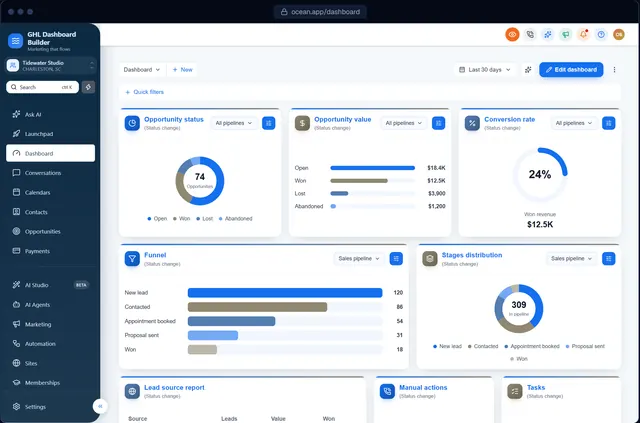
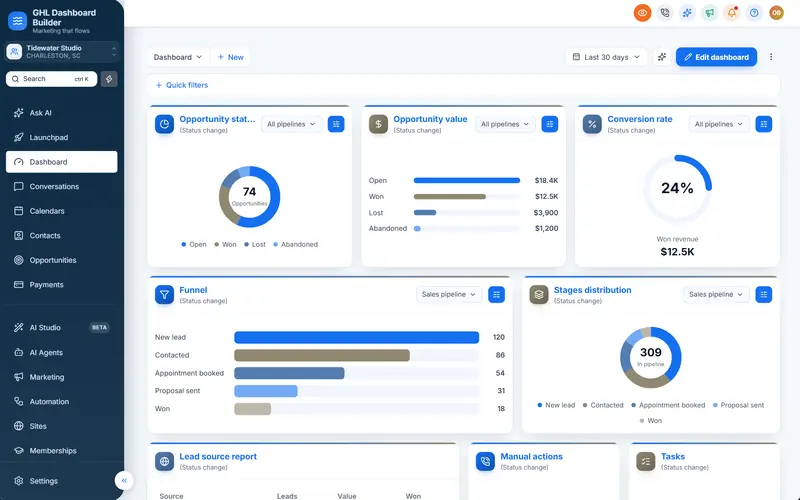
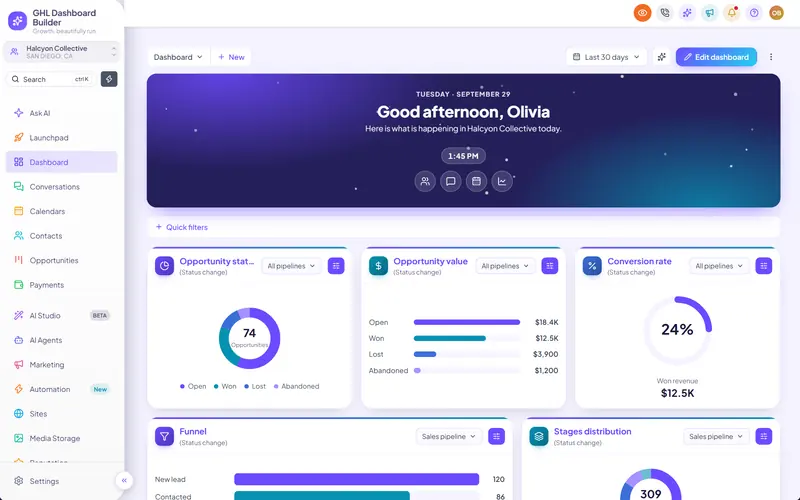
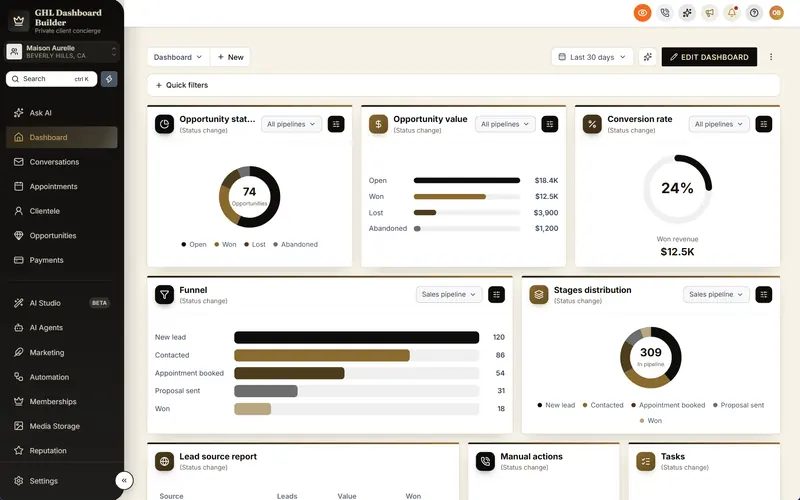
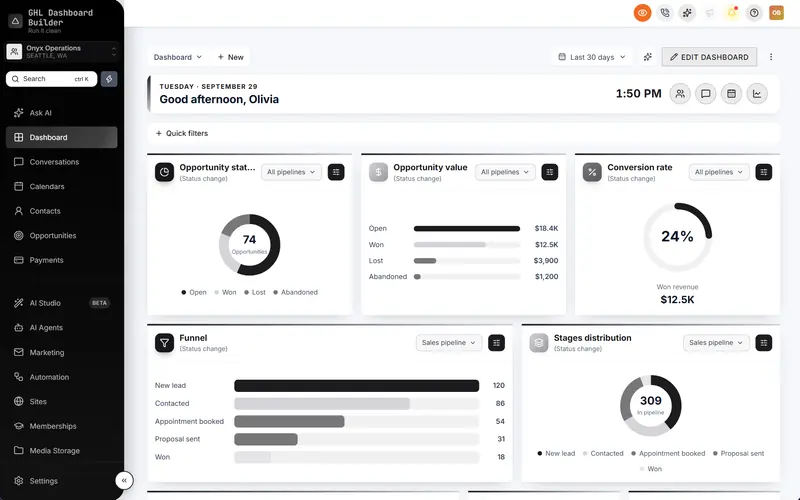
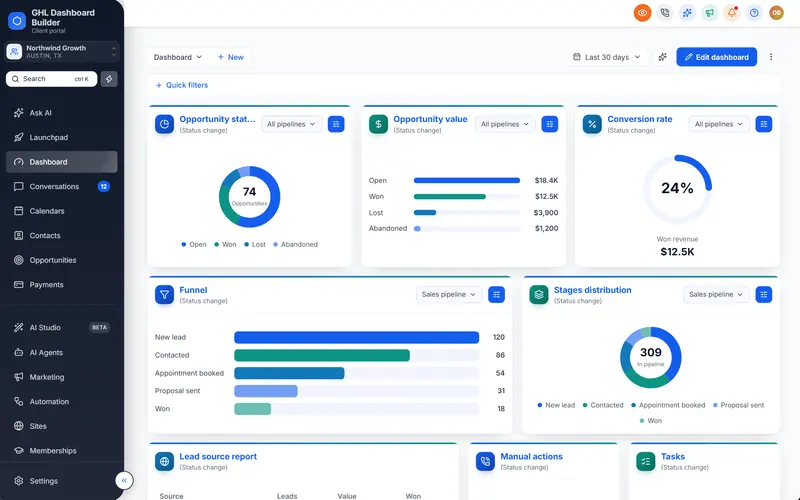
GHL Dashboard Builder changes how HighLevel looks and reads for a practice’s team: patient wording in the menu, calm brand colors, a design limited to healthcare sub-accounts and a privacy blur for screen shares. It does not store, read or send patient data, and it is not a compliance product. HighLevel’s add-on and your BAAs do the protecting.
GHL Dashboard Builder is an independent design service that turns the standard HighLevel (GoHighLevel) dashboard into a branded platform: your colors, menu, login design, privacy mode and your clients’ language, installed with two lines of code. We are not affiliated with HighLevel. The design is made in our builder, which never connects to your HighLevel account, and the installed code does not send data anywhere; it only changes how HighLevel’s screens look and what the menu says.
Infographic
HIPAA in HighLevelby the numbers
$297
per month for HighLevel's HIPAA add-on, at the time of writing
(HighLevel Help Center, HIPAA Compliance With HighLevel)
60
days at most for a business associate to report a breach to the covered entity
(HHS Breach Notification Rule)
500
people affected triggers notice to HHS within 60 days of discovery
(HHS Breach Notification Rule)
1
click on the eye button blurs patient names, emails and phone numbers on screen
(GHL Dashboard Builder)
Sources: HighLevel Help Center (HIPAA add-on); HHS Breach Notification Rule; GHL Dashboard Builder features, November 2026.

Healthcare accounts benefit from a few features in particular. The table shows what each does for a practice’s team and which plan includes it.
| Feature | What it does for your healthcare clients | Plan |
|---|---|---|
| Single sub-account | The design shows only in the practices you choose, matching the sub-accounts where HIPAA is on | All plans |
| Privacy mode | An eye button that blurs names, emails, phone numbers, the conversation list and deal values on screen shares | All plans |
| Brand & colors | Calm, readable colors and the practice’s fonts across the sidebar, header and buttons | All plans |
| Ready-made templates | The Clinic template for dental and medical practices as a starting point | All plans |
| Menu editor | Contacts becomes Patients; items the practice should not use can be hidden from the menu | Pro and Agency |
| Login page design | A branded sign-in page in your colors, one of 25 designs | Pro and Agency |
| Languages & RTL | Menu and navigation in 15 languages for front desks that work in Spanish, Arabic and more | Pro and Agency |
The way the HIPAA add-on works makes per-client design especially useful. HighLevel’s help article describes turning HIPAA on per sub-account, so most agencies end up with a few healthcare sub-accounts and many that are not. A design limited to those practices, by their sub-account link or Location ID, gives them a calm clinical look and patient wording while your other clients keep their own setup, from one install. One design is shown in the chosen sub-accounts; for different looks per practice, Pro includes up to 3 designs and Agency up to 100, and you can talk to us about the setup.
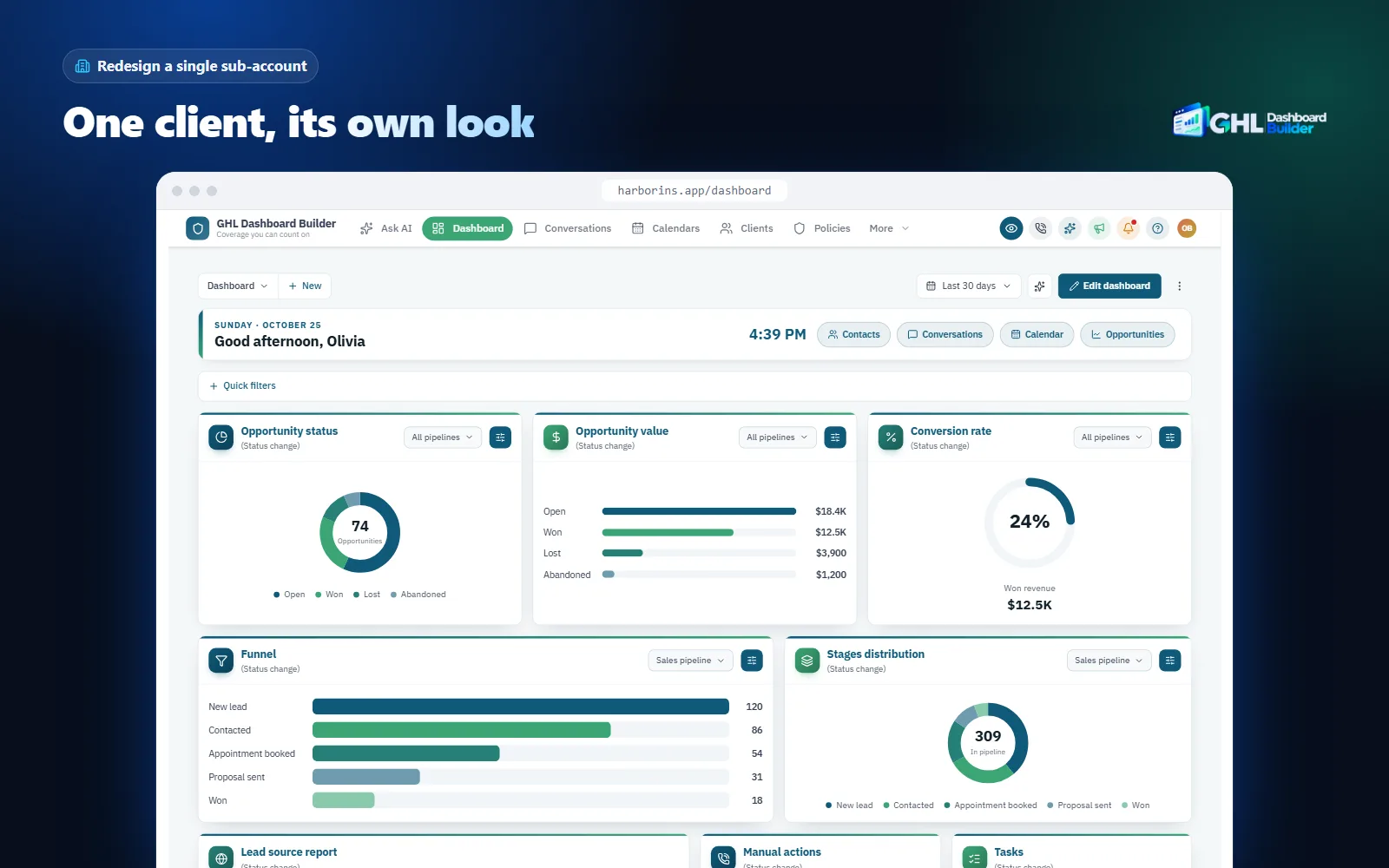
Installation is two lines in HighLevel’s agency Settings → Company → Whitelabel → Custom Code, and on every plan the one-time $100 setup fee covers us installing it, configuring it and checking every screen. Plans are one-time: Starter $280, Pro $480 and Agency $880, with no monthly fees; Starter and Pro include 12 months of updates, then optional at $99 a year, and Agency includes lifetime updates. If your compliance adviser prefers to review every script loaded into a HIPAA account, the Agency plan lets you download the full CSS and JavaScript files instead of installing two hosted links. The full feature list is on our features page.
How do you enable HIPAA in GoHighLevel, step by step?
Decide which clients need it, agree the BAAs, buy the add-on from the agency view, sign HighLevel’s BAA, switch HIPAA on for each healthcare sub-account, tighten users and permissions, and only then import patient data and brand the account. The order matters because the add-on and the per-sub-account switch cannot be undone.
Infographic
HIPAA in HighLevelin seven steps
- 1
Confirm the need
Check with the client and their adviser whether PHI will be stored.
- 2
Agree the BAAs
Sign a BAA between your agency and the practice.
- 3
Buy the add-on
Purchase HighLevel's HIPAA add-on from the agency view.
- 4
Sign HighLevel's BAA
Sign it under Settings, Compliance and keep a copy.
- 5
Enable per sub-account
Turn HIPAA on in each healthcare sub-account's Advanced Settings.
- 6
Lock down users
Enforce multi-factor login and limit roles before data arrives.
- 7
Import and brand
Import patient data, then apply the design and test.

Menu paths below follow HighLevel’s help center at the time of writing. HighLevel has published several versions of its HIPAA article with different paths over time, so check the current article before you start.
Step 1: Confirm the need
- Ask the client whether they are a covered entity and whether they intend to store health information in HighLevel: appointment reasons, treatment notes, intake forms, insurance details or message threads about care.
- Ask who their compliance contact or adviser is. Get their decision in writing.
- If the answer is no PHI, design the account so health details are not collected: no diagnosis fields on forms, no treatment wording in reminders.
Step 2: Agree the BAAs
- Sign a BAA between the practice and your agency before your team touches patient data. Use your lawyer’s template; the HHS sample provisions are a checklist, not a contract.
- List every other vendor that will touch PHI in this account and confirm each one’s position before you connect it.
Step 3: Buy the add-on and sign HighLevel’s BAA
- Log in to the agency view as an agency admin.
- Go to Settings → Compliance. HighLevel’s article describes a BAA section with a View Details option where you review and sign the agreement after purchase.
- Complete the purchase and the signature. HighLevel’s article says HIPAA compliance is enabled at agency level once the BAA is signed. Download the signed copy from the same Compliance section and file it with the practice’s records.
Step 4: Enable HIPAA in each healthcare sub-account
- Go to Sub-Accounts, open the practice’s sub-account and find Advanced Settings.
- Turn the HIPAA toggle on. Recent versions of HighLevel’s article state that this setting cannot be turned off once enabled, so do it only for sub-accounts that will store PHI.
- If the toggle is missing, HighLevel’s article points to user permissions: check that your user has access to these settings.
Step 5: Lock down users and permissions
- Make sure every user who will log in to the sub-account has completed multi-factor authentication.
- Review roles. Front-desk staff, marketers and contractors rarely need the same access. Restrict who can export contacts or see every conversation.
- Remove old agency users and freelancers who no longer need access. Every login is a person who can see patient data.
Step 6: Import data, then brand and test
- Import patient data only after steps 1 to 5 are done.
- Apply the design to that sub-account, rename the menu for the practice, and test as a front-desk user on desktop and phone.
- Run one test screen share with privacy mode on and check every list you would normally show.
What should a healthcare sub-account’s menu and dashboard show?
Show the practice’s team only what they need, in their words. Rename Contacts to Patients, put Calendars and Conversations first, and hide the modules the practice will not use or that you have not cleared for patient data. Fewer visible tools means fewer places for health information to end up by accident.
HIPAA’s Privacy Rule includes a minimum necessary requirement: uses and disclosures of PHI should be limited to what the purpose needs. Menu design is not an access control, but it supports the same habit. A receptionist who sees Patients, Calendars, Conversations and Payments, and not twelve other modules, is less likely to paste a treatment note into a marketing tool or build a public form that collects symptoms.
A practical menu for a HIPAA practice
| HighLevel menu item | Suggested label | Show it? |
|---|---|---|
| Contacts | Patients | Yes |
| Calendars | Appointments | Yes, near the top |
| Conversations | Messages | Yes, with message templates reviewed |
| Payments | Billing | Yes, if the practice takes payments in HighLevel |
| Opportunities | Treatment plans or Enquiries | Only if the practice tracks a pipeline |
| Marketing | Marketing | Only for staff who run campaigns, after a policy review |
| AI and third-party apps | (hidden) | Hide until you confirm they are covered for PHI |
| Sites, Memberships, Communities | (hidden) | Usually hidden for clinical staff |
The AI row deserves a note. Before anyone in a HIPAA account uses a feature that reads conversations or contact records, confirm with HighLevel which features its HIPAA arrangement covers. If you cannot get a clear answer, hide the item for healthcare sub-accounts and revisit later. Remember that hiding a menu item changes what people see, not what their role allows; set permissions in HighLevel for anything that must be truly off.
The menu editor in GHL Dashboard Builder does this per design: it renames, reorders and hides any of HighLevel’s 19 menu items, adds New and Beta labels and your own custom items, such as a link to the practice’s internal policy page. Our guide to renaming GoHighLevel menu items compares HighLevel’s native rename settings with the menu editor, and our page on GHL sidebar and menu customization shows the full options.
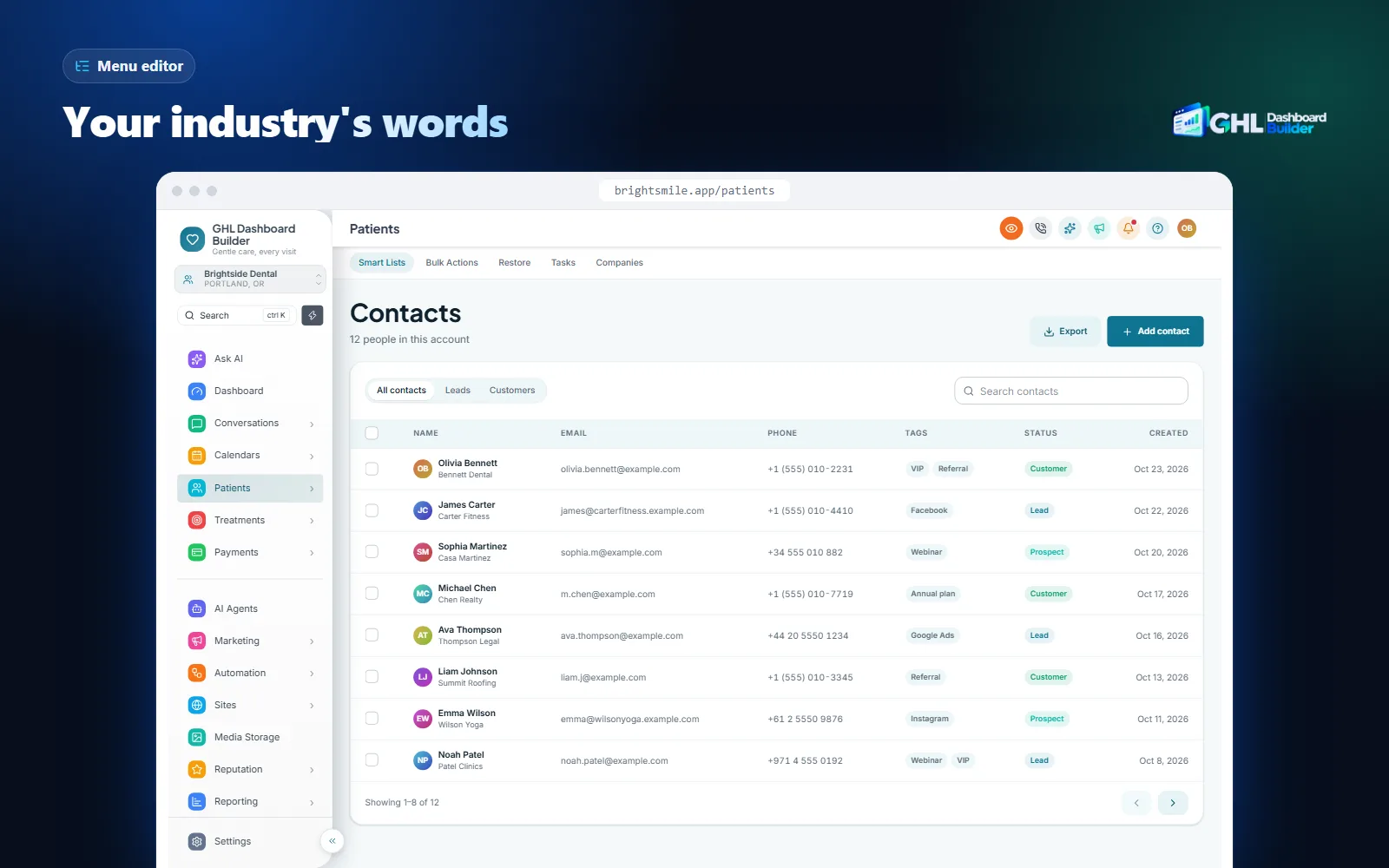
On the dashboard itself, keep the first screen operational rather than promotional: today’s appointments, unread messages and tasks due. Avoid widgets that show patient names in large type on a screen in a waiting room. If the practice puts HighLevel on a reception monitor, angle it away from patients, a safeguard HHS itself gives as an example in its guidance on incidental uses and disclosures.
What changes for marketing when a HighLevel client is HIPAA-covered?
Marketing is where most agencies get into trouble. Under HIPAA, using patients’ health information to market to them generally needs their written authorization, tracking pixels on pages that handle health information can be an impermissible disclosure, and replies to patient reviews must never reveal care details. Your workflows and funnels need a review, not just your storage.
Tracking pixels and analytics
HHS’s guidance on online tracking technologies says disclosing PHI to tracking vendors for marketing without a HIPAA-compliant authorization is impermissible, that cookie banners and privacy policies are not an authorization, and that a BAA is not a workable route for targeted advertising. In June 2024 a federal court vacated the part of that guidance covering public, unauthenticated pages; Morrison Foerster’s summary of the ruling notes that the other portions remain in effect.
For a HighLevel funnel, the practical rules are:
- Keep advertising pixels off patient portals, intake forms, booking confirmation pages and any page reached after a patient logs in or shares health details.
- Do not send form fields such as “reason for visit” or “symptoms” to ad platforms as events.
- Ask the practice’s adviser to approve any tracking on pages about specific conditions or treatments.
Campaigns, reminders and message content
Appointment reminders and treatment-related messages are part of care, but keep them short: a first name, a time and the practice’s name, with no procedure or condition in the text. Campaigns that use health information to promote a product or service are another matter and usually need the patient’s authorization. Build two separate workflow folders in the sub-account, one for care messages and one for marketing, so nobody mixes the two.
Reviews and reputation
Reputation management is a standard HighLevel service, and it carries a specific risk. In 2022 HHS announced a settlement with a dental practice over replies to online reviews that disclosed patients’ information; the practice paid $23,000 and agreed to a corrective action plan. Give every healthcare client a review-reply template that thanks the reviewer and invites them to call, and never confirms that the reviewer is a patient.
How do you share your screen and record training in a HIPAA account?
Use a demo sub-account for sales calls and recorded training, and turn on a screen blur for any live call where you must open a real practice’s account. HIPAA expects reasonable safeguards against incidental disclosures, and a shared screen or a recording is a disclosure that can travel far beyond the call.
Agencies share screens constantly: onboarding calls with a new receptionist, troubleshooting a workflow with the practice manager, a quarterly review with the owner, a sales demo showing what you built for a similar client. Each one can put patient names, phone numbers and message threads in front of someone who has no reason to see them, and a recorded call keeps them there.
Privacy mode in GHL Dashboard Builder is an eye button in HighLevel’s header. One click blurs contact names, email addresses and phone numbers in tables, links and fields, the conversation list and opportunity values, and you choose how strong the blur is. It is a visual safeguard for screens, not an access control: it does not change what a user’s role can see, and it does not replace the demo account for anything you will publish. Our guide to hiding client data in GoHighLevel covers demo accounts and recording routines in full.
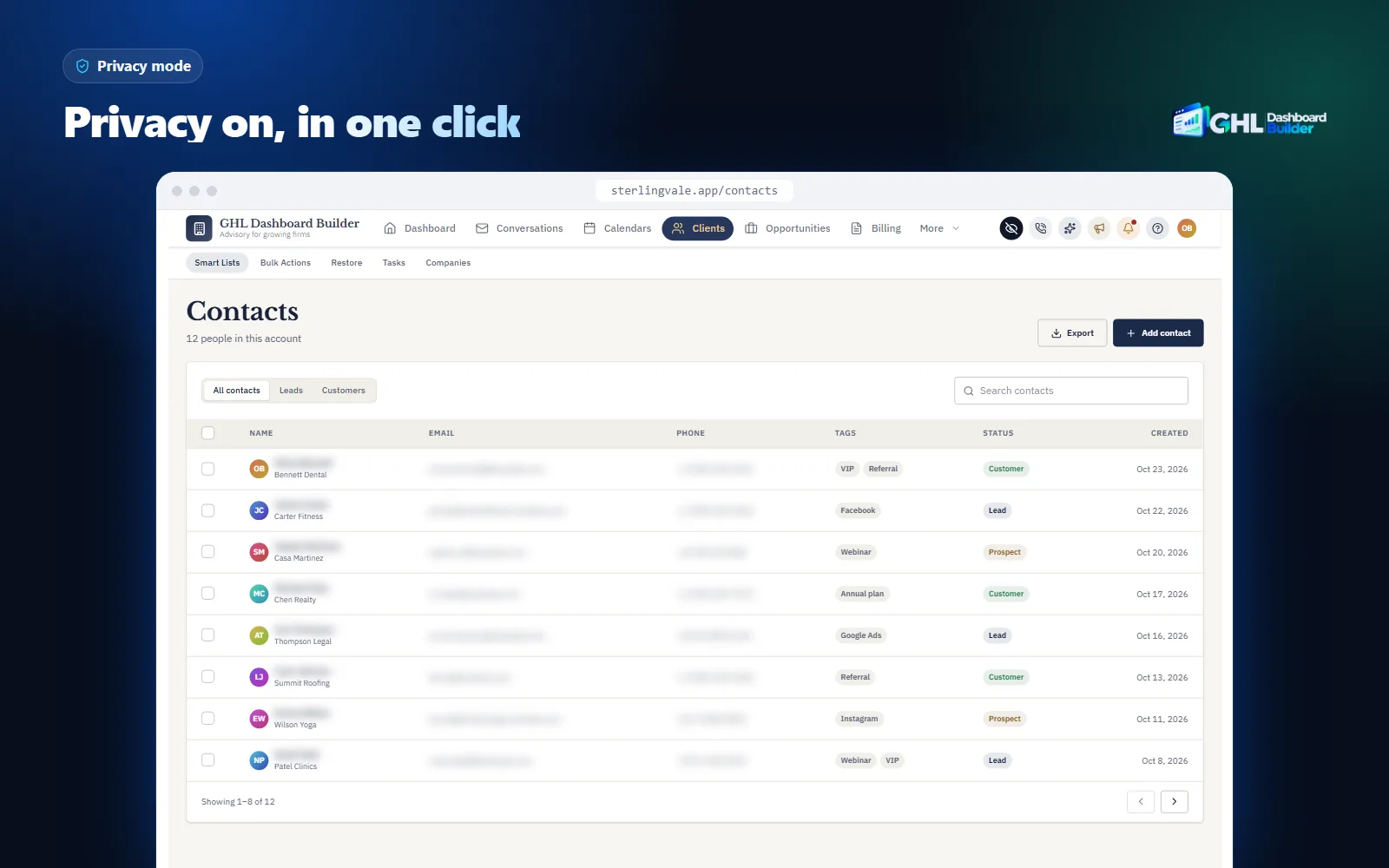
A routine that works for most agencies:
- Sales demos: always a demo sub-account with invented patients. Never show a client’s real account to a prospect, blurred or not.
- Live support in a real account: privacy mode on before you share, share one browser tab rather than the whole screen, and close the conversation panel when it is not needed.
- Recorded training: record in the demo sub-account. If you must record in a real account, blur first and review the recording before you send it.
- Screenshots for tickets: crop to the problem and blur any identifier. Never paste a patient’s record into a public forum or a feature request.
What can go wrong with GHL HIPAA compliance, and what doesn’t the add-on solve?
The most common failures are outside HighLevel’s encryption: integrations without BAAs, too many users with broad access, patient details in marketing tools, a lapsed add-on, and staff exporting data to spreadsheets. The add-on secures the platform; it cannot secure the habits around it.
The add-on is permanent, the BAA is not. HighLevel says the add-on cannot be disabled once purchased, and recent versions of its article say the per-sub-account switch cannot be turned off either. HighLevel’s platform update notes also say the BAA may expire automatically if the HIPAA subscription lapses. Put the renewal on the agency’s finance calendar and decide in advance what happens to patient data if a practice leaves.
Integrations sit outside HighLevel’s BAA. Zapier-style automations, marketplace apps, external email tools and AI services each receive data on their own terms. If a workflow sends a patient’s form answers to a tool without a BAA, the add-on has not helped. Map every outbound connection in a healthcare sub-account before go-live.
Users and access drift. Agencies add freelancers, VAs and contractors over time and rarely remove them. Review users in each healthcare sub-account every quarter and remove anyone who no longer needs access.
Exports leave the protected environment. A CSV export of contacts on a laptop is outside HighLevel’s encryption and audit log. Restrict export permissions and agree with the practice how exports are stored, if at all.
Branding has limits too. A design does not translate HighLevel’s system emails, builders or inner pages, which follow HighLevel’s language settings, and it does not reach HighLevel’s mobile app. HighLevel does not officially support custom code, and a large HighLevel update can require a theme refresh; updates cover that for 12 months on Starter and Pro and for life on Agency. If something looks wrong after an update, our guide to GoHighLevel custom CSS that is not working lists the usual causes.
What neither HighLevel’s add-on nor a branded dashboard will ever do:
- Write your HIPAA policies, train your staff or complete the risk analysis HIPAA expects.
- Make a marketing campaign that uses health information acceptable without the patient’s authorization.
- Turn a non-covered business into a covered one, or the other way round.
- Replace a healthcare compliance adviser’s review of your specific setup.
HIPAA add-on, a separate tool or no PHI: which approach fits which client?
Choose by what the client will store. If a covered practice will keep patient health information in HighLevel, use the HIPAA add-on with BAAs. If a separate clinical system already holds that data, keep HighLevel for marketing and scheduling without health details. If the business is not covered, collect no health details at all.
| Situation | Best fit | Why | Trade-off |
|---|---|---|---|
| Covered practice, conversations and intake in HighLevel | HIPAA add-on + BAAs | The platform is set up for ePHI under a BAA | US$297 a month and a permanent switch |
| Covered practice with its own practice-management system | HighLevel without PHI, clinical data stays in the PMS | Lower cost; HighLevel handles leads and reminders only | Strict discipline about what goes into HighLevel |
| Several healthcare clients in one agency | One add-on, HIPAA on only for those sub-accounts | One agency-level cost spread across practices | Every healthcare client depends on the same renewal |
| Cash-only wellness or fitness business | No add-on; no health details collected | HIPAA likely does not apply | State privacy and consumer rules still do |
| Unsure whether the client is covered | Treat as covered until advised | Protects both sides while the question is answered | Slower start, possibly an unnecessary cost |
Whichever row fits, the client-facing experience is the same question: does the account look and read like a tool built for their practice? That is the part a design solves, and it works the same way with or without the add-on. For the wider picture of what you can brand in HighLevel and where each setting lives, see our GoHighLevel white label dashboard page and the guide to GHL dashboard customization.
What to do next
- List your clients and sort them with the table above: covered with PHI in HighLevel, covered without PHI, not covered, and unsure. Ask each “unsure” client for their adviser’s answer in writing.
- For covered clients with PHI, agree a BAA between your agency and the practice, then buy HighLevel’s HIPAA add-on, sign its BAA under Settings, Compliance, and enable HIPAA only in those sub-accounts.
- Review users, export permissions, integrations, pixels and review-reply templates in every healthcare sub-account before importing patient data.
- Set up a demo sub-account for sales calls and training, and turn on a screen blur for live calls in real accounts.
- Try patient wording and the Clinic template in the free builder, compare plans and the setup fee, and read the install questions in our FAQ.