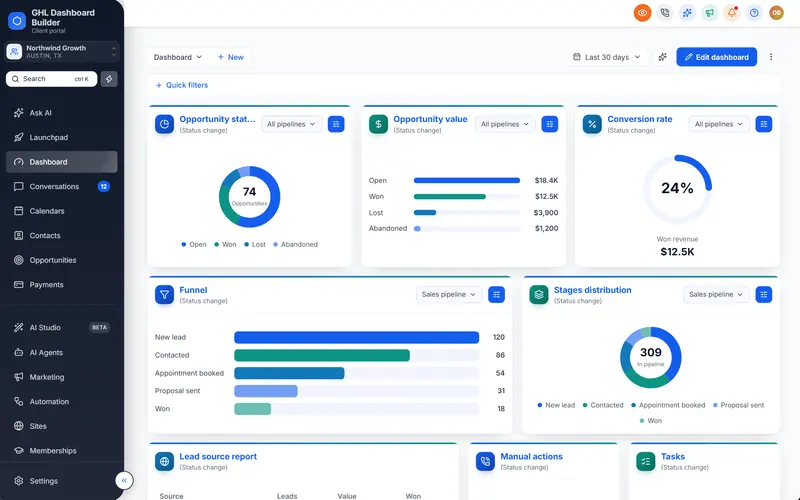
A school in Karachi signs up for the platform you sold them. The admissions officer logs in, sees an English menu on the left and asks a fair question: “Can my team have this in Urdu?” Her staff text parents in Urdu all day, read Urdu newspapers on the way to work and find English settings pages slow going. If you say “yes, all of it” and she meets English builders a week later, you lose her trust. If you say “the menu and navigation, right to left, in a proper Urdu font, and here is what stays English,” you keep it.
This guide gives you that exact answer for GoHighLevel in Urdu. It covers what HighLevel (also called GoHighLevel or GHL) shows in Urdu today, who reads Urdu and where, what a theme adds, whether to use Urdu script or Roman Urdu, which words to put in the menu, how Nastaliq fonts behave on screen, which digits to use, what happens to Urdu SMS, WhatsApp and email, and a step-by-step setup with its limits. GHL Dashboard Builder is an independent design service and is not affiliated with HighLevel; where our product helps, we say what it does and where it stops.
Can GoHighLevel be used in Urdu today?
Partly. HighLevel’s built-in language setting does not include Urdu at the time of writing, and its interface does not switch to right-to-left reading. You can still give Urdu-speaking clients an Urdu menu and navigation with a mirrored layout through custom code, and you can write every customer-facing message in Urdu yourself.
What HighLevel offers natively
HighLevel has started translating its own interface. HighLevel’s help center article on internationalization explains that each sub-account has a default language under Settings, Business Profile, Platform Language, and that each user can override it under Settings, My Profile. A sub-account is one client’s workspace in HighLevel; HighLevel also calls it a location. The languages offered there are mostly European, such as Spanish, French, German, Portuguese, Italian and Dutch. Urdu is not one of them at the time of writing.
Agencies have asked for the missing piece. A request on HighLevel’s ideas board for right-to-left text direction support names Urdu together with Arabic, Hebrew and Persian. A second request asks HighLevel to add full right-to-left support for forms, surveys and sites, noting that those tools have no built-in right-to-left orientation. Neither request shows a release date. Treat them as a sign that HighLevel knows about the need, not as a roadmap.
What agencies do in the meantime
Agencies with Urdu-speaking clients work in three layers:
- Interface layer. A theme placed in HighLevel’s agency-level Custom CSS and Custom JavaScript boxes translates the menu and navigation, sets the page direction to right-to-left and loads an Urdu font. This is the layer the client’s staff see every time they log in.
- Content layer. Everything the client’s customers receive, such as SMS, WhatsApp templates, emails, forms, surveys, funnels and booking pages, is written in Urdu by your team or the client’s team in HighLevel’s normal editors.
- Settings layer. Time zone, currency and business details are set per sub-account, so what HighLevel generates itself, such as invoices and reminders, looks right for the client’s country.
If you have not branded HighLevel at all yet, start with our guide to white-labeling HighLevel, which covers the logo, domain and custom code settings this article builds on. For the wider picture of every language HighLevel and our theme support, see our overview of GoHighLevel languages.
Who reads Urdu, and why does it matter for your HighLevel clients?
Urdu is Pakistan’s national language and is also widely read in India and in South Asian communities abroad, including the United Kingdom. Far more people read it than speak it as a first language, so an Urdu menu can suit a Pakistani team even when most of its staff grew up speaking Punjabi, Pashto or Sindhi at home.
In Pakistan, Urdu works as the shared language across regions. In the 2023 census, 9.25 percent of Pakistanis named Urdu as their mother tongue, up from 7.08 percent in 2017, while Punjabi was the most common mother tongue, as Geo News reported from the Pakistan Bureau of Statistics results. Those figures count first languages only. Urdu is still the national language and is widely used in newspapers, television news and schools, so a receptionist whose home language is Punjabi often reads Urdu script comfortably.
Outside Pakistan, the numbers are large too. The 2011 Census of India counted about 50.7 million Urdu speakers, as the census table of India’s languages by native speakers shows. In England and Wales, the Office for National Statistics’ Census 2021 language bulletin lists Urdu among the most common main languages other than English or Welsh, with about 270,000 people. That matters if you serve, say, a pharmacy in Bradford or a travel agency in Birmingham whose front desk works in Urdu.
Infographic
Urdu readers and your dashboardby the numbers
9.25%
of Pakistanis named Urdu their mother tongue in the 2023 census
(Geo News, Pakistan Bureau of Statistics 2023 census)
50.7M
Urdu speakers counted in the 2011 Census of India
(Scroll, Census of India 2011)
270,000
people in England and Wales with Urdu as their main language in 2021
(ONS Census 2021)
3 of 15
GHL Dashboard Builder menu languages that read right to left: Arabic, Urdu, Hebrew
(GHL Dashboard Builder)
Sources: Geo News (2023 census of Pakistan); Scroll (2011 Census of India); Office for National Statistics (Census 2021); GHL Dashboard Builder language list, October 2026.

The practical lesson is that “Urdu client” covers several different situations. A Lahore clinic, a Hyderabad (India) coaching institute and a Manchester accountancy with Urdu-speaking staff need different digits, currencies and amounts of English. The rest of this guide shows where those differences appear and how to handle each one.
What can be shown in Urdu, and what stays in English?
The menu, the navigation and the parts of the interface a theme restyles can be shown in Urdu. HighLevel’s own page content, its builders, its system emails and its mobile app keep following HighLevel’s language settings. Your clients’ customer-facing content can be fully Urdu, because you write it.
Say this before a client buys. An admissions officer who expects every word on every screen to be Urdu will be disappointed. One who knows that the menu, the main navigation and every message parents receive will be Urdu, while some inner settings screens stay English, can make an informed choice. Most client teams spend their day in a handful of places: conversations, calendars, contacts, the opportunities board and the dashboard. Those are where an Urdu menu and a right-to-left layout make the biggest difference.
| Part of GoHighLevel | Native Urdu today | With an Urdu theme | Who makes it Urdu |
|---|---|---|---|
| Left menu (sidebar) and its 19 items | No | Yes, translated and moved to the right | The theme |
| Header search, notifications, profile menu | No | Yes, for the parts the theme restyles | The theme |
| Page direction (right-to-left) | No | Yes, for the parts the theme restyles | The theme |
| Labels and text inside HighLevel’s own pages | No | No, follows HighLevel’s Platform Language | HighLevel |
| Workflow, funnel, website and email builders | No | Mostly left-to-right | HighLevel |
| SMS, WhatsApp and email content | Yes, any language you type | Not affected | You or the client |
| Forms, surveys, funnels, booking pages | Text yes; full right-to-left no | Not affected | You, with testing |
| HighLevel’s mobile app | No | Not affected | HighLevel |
| System emails and notifications | No | Not affected | HighLevel |
Why the inner pages stay in English
A theme works by changing how the browser displays HighLevel’s pages. It can replace the visible text of stable, predictable elements such as menu labels and header buttons. It cannot safely rewrite every sentence, tooltip, error message and setting description inside every HighLevel module, because those change with HighLevel’s releases and come from HighLevel’s own code. A theme that tried would break often and could show wrong wording where accuracy matters, such as billing or compliance settings.
So the honest promise to an Urdu-speaking client is: “Your team’s menu and navigation will be in Urdu, in a Nastaliq font, and the screen will read right to left. Some inner settings pages and the builders stay in English.” Many Pakistani office teams already use English software every day, so this split is usually acceptable, as long as you say it before the sale and not after.
How does GHL Dashboard Builder put GoHighLevel in Urdu?
GHL Dashboard Builder translates GoHighLevel’s menu and navigation into Urdu, switches the layout to right-to-left automatically, sets the Urdu text in a Nastaliq font, lets you rename any menu item in Urdu, Roman Urdu or English, and installs as one CSS line and one JavaScript line in HighLevel’s custom code settings. It does not translate HighLevel’s inner pages.
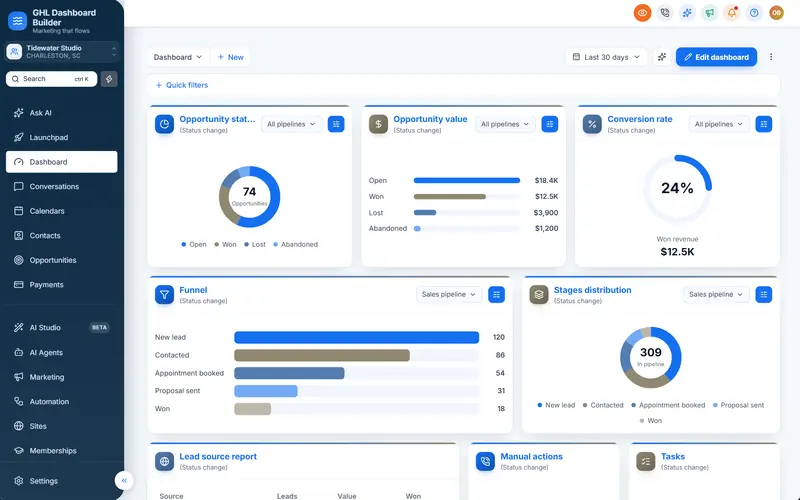
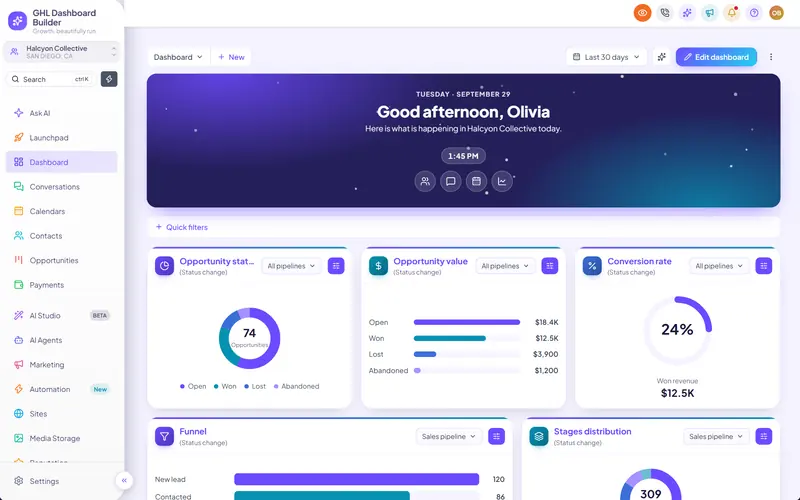
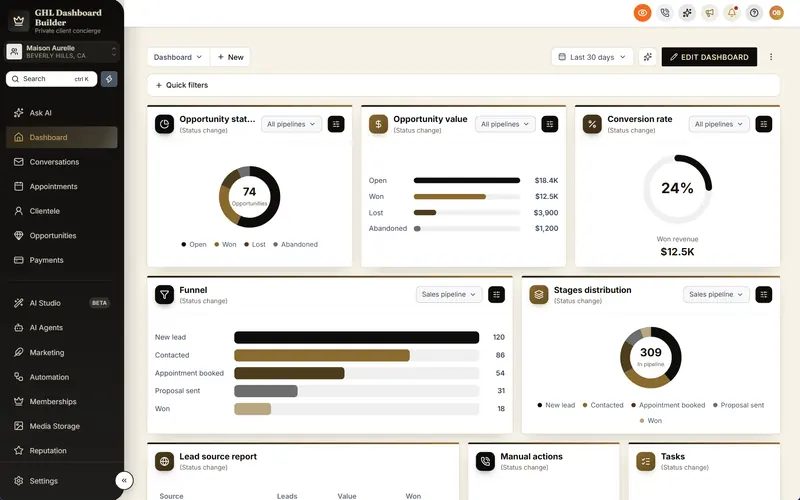
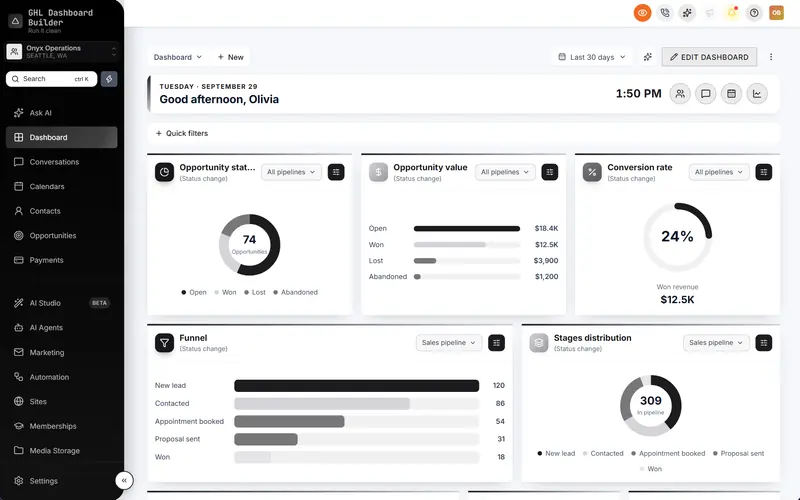
GHL Dashboard Builder is an independent design service that turns the standard HighLevel (GoHighLevel) dashboard into a branded platform: your colors, menu, login design, privacy mode and your clients’ language, installed with two lines of code. For Urdu, the pieces that matter are the built-in Urdu language pack, the right-to-left layout, the Urdu fonts, the menu editor and sub-account targeting. All of them are described on our features page.
What the Urdu setup includes
- An Urdu language pack. The menu, the sidebar’s search and sub-account switcher, the header’s search box, notifications, help and profile menu, common buttons such as Save and Cancel, and the tab names our theme shows are translated into Urdu. Urdu is one of 15 languages, and one of 3 that read right to left, alongside Arabic and Hebrew.
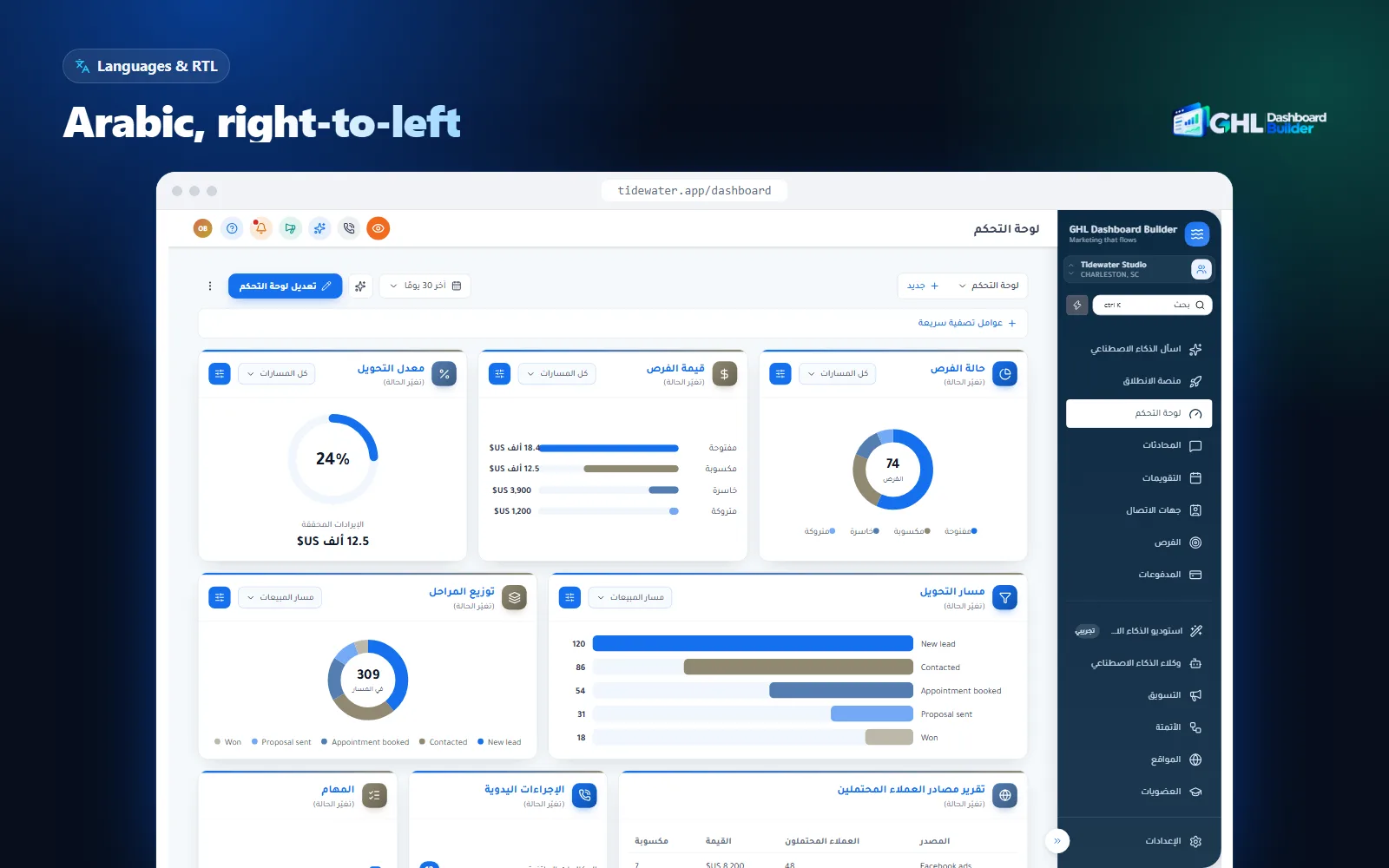
- Automatic right-to-left. When the language is Urdu and direction is set to automatic, the sidebar moves to the right and the page direction switches. You can also keep the layout left to right with Urdu labels, if a bilingual team prefers the familiar layout.
- Urdu fonts. Noto Nastaliq Urdu (the default for Urdu) and Gulzar in the Nastaliq style, and Noto Naskh Arabic for clients who prefer the upright Naskh style. The Urdu font is chosen separately from your Latin brand font, so English brand names keep your normal typeface.
- Your own wording. Override any translated label, so a school sees students and a clinic sees patients.
- No data access. The builder never connects to your HighLevel account, and the installed code does not send data anywhere.
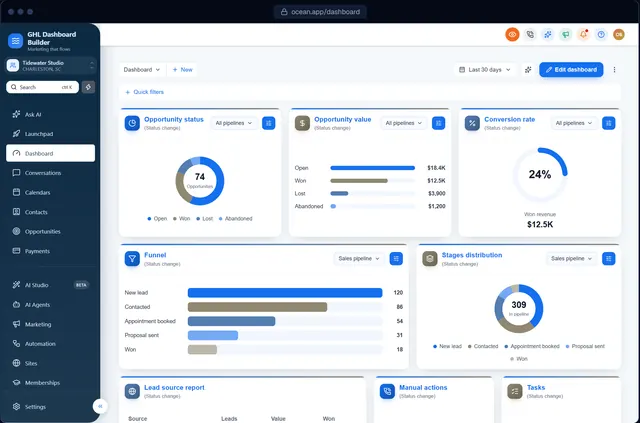
Here is what that looks like on HighLevel’s screens. The screenshot below shows the right-to-left layout in Arabic; Urdu uses the same mirrored layout, with Nastaliq lettering in the menu.
At a glance: features, what they do, which plan
| Feature | What it does for your Urdu-speaking clients | Plan |
|---|---|---|
| Languages and right-to-left | Urdu menu and navigation, sidebar on the right, page direction switched | Pro and Agency |
| Menu editor | Rename, reorder, hide and badge the 19 menu items in Urdu, Roman Urdu or English | Pro and Agency |
| Brand, colors and fonts | Your colors and an Urdu Nastaliq or Naskh font across the dashboard | All plans |
| Templates | Scholar, Clinic and Saffron as starting points, among 27 templates | All plans |
| Single sub-account | The Urdu design only for chosen sub-accounts, by link or Location ID | All plans |
| Privacy mode | Blurs names, emails, phone numbers and deal values during screen-shares | All plans |
| Two-line install | One CSS line and one JavaScript line; later changes go live with Deploy to live | All plans |
All three plans are one-time payments in US dollars with no monthly fee. Every plan also has a one-time $100 setup fee, for which we install and configure the design in your HighLevel. Starter ($280) gives you one branded design from any of the 27 templates, without the language section or the menu editor. Pro ($480) adds up to 3 designs, the menu editor, the dashboard in Urdu or any of the other 14 languages and the branded login page design. Agency ($880) adds up to 100 designs, a look designed by our team, custom code and lifetime updates. Starter and Pro include 12 months of updates, then optional at $99 a year. Current details are on the pricing page.
What the client sees afterwards
After installation, a user in the Urdu sub-account logs in on your white-label domain and sees the sidebar on the right, in your colors, with Urdu labels such as گفتگو (Conversations), رابطے (Contacts), مواقع (Opportunities) and ترتیبات (Settings), set in Nastaliq. The header search box invites them, in Urdu, to search contacts, deals and conversations. When they open a deep settings page or a builder, they see HighLevel’s own English text. You can click through a live Urdu preview yourself on our Urdu language page.
Should the menu be in Urdu script, Roman Urdu or English?
Ask who logs in. Urdu script with a right-to-left layout suits front-desk, admissions, sales and operations staff who read Urdu comfortably. English suits teams that already use English software all day. Roman Urdu, which is Urdu typed in Latin letters, can work for short menu labels when a team texts that way but finds Urdu script slow on screen.
Many Urdu speakers type Roman Urdu on their phones while reading Urdu script in print, so there is no single right answer per country. Our guide to running a GoHighLevel agency in Pakistan covers the survey evidence on Roman Urdu messaging and the English that runs through Pakistani office life. For the dashboard itself, the decision is practical: which version lets this team find Conversations and Calendars fastest?
| Option | Best for | Layout | Watch out for |
|---|---|---|---|
| Urdu script menu | Staff who read Urdu newspapers and Urdu-script WhatsApp | Right to left | Inner pages stay English; test Nastaliq line height |
| Urdu script, left-to-right | Bilingual teams who want Urdu labels without moving the sidebar | Left to right | Mixed text alignment inside the menu |
| Roman Urdu labels | Teams that text in Latin letters and read Urdu script slowly | Left to right | No standard spelling: agree each word once |
| English menu, Urdu content | Teams trained on English software; customers who want Urdu messages | Left to right | Customers’ replies may arrive in three scripts |
Questions to ask the client
- Who logs in every day? List each role: reception, admissions, sales, accounts, the owner. The person who uses the dashboard eight hours a day matters more than the owner who checks reports once a week.
- What does their phone show? Ask two staff members to show you their last few WhatsApp messages to customers. If they write in Urdu script, an Urdu-script menu will feel natural.
- Who supports them? If your support team does not read Urdu, keep a two-column English and Urdu map of the menu so you can guide the client on calls.
- Do customers write back in Urdu? If so, the conversation list will fill with Urdu script whatever language the menu uses, and a right-to-left layout reads more naturally next to it.
Roman Urdu has one specific risk in a menu: spelling. “Mareez”, “mariz” and “marīz” are all ways people write the Urdu word for patient in Latin letters. If you choose Roman Urdu labels, write the full menu once with the client, agree every spelling and keep it fixed.
Which Urdu words should the GoHighLevel menu use?
Use short, everyday office Urdu, which mixes Urdu words with English loanwords that Pakistani staff already say aloud, such as ڈیش بورڈ (dashboard) and کیلنڈر (calendar). Keep each label to one or two words, and rename the few items where your client’s industry uses a different word.
Urdu business vocabulary borrows heavily from English, and that is normal, not a translation shortcut. A Pakistani receptionist says “appointment” and “dashboard” in conversation; a menu that replaces them with formal literary Urdu would read like a government form. The opposite mistake is to keep everything in English letters. The balance most teams find natural is Urdu words where everyday Urdu has them (گفتگو for conversations, رابطے for contacts, ادائیگیاں for payments, ترتیبات for settings) and English loanwords written in Urdu script where English is what people actually say.
The menu in Urdu
Here is how GHL Dashboard Builder’s built-in Urdu pack names the main HighLevel menu items, with examples of industry renames you might choose instead.
| GoHighLevel (English) | Built-in Urdu label | Possible industry rename | When to use the rename |
|---|---|---|---|
| Dashboard | ڈیش بورڈ | ہوم (Home) | Small teams who see it as the start page |
| Conversations | گفتگو | پیغامات (Messages) | Teams who think of WhatsApp and SMS as messages |
| Calendars | کیلنڈرز | اپائنٹمنٹس (Appointments) | Clinics, salons, consultants |
| Contacts | رابطے | مریض (Patients) or طلبہ (Students) | Clinics; schools and academies |
| Opportunities | مواقع | سودے (Deals) or داخلے (Admissions) | Sales teams; schools |
| Payments | ادائیگیاں | فیس (Fees) | Schools and coaching institutes |
| Memberships | رکنیتیں | کورسز (Courses) | Education and coaching |
| Automation | آٹومیشن | Keep as is | Usually seen only by admins |
| Settings | ترتیبات | Keep as is | Everyone recognizes it |
Some product names stay in English in the pack, such as Launchpad and AI Studio, because staff see those names in English in HighLevel’s help articles and on support calls. You can change any of them.
How to choose the words with your client
- Start from the built-in pack. It gives you a consistent base, so you only change the words that matter for this client.
- Ask what they call each thing today. If a school says داخلے (admissions) in every meeting, the opportunities board should too.
- Hide what they do not use. A front desk may need only Conversations, Calendars and Contacts. A short menu helps more than perfect wording.
- Keep labels short. Nastaliq is wide and tall; a three-word label wraps in a narrow sidebar sooner than the same label in Latin letters.
- Review with a native reader on the client’s team before launch, not after.
In the menu editor you can rename, reorder, hide and badge any of HighLevel’s 19 menu items, add your own items and set New and Beta labels, in whichever script the client chose. The screenshot below shows the editor; the same controls accept Urdu labels.
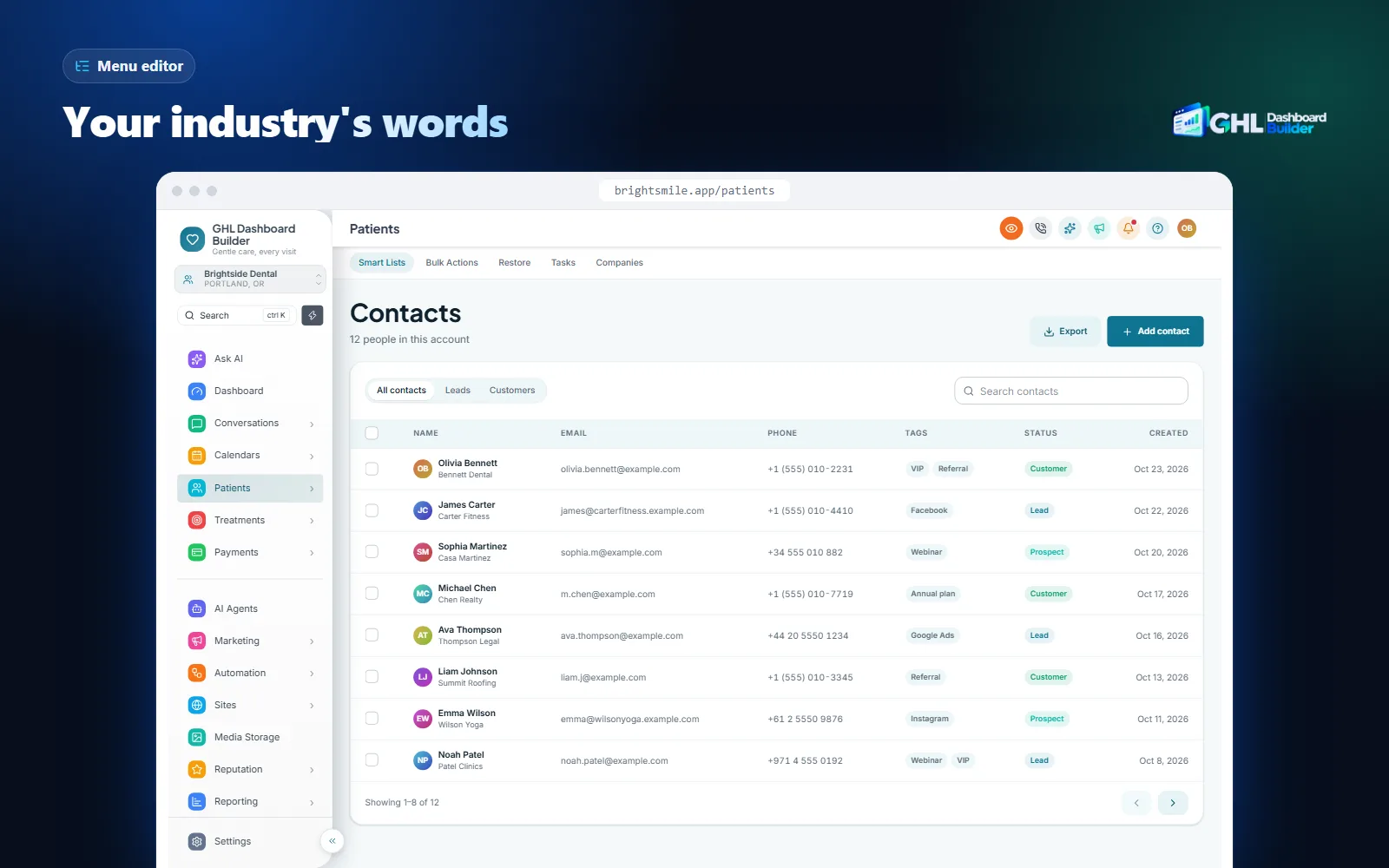
Our industry templates follow the same idea of matching the client’s words. The Clinic template renames Contacts to Patients, and the Scholar template renames Memberships to Courses; you can give either set of renames Urdu wording. Our guide to renaming GoHighLevel menu items walks through the editor step by step.
How do Nastaliq fonts behave in a branded GoHighLevel dashboard?
Nastaliq is the flowing, sloped style in which Urdu is normally printed, and Urdu readers expect it. It is taller than Latin text, letters stack diagonally within a word, and dots sit well below the line, so a Nastaliq menu needs more line height and a careful check for clipped letters.
Urdu and Arabic share the Arabic script, but they are usually printed in different styles. Arabic is commonly printed in Naskh, which sits on a flat baseline. Urdu is commonly printed in Nastaliq, where each word slopes down from right to left. A menu set in a Naskh font is readable to Urdu speakers but looks foreign to many of them. Google’s Noto Nastaliq Urdu is a free Nastaliq typeface designed for Urdu text, released under the SIL Open Font License, and it is the default Urdu font in our builder.
What the W3C says browsers still get wrong
The W3C, which writes web standards, keeps an Urdu gap analysis that tracks where browsers fall short for Urdu. Two points matter for a dashboard. First, Arabic-script ascenders and descenders reach much further above and below the line than Latin letters do, so text in the two scripts needs care when they share a line or a fixed-height box. Second, when a page’s chosen font is missing, browsers may fall back to a Naskh font rather than a Nastaliq one; the gap analysis treats Nastaliq fallback as a high priority for Urdu. In practice, that means you should load a Nastaliq font on purpose instead of hoping the operating system has one.
Checks before you approve the font
- Line height. Open the sidebar and look at every label. If the dots under letters such as ب or ی touch the next row, or are cut off at the bottom of a button, the row needs more height.
- Size. Nastaliq at the same font size as your Latin text looks smaller and denser. Increase the menu size slightly for Urdu rather than reducing it to fit.
- Weight. Very bold Nastaliq fills in the small loops that tell letters apart. A regular or medium weight usually reads best in a menu.
- Narrow places. Badges, tabs, pop-ups and table headers have the least room. Check them on a laptop screen, not only on a large monitor.
- Mixed lines. Where an Urdu label sits next to an English brand name, check that the two look balanced. Your Latin brand font stays in charge of English text.
Our guide to HighLevel custom CSS explains how fonts are loaded into HighLevel and why a font file that is not cached can make the menu flash in a fallback font on the first visit.
How should numbers, digits and dates look in Urdu?
It depends on the country. Unicode’s locale data writes Urdu for Pakistan with Western digits and Urdu for India with Eastern Arabic-Indic digits. Both use day-first dates and a 12-hour clock. Agree one style per client, because HighLevel’s invoices and calendars follow its own settings, not the menu language.
Browsers and most software take number and date formats from the Unicode Common Locale Data Repository (CLDR), a shared database of how each language and country writes numbers, dates and currencies. We formatted the same values in Node.js 22 with ICU 78.3, which ships CLDR version 48. Browsers use the same data, though their versions vary.
| Locale | Number 1,250,000.5 | Short date, 5 November 2026 | Long date | Time, 2:30 pm |
|---|---|---|---|---|
| ur-PK (Urdu, Pakistan) | 1,250,000.5 | 5/11/26 | 5 نومبر، 2026 | 2:30 PM |
| ur-IN (Urdu, India) | ۱٬۲۵۰٬۰۰۰٫۵ | ۵/۱۱/۲۶ | ۵ نومبر، ۲۰۲۶ | ۲:۳۰ PM |
| en-PK (English, Pakistan) | 1,250,000.5 | 05/11/2026 | 5 November 2026 | 2:30 pm |
| en-GB (English, UK) | 1,250,000.5 | 05/11/2026 | 5 November 2026 | 14:30 |
Four points follow from this table.
- Pakistan uses Western digits by default. ur-PK writes 1, 2, 3, which is also how Pakistani staff type phone numbers and amounts. Keep Western digits for Pakistani clients unless one asks otherwise.
- Urdu in India defaults to Eastern Arabic-Indic digits. ur-IN writes ۱، ۲، ۳. An Indian Urdu-language institute may want those in its messages; an Indian business whose staff also work in Hindi and English may prefer Western digits. Ask.
- Dates are day-first everywhere in this table. A template copied from a US client writes 11/5/26 for 5 November, which an Urdu reader in either country reads as 11 May. Write the month as a word in confirmations to remove the doubt.
- The week start differs between data and practice. CLDR lists Sunday as the first day of the week for ur-PK, while many Pakistani offices plan their week from Monday; our Pakistan setup starts the week on Monday. Agree with the client which day weekly reports start.
Currency is a separate setting. In CLDR 48, formatting 1,250,000.50 rupees with ur-PK gives “Rs 1,250,001”, because the locale data now shows rupees without decimals, while older versions show the paisa. If a client’s invoices must show exact paisa, check a sample invoice in HighLevel rather than trusting a preview. For the Pakistan-specific details, such as setting PKR, the Asia/Karachi time zone, lakh and crore in messages, and Ramadan hours, see our Pakistan market page and the Pakistan guide linked above.
What happens to Urdu SMS, WhatsApp and email messages?
They work, but each channel has a catch. Urdu SMS uses an encoding that fits fewer characters per segment, WhatsApp templates must be approved in Urdu, and Urdu emails need a right-to-left check, because HighLevel’s email builder does not set the direction fully on its own.
SMS: fewer characters per segment
A normal SMS uses the GSM-7 character set, which covers Latin letters, digits and common symbols. Urdu letters are not in it. As Twilio explains in its guide to UCS-2 encoding, a message with any character outside GSM-7 is sent as UCS-2, two bytes per character, which limits a single segment to 70 characters instead of 160. When a message is longer than one segment, each segment also carries a short header that tells the phone how to join the parts, which leaves 67 UCS-2 characters per segment, compared with 153 for GSM-7.
Any Urdu letter, and most emoji, switch the whole message to UCS-2. Source: Twilio Docs: What is UCS-2 character encoding? (checked October 2026).
The practical effect: an Urdu appointment reminder of 140 characters needs three segments (67 + 67 + 6), while 140 characters of plain English fit in one. If your SMS provider bills per segment, Urdu reminders cost more. Roman Urdu stays in GSM-7 as long as it has no special characters, so a Roman Urdu reminder fits more than twice as many characters per segment. Two habits keep costs down:
- Write short Urdu templates. A reminder needs the name, the time, the place and how to reschedule. Cut greetings that add length without information.
- Keep English and Roman Urdu messages free of stray emoji and curly quotes. One character outside GSM-7 switches the whole message to UCS-2.
Pakistan also has its own rules on promotional SMS, sender IDs and the Do Not Call Register; our Pakistan guide covers them.
WhatsApp: approved templates per language
WhatsApp is how many Urdu-speaking businesses and their customers talk. Messages that start a conversation need pre-approved templates, and Meta’s list of supported languages for WhatsApp templates includes Urdu with the code ur. Each language version is its own template and is reviewed on its own. For a bilingual client, create an Urdu and an English version of each template, name them so your team can tell them apart, and pick the right one in each workflow with a preferred-language contact field.
Email and forms: direction is your job
HighLevel’s email builder and forms accept Urdu text, but aligning text to the right is not the same as setting its direction. Mixed Urdu and English lines, such as a sentence with a phone number, an email address or a course code, are ordered by the browser’s bidirectional algorithm, and punctuation can land at the wrong end. The W3C’s guide to inline markup and bidirectional text in HTML explains the cause: text whose direction is unknown should be isolated from the text around it. You cannot change how HighLevel builds its pages, but you can apply the idea in your content:
- Put phone numbers, links and order numbers on their own line rather than in the middle of an Urdu sentence.
- Start each Urdu sentence with an Urdu word, not an English brand name, so the line is detected as right-to-left.
- If you add custom HTML to an email, set
dir="rtl"andlang="ur"on the outer element. - Send a test to Gmail and Outlook on a phone and a laptop, and read the punctuation, links and numbers before approving.
Our guide to right-to-left HighLevel in Arabic covers the same mechanics from the Arabic side, and almost everything there about tables, pop-ups and date pickers applies to Urdu.
Can you give Urdu to one client and keep English for the rest?
Yes. HighLevel’s custom code boxes sit at agency level, so by default whatever you paste applies across every sub-account. A theme that knows which sub-accounts to target can show the Urdu design only to the clients who need it, while your English-speaking clients and the agency view stay as they are.
This is the usual situation for agencies with Urdu-speaking clients. A Pakistani agency may serve local schools in Urdu and American clients in English. A UK agency may have one pharmacy whose staff want Urdu and twenty other clients who do not. Copying one look to everyone would force Urdu on clients who never asked for it.
GHL Dashboard Builder handles this with an “Only these sub-accounts” option. You add the client’s sub-account by its link or Location ID, that sub-account gets the Urdu, right-to-left design, and every other sub-account and the agency view keep their current look. You still paste one install code, and you can add or remove sub-accounts at any time.
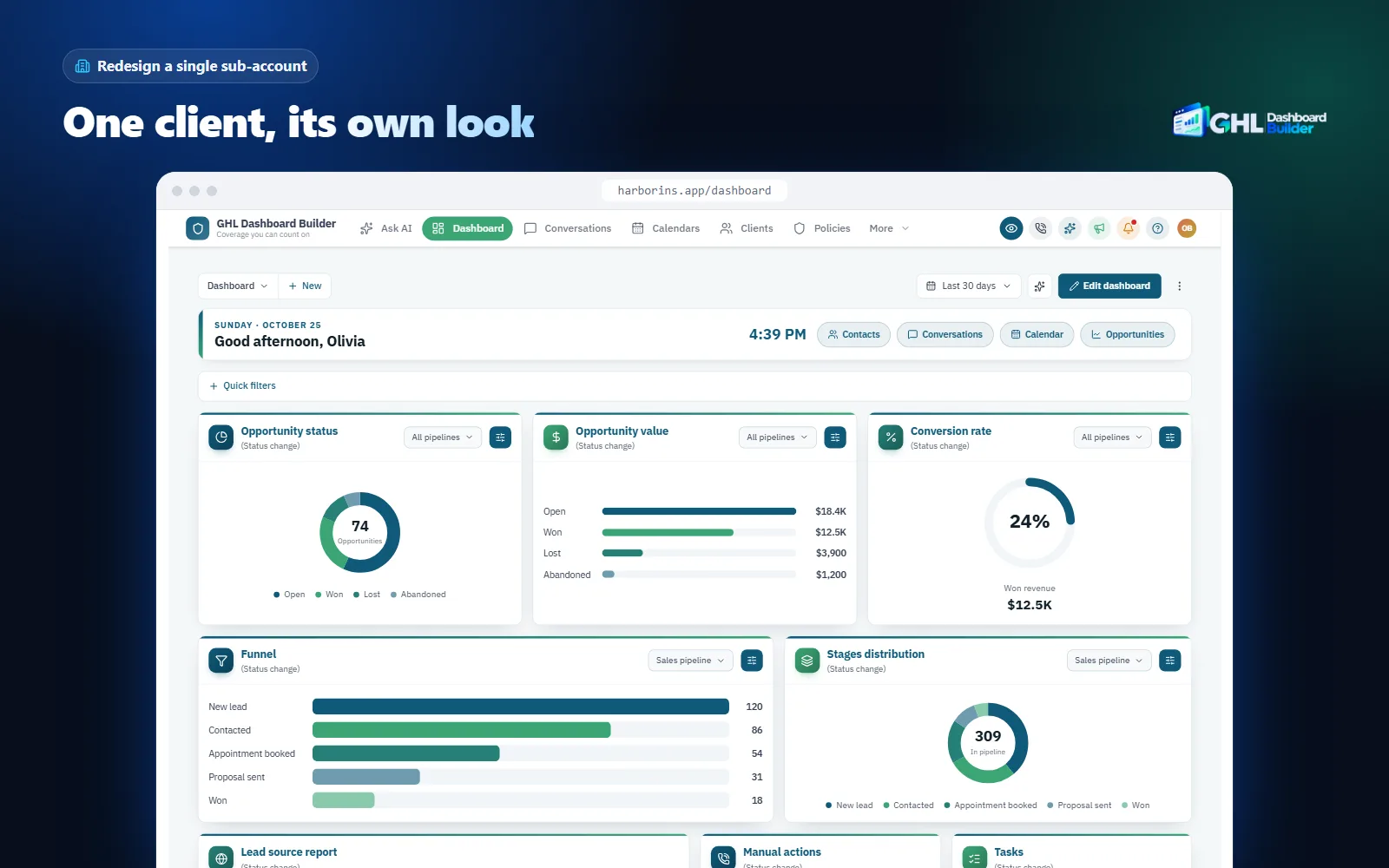
Be precise about what one install covers. One design is shown in the chosen sub-accounts. Pro includes up to 3 designs and Agency up to 100. If you need different looks for different clients, for example Urdu for a school and Arabic for a Gulf client, contact us and we will plan how to set that up. Our guide to branding a single GoHighLevel sub-account explains targeting in more depth.
How do you set up an Urdu GoHighLevel dashboard, step by step?
Agree the scope with the client, prepare the sub-account settings, write the Urdu content, design the theme with the right font and words, install it on the client’s sub-account and test it with the people who will use it. The steps assume agency admin access and that your logo and domain are already set. Menu paths follow HighLevel’s help center at the time of writing.
Infographic
An Urdu GoHighLevel dashboardin six steps
- 1
Agree the scope
Write down what will be Urdu and what stays English.
- 2
Set the sub-account
Time zone, currency, calendar hours and digits.
- 3
Write Urdu content
Short SMS, approved WhatsApp templates, tested emails.
- 4
Design the theme
Urdu pack, Nastaliq font, your colors and menu words.
- 5
Install on one client
Limit the design to the sub-account and paste two lines.
- 6
Test with staff
Two users, one morning, every daily screen.

Step 1: Agree the scope with the client
- List who logs in and which script each person reads best: Urdu, Roman Urdu or English.
- Agree in writing what will be Urdu: the menu and navigation, customer messages, forms and booking pages. Name what stays English: some inner settings pages, the builders, system emails and the mobile app.
- Agree the digits (Western or Eastern Arabic-Indic), the date style and the words for their customers and deals.
Step 2: Set up the sub-account
- Open the client’s sub-account and go to Settings, Business Profile.
- Enter the business name and address the way the client writes them, in Urdu and English if they use both.
- Set the time zone, for example Asia/Karachi for Pakistan or Asia/Kolkata for India.
- Set the currency in the payment settings so invoices and payment links do not show US dollars.
- Set each calendar’s availability to the client’s real days and hours.
- For staff who also work in one of HighLevel’s supported languages, set their Platform Language under Settings, My Profile.
Step 3: Write the Urdu content
- Write short Urdu SMS templates, or Roman Urdu ones if that is how the client’s customers write.
- Submit Urdu WhatsApp templates for approval with the
urlanguage code. - Build one Urdu email template, set its direction, and test it in two mail apps before you copy it.
- Translate forms, surveys and booking pages, and adjust alignment on each element.
- Add a preferred-language contact field and use it in workflows to pick the Urdu or English version.
Step 4: Design the theme
- Open the free builder in Urdu, choose a template such as Scholar, Clinic or Saffron, and set the client’s colors and logo.
- Keep the direction on automatic, so the layout switches to right-to-left with Urdu.
- Choose the Urdu font: Noto Nastaliq Urdu or Gulzar for Nastaliq, or Noto Naskh Arabic if the client prefers upright letters.
- Rename the menu items you agreed in Step 1 and hide the ones the client does not use.
- Preview on a laptop and a phone, and look for clipped dots and wrapped labels.
Step 5: Install on the client’s sub-account
- Limit the design to the client’s sub-account with its link or Location ID.
- In the agency view, open Settings, Company, Whitelabel and find the custom code area. Copy whatever is already in Custom CSS and Custom JavaScript into a text file as your rollback.
- Paste the theme’s CSS line and JavaScript line and save. HighLevel warns about third-party scripts; confirm only if you trust the code. On every plan, our one-time setup fee covers us doing this step and checking the screens for you.
Step 6: Test like an office user
- Open the sub-account in a new tab and hard-refresh.
- Walk through the dashboard, conversations, calendars, contacts and the opportunities board.
- Type an Urdu name with an English email address into a contact and look at how it displays.
- Open a pop-up, a date picker and a large table, and note anything that overlaps.
- Ask two staff members to use it for a morning and tell you which labels confuse them.
| Step | What you do | Typical owner | Done when |
|---|---|---|---|
| 1. Scope | Agree what is Urdu and what stays English | Account manager | The client has it in writing |
| 2. Sub-account | Business profile, time zone, currency, calendar hours | Setup specialist | A test invoice and booking look right |
| 3. Content | SMS, WhatsApp, email, forms, booking pages | Urdu copywriter | Every template is read on a phone |
| 4. Theme | Language pack, Nastaliq font, menu wording | Designer | No label is clipped or wrapped |
| 5. Install | Targeting, rollback copy, two lines | Admin or us | The Urdu menu shows only in that sub-account |
| 6. Testing | Daily screens, mixed text, pop-ups | Two client staff | No label confuses them |
What can go wrong, and what doesn’t an Urdu theme solve?
Most problems come from Nastaliq lettering in tight spaces, mixed-direction text, untested inner screens and promises that went further than the setup. A theme changes how HighLevel’s menu and main screens look and read; it does not translate HighLevel’s own pages or your clients’ content, and it does not make HighLevel fully right-to-left.
| Problem | Why it happens | What to do |
|---|---|---|
| Dots under letters are cut off | Nastaliq descends further than Latin text in a fixed-height row | Increase line height; test badges, tabs and buttons |
| The menu shows an upright, Arabic-looking font | No Nastaliq font loaded, so the browser fell back to Naskh | Load a Nastaliq font in the design; check on a clean browser |
| Periods appear at the wrong end of Urdu sentences | Text is right-aligned but its direction is still left-to-right | Set direction, not just alignment; read every template on a phone |
| Some screens are still English | HighLevel’s inner pages follow its Platform Language, which has no Urdu | Explain this before the sale; follow HighLevel’s language updates |
| A table or pop-up overlaps after switching to right-to-left | HighLevel draws it without right-to-left support | Test the screens the client uses; report anything that blocks work |
| Urdu SMS costs more than expected | UCS-2 fits 70 characters, or 67 per segment in long messages | Shorten templates; consider Roman Urdu for reminders |
| A WhatsApp template is not sent | The Urdu version was not approved, or the wrong code was used | Submit each language as its own template with the code ur |
| Digits look wrong to the client | ur-IN and ur-PK default to different digits | Agree digits per client and write templates to match |
| Part of the theme looks wrong after an update | HighLevel changed a screen | Re-check after HighLevel releases; keep the previous code to roll back |
There are also limits no theme removes. HighLevel does not officially support custom code, so a platform update can require a theme refresh; Starter and Pro include 12 months of updates for this, and Agency includes lifetime updates. A theme works in the web browser; it does not change HighLevel’s mobile app, its system emails or its builders. HighLevel’s own white-label settings handle the domain, logo and mobile app branding.
And no menu translation makes up for poorly written Urdu content. If the messages your client’s customers receive read like machine translation, a polished dashboard will not save the relationship. Budget for a native Urdu writer, and see our FAQ for questions about installing, removing and data.
What to do next
- List your Urdu-speaking clients and, for each one, who logs in and which script they read best: Urdu, Roman Urdu or English. Decide between an Urdu-script menu, a Roman Urdu or English menu with Urdu content, or a mix.
- Write a one-paragraph scope for each client that says what will be Urdu and what stays English, and send it before you start.
- Fix the sub-account basics: time zone, currency, day-first dates, the digits the client expects and calendars that match their real hours.
- Shorten your Urdu SMS templates, submit Urdu WhatsApp templates with the
urcode, and test one Urdu email in two mail apps. - Try the client’s colors, a Nastaliq font and an Urdu menu in the builder, install on one sub-account first, and compare the plans when you are ready to roll it out to more clients.