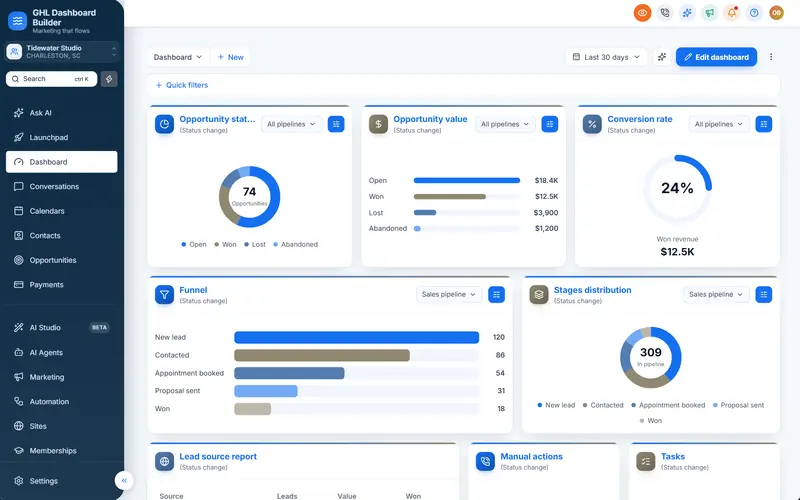
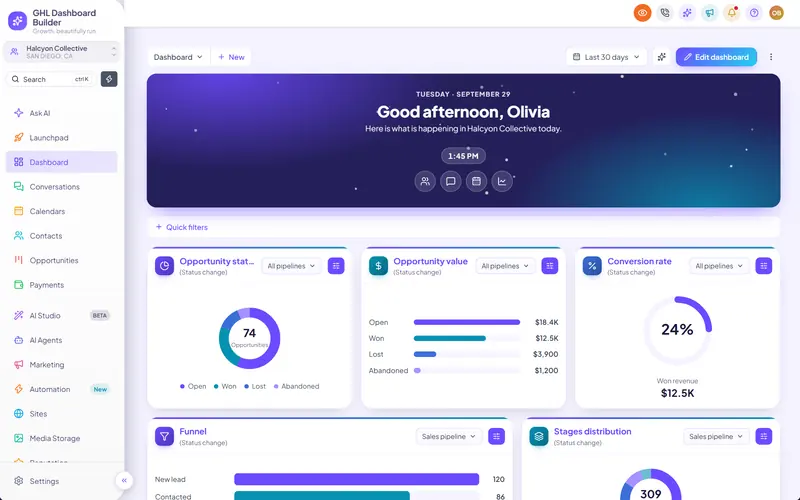
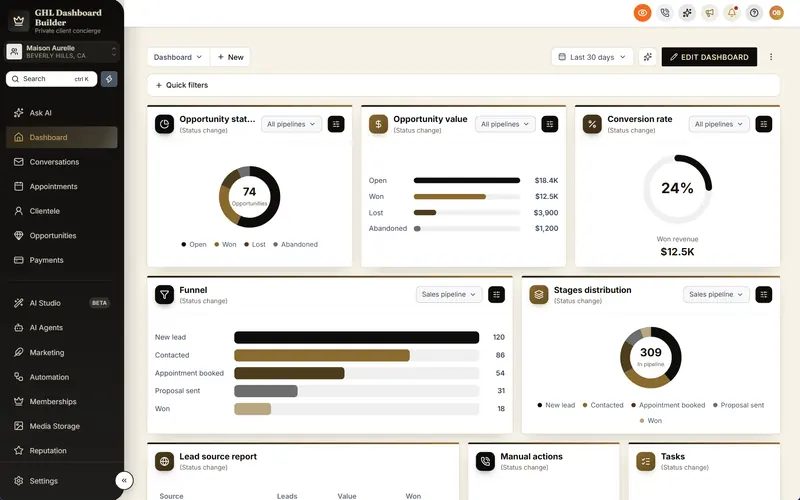
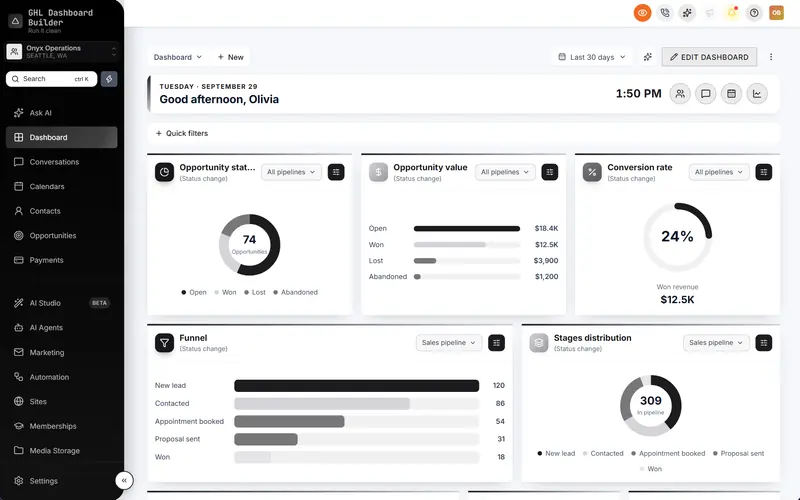
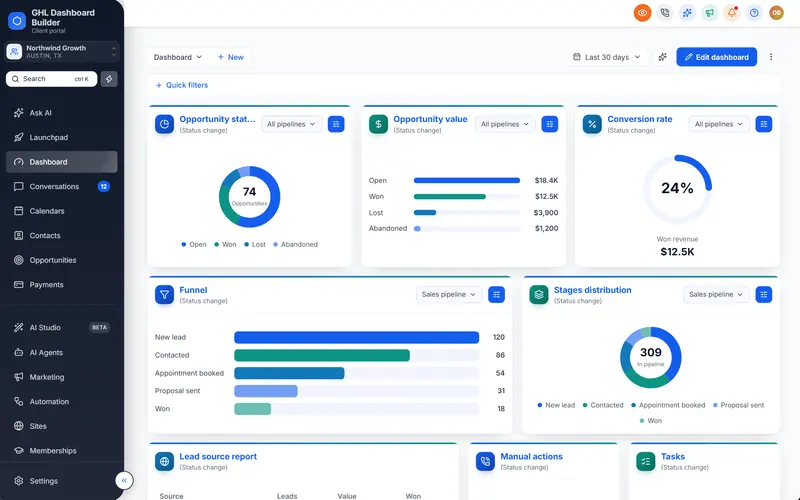
A physiotherapy clinic in Montréal signs up for your platform. The receptionist switches HighLevel to French, and most of the screen changes. Then a workflow step reads in English, a label sounds like it was written in Paris rather than Québec, and the colors and layout look exactly like the software a competing agency down the street resells. The owner asks you two questions: “Is this really in French?” and “Is this really yours?”
This guide answers both for HighLevel in French. It covers what HighLevel (also called GoHighLevel or GHL) shows in French natively today, where the native translation stops, what a branded French menu adds, which French to use for clients in France, Québec, Belgium or Switzerland, how numbers, dates and prices should look, which French language rules your clients may ask about, what happens to French SMS, WhatsApp and email, and a step-by-step setup. GHL Dashboard Builder is an independent design service and is not affiliated with HighLevel; where our product helps, we say exactly what it does and where it stops.
Can HighLevel be used in French today?
Yes. French is one of HighLevel’s built-in platform languages, offered in two versions: French (France) and French (Canada). Each sub-account has a default language and each user can override it for themselves. Where a piece of the interface has not been translated yet, HighLevel shows English, so the result is mostly French rather than completely French.
Where the native setting lives
HighLevel’s help center article on internationalization describes two levels of language setting:
- The sub-account default. In a client’s sub-account, open Settings, Business Profile and choose Platform Language. Everyone in that sub-account sees this language unless they pick another one.
- The user’s own choice. Each user can open Settings, My Profile and choose their own Platform Language. The user’s choice takes priority over the sub-account default.
A sub-account is one client’s workspace in HighLevel; HighLevel also calls it a location. The language list in that article contains French (France) and French (Canada) alongside Spanish, German, Portuguese, Italian, Dutch, Swedish, Danish, Finnish and Norwegian at the time of writing. The same article explains that text without a translation falls back to English.
What French-speaking users have asked HighLevel for
HighLevel’s native French is real progress, and French-speaking agencies helped push for it. They are also its most detailed critics. On HighLevel’s ideas board, one user posted a list of French translation mistakes, including contact fields whose wording does not read as natural French. Another thread asks for a complete French translation table for workflows, with commenters describing many workflow labels as wrong or hard to understand.
Those requests show the gap this guide is about. French-speaking clients do not only want French; they want French that sounds right for their country and their trade, and that their agency can correct. At the time of writing, HighLevel’s native setting does not let you rewrite its translated labels.
Who reads French, and why it matters to your agency
French is a large market for agencies, and it is not one market. A team in Paris, a clinic in Québec City, an accounting firm in Brussels, a hotel in Geneva and a distributor in Casablanca all read French, but they write numbers, dates and everyday software words differently. A French dashboard that works for one of them can feel foreign to another.
The Organisation internationale de la Francophonie estimated about 321 million French speakers worldwide in 2022, as reported by Connexion France’s summary of the francophone countries; the OIF counts everyone who can speak French, not only native speakers. In Canada alone, Statistics Canada reports that French was the first official language spoken by more than 7.8 million people in the 2021 Census, 6.5 million of them in Québec.
Infographic
French and your HighLevel clientsby the numbers
321M
French speakers worldwide, OIF estimate for 2022
(OIF, via Connexion France)
7.8M
Canadians with French as first official language spoken (2021 Census)
(Statistics Canada)
2
French versions in HighLevel's Platform Language: France and Canada
(HighLevel Help Center)
15
dashboard languages in GHL Dashboard Builder, French among them
(GHL Dashboard Builder)
Sources: Organisation internationale de la Francophonie (2022) via Connexion France; Statistics Canada, 2021 Census; HighLevel Help Center; GHL Dashboard Builder, November 2026.

What does HighLevel show in French, and what stays in English?
HighLevel’s native French translates much of the web interface for users who choose it, with English shown wherever a translation is missing. Your clients’ customer-facing content, such as SMS, emails, forms and funnels, is French only if someone writes it in French. Branding and industry wording are not part of the language setting at all.
That split matters before a sale. A client who expects every screen in French will find English somewhere sooner or later, most often in builders and automations, where the ideas-board threads above concentrate. HighLevel ships changes often, so treat any list of untranslated screens as a snapshot and check the screens your client actually uses.
| Part of GoHighLevel | Native French today | With a branded French theme | Who controls the words |
|---|---|---|---|
| Left menu (sidebar) and its 19 items | Yes, HighLevel’s standard translation | Yes, in your wording, with industry renames | You, through the theme |
| Header search, notifications, profile menu | Mostly, where translated | Yes, for the parts the theme restyles | You, through the theme |
| Text inside HighLevel’s own pages | Mostly, with English fallback | Unchanged, follows the user’s Platform Language | HighLevel |
| Workflow, funnel, website and email builders | Partly; users report weak or missing labels | Unchanged | HighLevel |
| Colors, fonts, logo placement, layout | Not part of the language setting | Yes, your brand across the dashboard | You |
| SMS, WhatsApp and email content | Any language you type | Not affected | You or the client |
| Forms, surveys, funnels, booking pages | Any text you write | Not affected | You or the client |
| HighLevel’s mobile app | Follows HighLevel | Not affected | HighLevel |
| System emails and notifications | Follows HighLevel | Not affected | HighLevel |
Why the two layers work together
The native setting and a theme do different jobs. HighLevel’s Platform Language decides the text inside HighLevel’s own pages, for each user. A theme decides how the dashboard looks and what the menu and navigation say, for each sub-account it covers. The best French setup for most clients uses both: French as the Platform Language so inner pages read in French where HighLevel has translated them, and a branded French menu so the screen the team opens every morning carries your brand and their words.
This is different from Arabic, Urdu and Hebrew, where HighLevel has no built-in language and no right-to-left layout, so a theme carries the whole interface layer. For French, as for Spanish, the value of a theme is not translation from nothing. It is control: your brand, your client’s words and labels you can change in minutes. Our overview of GoHighLevel’s languages compares every language side by side, and our GoHighLevel Spanish guide covers the closest comparable case.
How does GHL Dashboard Builder put GoHighLevel in French?
GHL Dashboard Builder translates GoHighLevel’s menu and navigation into French in your brand, lets you rename any menu item in your own French wording, can limit the French design to chosen sub-accounts, and installs as one CSS line and one JavaScript line in HighLevel’s custom code settings. Text inside HighLevel’s own pages keeps following each user’s Platform Language.
GHL Dashboard Builder is an independent design service that turns the standard HighLevel (GoHighLevel) dashboard into a branded platform: your colors, menu, login design, privacy mode and your clients’ language, installed with two lines of code. For French, the relevant pieces are the built-in French language pack, the menu editor, sub-account targeting, the templates and the install itself. It is the same approach as our GoHighLevel white label dashboard, with French as the working language.
What the French setup includes
- A French pack. The menu, the sidebar’s search and sub-account switcher (“Changer de sous-compte”), the header search box (“Rechercher des contacts, affaires, conversations…”), notifications, the profile menu, common buttons and the tab names our theme shows are translated into French. Menu items read Tableau de bord, Conversations, Contacts, Opportunités, Calendriers, Paiements, Automatisation, Rapports and Paramètres. French is one of 15 languages; 3 of them (Arabic, Urdu and Hebrew) read right to left, and French uses the normal left-to-right layout.
- The formal “vous”. Where the pack addresses the user, for example in the setup guide’s greeting, it uses vous, which suits most business clients in France, Belgium, Switzerland and Québec.
- Your own wording. Override any translated label, so a Québec team sees Courriels instead of E-mails, and a clinic sees Patients instead of Contacts.
- Menu editor. Rename, reorder, hide and badge any of HighLevel’s 19 menu items, and add your own items.
- Templates. Start from one of 27 templates, then set the language to French. For French hospitality, beauty and luxury clients, we suggest the Saffron template for restaurants, the Serene template for spas and salons, and the Monarch template, ink-black navigation with antique gold in a serif typeface, for luxury brands.
- No data access. The builder never connects to your HighLevel account and the installed code does not send data anywhere.
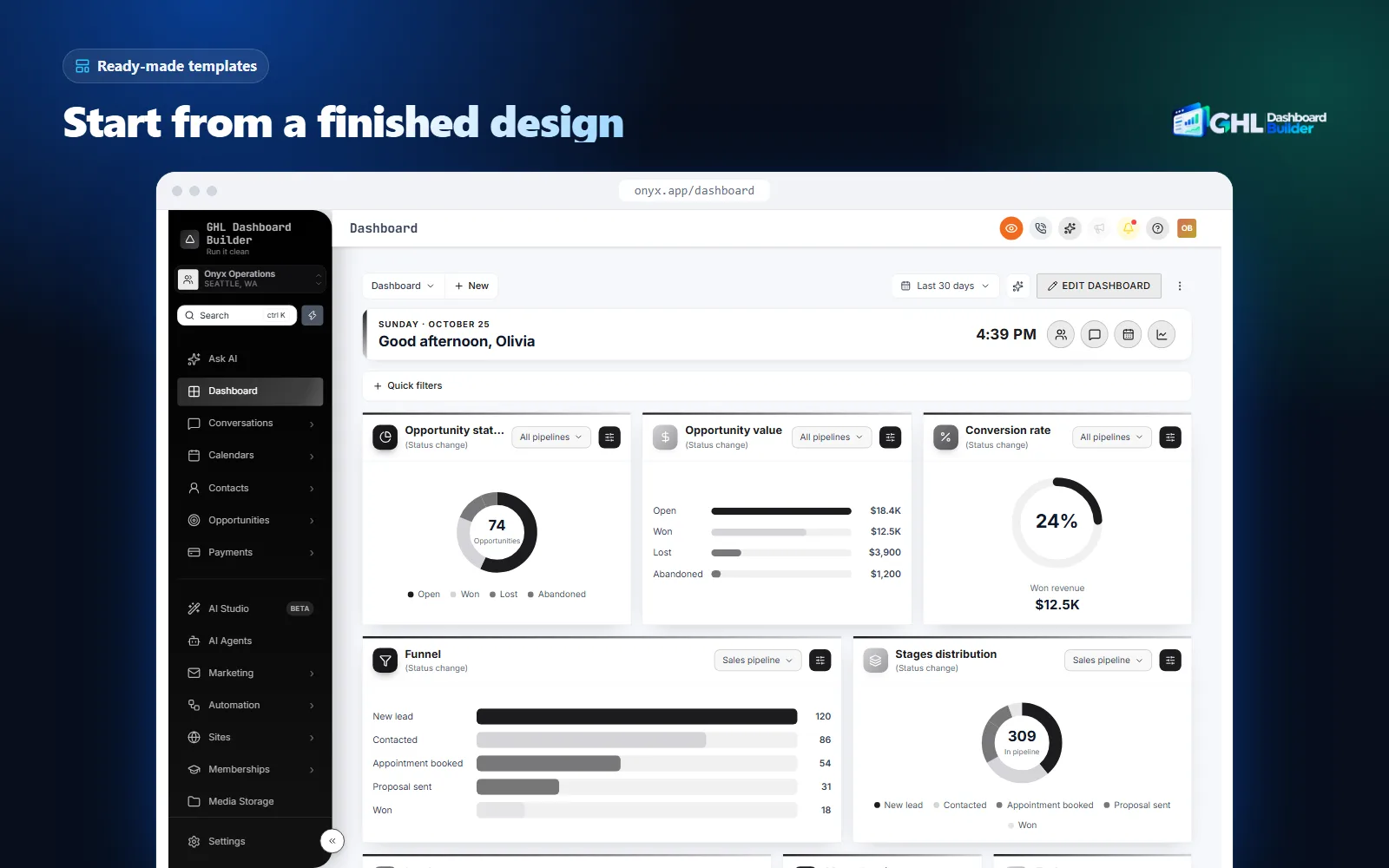
At a glance: features, what they do, which plan
| Feature | What it does for your French-speaking clients | Plan |
|---|---|---|
| Languages | Menu and navigation in French, with your own wording for any label | Pro and Agency |
| Menu editor | Rename, reorder, hide and badge the 19 menu items: Patients, Dossiers, Membres | Pro and Agency |
| Brand and colors, fonts | Your color system and fonts across the dashboard | All plans |
| Templates | 27 finished looks, including industry designs, as a starting point | All plans |
| Single sub-account | The French design only for chosen sub-accounts, by link or Location ID | All plans |
| Login page design | 25 login designs in your colors; HighLevel’s Platform Language picker stays on the sign-in page | Pro and Agency |
| Two-line install | One CSS line and one JavaScript line; changes go live with Deploy to live | All plans, installed by us |
All three plans are one-time payments with no monthly fee, plus a one-time $100 setup fee on every plan, for which we install and configure the design in your HighLevel. Starter ($280) gives one branded design from any template, without the language section. Pro ($480) adds up to 3 designs, the menu editor, the dashboard in French or any of the other 14 languages and the branded login page. Agency ($880) adds up to 100 designs, a look designed by our team, custom CSS and JavaScript and lifetime updates. Starter and Pro include 12 months of updates, then optional at $99 a year. The full list of what each feature does is on our features page.
What the client sees afterwards
After installation, a user in the French sub-account logs in on your white-label domain and sees the sidebar in your colors with labels such as Conversations, Calendriers and Contacts, or the renames you chose, such as Patients. When they open a settings page or a builder, they see HighLevel’s own text in the Platform Language they chose, which is French for most of the interface and English on screens HighLevel has not translated yet. You can click through a live French preview on our French language page.
Which French should the GoHighLevel menu use: France, Québec, Belgium or Switzerland?
Use the French your client’s team speaks. France and Québec share grammar but differ in common software words, in how readily they borrow English terms, and in date and price formats. Belgium and Switzerland mostly follow France’s vocabulary but have their own number conventions. For a mixed team, keep to words that are understood everywhere.
Words that differ
Most menu nouns are the same everywhere: Conversations, Contacts, Calendriers, Paiements, Paramètres. The differences show up in tech words, where France often keeps the English term and Québec usually prefers a French one. Our French pack follows common usage in France, such as E-mails for the email tab. A Québec team usually expects Courriels. The table shows common choices; neither column is wrong.
| English | Our pack’s label | Often preferred in France, Belgium, Switzerland | Often preferred in Québec |
|---|---|---|---|
| Dashboard | Tableau de bord | Tableau de bord | Tableau de bord |
| Emails (tab) | E-mails | E-mails or Mails | Courriels |
| Funnels (tab) | Tunnels | Tunnels de vente | Entonnoirs de vente |
| Pipelines (tab) | Pipelines | Pipelines | Pipelines or Processus de vente |
| Chat widget | Widget de chat | Widget de chat | Clavardage or Widget de clavardage |
| Marketplace | Marketplace d’applications | Marketplace or Boutique d’applications | Magasin d’applications |
| Settings | Paramètres | Paramètres | Paramètres |
Tu or vous
French software addresses the user either informally (tu) or formally (vous). Our pack uses vous where it speaks to the user. Some start-ups and creative agencies in France prefer tu for a friendlier tone, but medical practices, law firms, accountants and most businesses in Québec, Belgium and Switzerland expect vous. Ask, and keep the choice consistent across the menu, your SMS templates and your emails.
Spaces before colons and question marks
French typography puts a space before a colon, a question mark, an exclamation mark and a semicolon, and inside guillemets (« ainsi »). Strictly, that space should be a non-breaking or narrow non-breaking space so the punctuation never wraps onto a new line on its own. Our French pack uses ordinary spaces for simplicity. In a narrow sidebar a label rarely wraps there, but if your client cares about typographic detail, rename the few labels that contain punctuation and use a non-breaking space.
Which French words should the GoHighLevel menu use for each industry?
Use short, everyday office French and rename the items where your client’s trade has its own word. HighLevel calls every person a contact and every deal an opportunity in every language, while a clinic thinks in patients, a law firm in dossiers and a gym in membres. When the menu matches the way the business talks, staff find things faster and training takes less time.
Industry renames in French
Here are renames agencies commonly choose, based on the industry wording in our templates:
- Dental and medical: Contacts becomes Patients, Opportunités becomes Traitements.
- Real estate: Opportunités becomes Biens or Annonces.
- Gyms and fitness: Contacts becomes Membres or Adhérents.
- Restaurants: Calendriers becomes Réservations.
- Legal and finance: Opportunités becomes Dossiers or Affaires.
- Beauty and spa: Calendriers becomes Rendez-vous.
- Home services: Opportunités becomes Chantiers or Interventions.
Keep labels short
French is usually longer than English. Some labels in our pack are long for a narrow sidebar: Stockage des médias, Marketplace d’applications and Automatisation. A label that wraps onto two lines makes the menu look crowded, especially when the menu shows live counts. Shorten where you can: Médias instead of Stockage des médias, Applications instead of Marketplace d’applications, and hide items the client never uses.
How to choose the words with your client
- List the items each role uses. A front desk may need only Conversations, Calendriers and Contacts. Hide the rest for that client so the menu stays short.
- Ask what they call each thing today. If a firm says dossiers in every meeting, the menu should too.
- Check the region. Ask whether the team is in France, Québec, Belgium, Switzerland or elsewhere, and whether they prefer French or English loanwords for tech terms.
- Agree tu or vous once, and use it everywhere the client’s customers and staff read.
- Review with a native speaker on the client’s team before launch, not after.
Our guide to renaming GoHighLevel menu items walks through the menu editor in detail, and the GHL sidebar and menu customization page shows everything you can change in the sidebar.
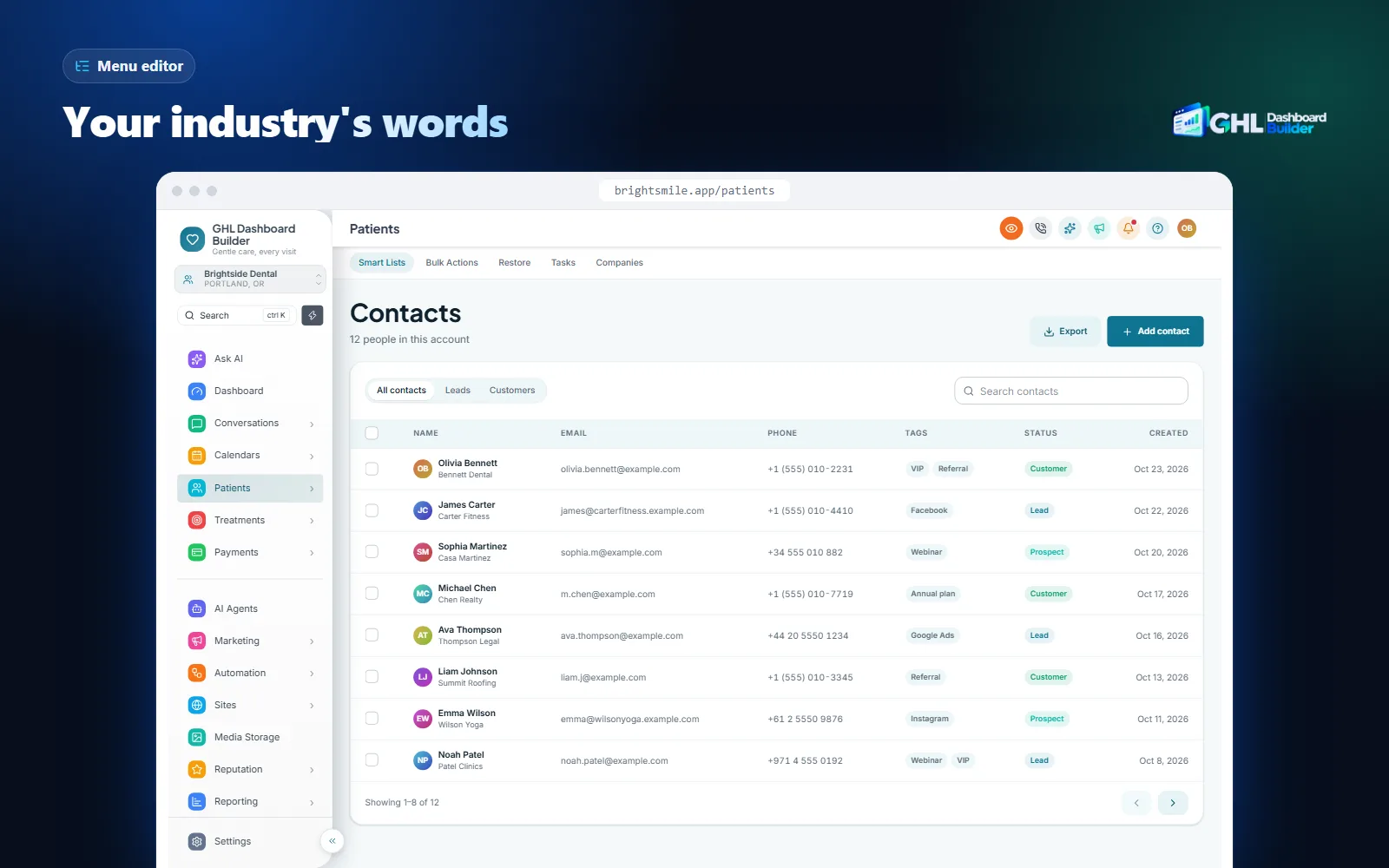
The menu editor writes the same wording into every sub-account the design covers, so the renames above appear for every user of that client. Users who prefer English inner pages can still set their own Platform Language; the menu keeps your French wording.
How should numbers, dates and prices appear for French-speaking clients?
It depends on the country. France, Belgium and Québec all use a comma for decimals and a space between thousands, and put the currency symbol after the amount. Switzerland groups thousands with an apostrophe. Québec writes short dates year first, while France writes day first. All of them use the 24-hour clock.
What locale data says
Browsers and most software take number and date formats from the Unicode Common Locale Data Repository (CLDR), a shared database of how each language and country writes numbers, dates and currencies. We checked six French locales in Node.js 22 with ICU 78.3, which ships CLDR version 48:
| Locale | Number 12,345.5 | Price 1,234.50 in local currency | Short date, 5 November 2026 | Time, 2:30 pm | Week starts |
|---|---|---|---|---|---|
| fr-FR (France) | 12 345,5 | 1 234,50 € | 05/11/2026 | 14:30 | Monday |
| fr-CA (Canada) | 12 345,5 | 1 234,50 $ | 2026-11-05 | 14 h 30 | Sunday |
| fr-BE (Belgium) | 12 345,5 | 1 234,50 € | 5/11/26 | 14:30 | Monday |
| fr-CH (Switzerland) | 12’345,5 | 1’234.50 CHF | 05.11.26 | 14:30 | Monday |
| fr-MA (Morocco) | 12.345,5 | 1.234,50 MAD | 05/11/2026 | 14:30 | Monday |
| en-US (for comparison) | 12,345.5 | $1,234.50 | 11/5/26 | 2:30 PM | Sunday |
Four details matter in practice. First, France’s thousands separator is a narrow non-breaking space and Québec’s a full non-breaking space; a plain space typed by hand can break a price across two lines. Second, the dollar sign comes after the amount in Québec, so “$1,234.50” in a French template looks English. Third, Québec’s short date is year-month-day, so a day-first date such as 05/11 is ambiguous to a Montréal reader who also sees American-style dates every day. Fourth, Swiss prices in francs use a decimal point, not a comma, which surprises people used to France.
What follows HighLevel’s settings
Invoices, payment links, products, reports and calendar pages are generated by HighLevel, so their currency and formats follow HighLevel’s own settings for the sub-account. In each French-speaking client’s sub-account:
- Set the business address and time zone under Settings, Business Profile. France, Belgium and Switzerland change their clocks in spring and autumn, and Canada spans several time zones, so confirm reminders fire at the right local time.
- Set the client’s currency (EUR, CAD, CHF, MAD and so on) in the payment settings so invoices and payment links show the right one.
- Check the date format on a sample invoice and a booking confirmation, and write dates out in full in your own templates where possible, such as “5 novembre 2026”, which reads the same in every French-speaking country.
The language and format choices in our builder shape its live preview and the menu, but a theme does not change how HighLevel formats an invoice. Our market pages list the conventions and templates we suggest for clients in France and for English and French clients in Canada.
Do French language rules affect the dashboard you sell?
They can, so ask. Québec’s Charter of the French language contains a rule on software, and France’s labour code requires many work documents to be in French. Both apply to your client’s business rather than to HighLevel, and neither is something a menu theme settles on its own. Treat this section as background for a conversation with your client, not legal advice.
Québec: software available in French
Section 52.1 of Québec’s Charter of the French language requires computer software to be available in French unless no French version exists, as Miller Thomson’s guide to language compliance in Québec summarizes. Law-firm commentary on Bill 96, which amended the Charter in 2022, reads this as meaning that where a French version of a tool exists, Québec businesses should offer it to staff in French.
For an agency, the practical point is simple. HighLevel has a French (Canada) Platform Language, so a Québec client may expect its staff to work in French, and may ask you to set it up that way. Set French (Canada) as the sub-account default, add a French menu if you brand the dashboard, and keep your client’s customer messages in French. If the client needs a formal opinion on what the law requires of them, they should ask a Québec lawyer or the Office québécois de la langue française.
France: work documents in French
In France, article L1321-6 of the Code du travail requires documents that set out an employee’s obligations, or that an employee needs to do their job, to be written in French, with an exception for documents received from abroad or meant for foreign recipients. The DREETS Normandie guidance on French in the workplace explains the rule, and French courts have applied it to software that staff must use.
If your French client’s team works in HighLevel every day, a French interface is therefore not only a courtesy. Agree with the client which parts must be French for their staff: HighLevel’s own pages through the Platform Language, the menu through the theme, and every training document, process note and template you write for them.
Data protection
French-speaking clients in Europe fall under the GDPR, and Québec has its own privacy law. A theme that only restyles the browser and never sends data elsewhere does not change your data-protection position, but screen-sharing does: a sales demo or support call can show real names, phone numbers and deal values. That is where privacy mode helps, and our guide to hiding client data on screen shares explains it.
What happens to French SMS, WhatsApp and email messages?
They work well, with one cost trap and one approval rule. French SMS can switch to an encoding with fewer characters per segment when it contains certain accented letters. WhatsApp templates must be approved in each French variant you use. French emails need careful writing and testing, but no layout changes, because French reads left to right.
SMS: which accents cost more
A normal SMS uses the GSM-7 character set, which covers Latin letters, digits, common symbols and some accented letters. According to Twilio’s guide to GSM-7 encoding and the GSM 03.38 character table it refers to, the basic set includes é, è, à and ù, but not â, ê, î, ô, û, ë, ï or œ; the ç appears only as a capital Ç, and providers handle the lowercase letter differently. So “rappel” and “réservé” stay in GSM-7, while “fenêtre”, “hôpital” and “reçu” may not.
When a message contains any character outside GSM-7, the whole message is sent as UCS-2. Twilio’s page on how long an SMS can be gives the limits: 160 characters for a single GSM-7 message and 153 per segment of a longer one, against 70 and 67 for UCS-2.
In French, one â, ê, î, ô, û, ë, ï or œ switches the whole message to UCS-2; é, è, à and ù do not. Source: Twilio Docs: How long can an SMS message be? (checked November 2026).
The practical effect: a 150-character French appointment reminder with only é and è fits in one GSM-7 segment, while the same reminder with “hôpital” or “à bientôt” needs three UCS-2 segments (67 + 67 + 16). If your SMS provider bills per segment, that can triple the cost of each reminder. Do not strip accents to save money; French without accents looks careless and can change meaning. Instead:
- Write short French templates. A reminder needs the name, the time, the place and how to reschedule. Keep it under 70 characters when the text needs a circumflex.
- Choose words without circumflexes where it is natural. “Votre rendez-vous est demain à 10 h” contains none; “à bientôt” contains one, in the ô.
- Remove emoji, curly apostrophes and guillemets you do not need. They also switch a message to UCS-2. French keyboards often type a curly apostrophe in “l’adresse” automatically.
Twilio also offers a segment calculator that flags the characters forcing UCS-2; paste each French template into it before you set a client’s monthly message budget.
WhatsApp: approved templates per variant
Messages that start a WhatsApp conversation need pre-approved templates, and Meta’s list of supported languages for WhatsApp templates includes general French (fr) and regional variants including Canada (fr_CA). Each language version is its own template and is reviewed on its own.
Pick one code per client and stick to it. A Montréal clinic and a Paris salon may need different wording anyway, and a bilingual Canadian client usually needs an English version and one French version of each template. Store a preferred-language field on each contact and use it in workflows to choose the right template.
Email: write it, then test it
HighLevel’s email builder handles French text without special settings. The work is in the writing:
- Build one French master template and have a native speaker from the client’s country read it before you copy it.
- Keep tu or vous consistent with the menu and the SMS templates.
- Check that accented letters in subject lines display correctly in Gmail and Outlook on desktop and phone.
- Translate the footer, unsubscribe text and any button labels you wrote yourself, and use Courriel or E-mail to match the client’s region.
Can you give French to some clients and keep English for the rest?
Yes. Many agencies serve a mix: English-speaking clients, French-speaking clients and bilingual teams, which are common in Canada, Belgium and Switzerland. Give each client the menu language its team reads best, and remember that one design shows one menu wording for everyone in the sub-accounts it covers.
Bilingual teams in one sub-account
HighLevel’s native setting handles bilingual teams per user: the owner can keep English while the front desk picks French in Settings, My Profile. A theme works per sub-account, so for a bilingual team, decide which menu everyone will share:
- French menu, Platform Language per user. The menu reads in French for everyone, and each user’s inner pages follow their own Platform Language. This suits a Québec team where most daily users work in French.
- English menu, French inner pages per user. The menu stays in English, and French-speaking users set their Platform Language to French for inner pages. This suits a team led by English speakers outside Québec.
- Words that work in both languages. Several menu items are spelled the same in English and French: Conversations, Contacts, Marketing, Patients. For a bilingual team, favour those where you can, and use two-language labels such as “Rendez-vous / Bookings” sparingly; they wrap in a narrow sidebar.
Different clients, different designs
HighLevel’s Custom CSS and Custom JavaScript boxes sit at agency level, so whatever you paste applies across all sub-accounts by default. To give one client a French design, the theme must know which sub-accounts to target. GHL Dashboard Builder does this with an “Only these sub-accounts” option: you add the client’s sub-account by its link or Location ID, that sub-account gets the design, and every other sub-account and the agency view keep plain HighLevel. You still paste one install code.
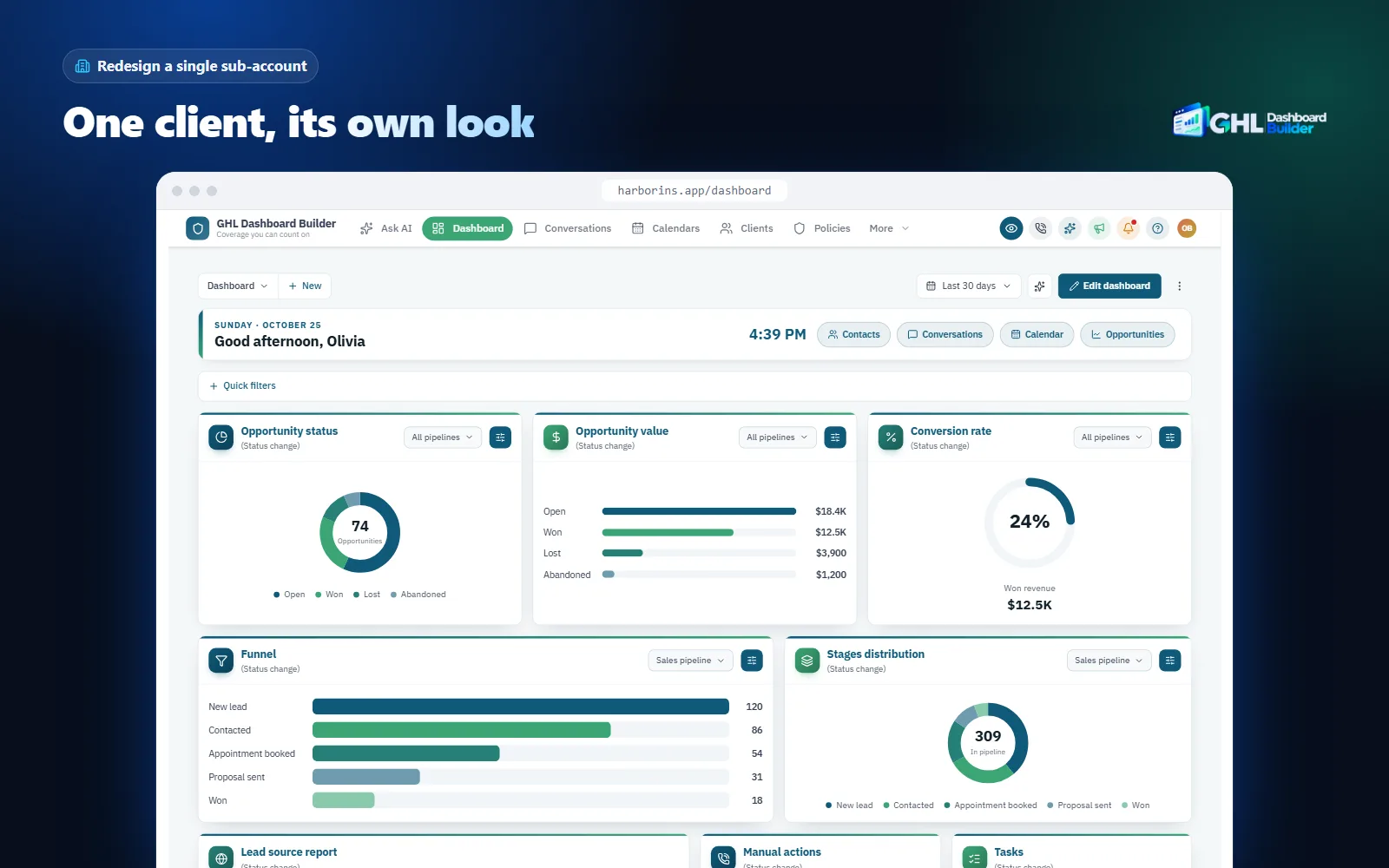
Be precise about what one install covers. One design is shown in the chosen sub-accounts; Pro includes up to 3 designs and Agency up to 100. If you need different looks for different clients, for example a France variant for one client and a Québec variant for another, contact us and we will plan how to set that up. Our guide to GoHighLevel sub-account branding explains the options in more depth.
How do you set up a French GoHighLevel dashboard, step by step?
Agree the scope and the French variant with the client, set HighLevel’s native language and sub-account basics, write the French content, design and install the theme, then test with the people who will use it. The steps assume agency admin access and that your agency’s logo and domain are already set; our guide to white-labeling HighLevel covers those first. Menu paths follow HighLevel’s help center at the time of writing.
Infographic
A French GoHighLevel dashboardin five steps
- 1
Agree the scope
Region, tu or vous, and what will be French.
- 2
Set native French
Platform Language, time zone and currency per sub-account.
- 3
Write the content
Short SMS, approved WhatsApp templates, tested emails.
- 4
Design and install
Template, colors, French menu wording, two install lines.
- 5
Test like a user
Daily screens, a language switch and SMS segments.

Step 1: Agree the scope and the variant
- Write down who logs in and which language each person reads best: French, English or both.
- Agree which French: France, Québec, Belgium, Switzerland or neutral for a mixed team. Agree tu or vous.
- Agree in writing what will be French: the menu and navigation, HighLevel’s inner pages where HighLevel has translated them, and all customer messages, forms and booking pages. Name what may stay in English: some inner screens, parts of the builders, system emails and the mobile app, depending on HighLevel’s current translation.
- Ask which words they use for their customers, appointments and deals, and whether any French-language obligations apply to their staff tools.
Step 2: Set HighLevel’s native language and the sub-account basics
- Open the client’s sub-account and go to Settings, Business Profile.
- Set Platform Language to French (France) or French (Canada) as the sub-account default.
- Ask English-preferring users to set their own language under Settings, My Profile.
- Enter the business name and address the way the client writes them, and set the correct time zone.
- Set the currency in the payment settings.
- Set each calendar’s availability to the client’s real week, public holidays and opening hours.
Step 3: Write the French content
- Create the French SMS templates and keep each one short, especially where circumflexes are needed.
- Submit French WhatsApp templates for approval with one language code per client, such as fr or fr_CA.
- Build one French email template and test it in two mail apps.
- Translate forms, surveys and booking pages, including error and confirmation messages you control.
- Add a contact field for preferred language and use it in workflows to pick the French or English version.
Step 4: Design and install the theme
- Open the free builder in French, choose a template, and set the client’s colors, logo and fonts.
- Rename the menu items you agreed in Step 1, adjust regional words (Courriels or E-mails), shorten long labels, and hide the items the client does not use.
- If only this client should get the French design, limit the design to their sub-account.
- In the agency view, open Settings, Company, Whitelabel and find the custom code area. Copy whatever is already in Custom CSS and Custom JavaScript into a text file as your rollback.
- Paste the theme’s CSS line and JavaScript line and save. HighLevel warns about third-party scripts; confirm only if you trust the code. On every plan, we do this step for you as part of the setup.
Step 5: Test like an office user
- Open the sub-account in a new tab and hard-refresh.
- Walk through the dashboard, conversations, calendars, contacts and the opportunities board.
- Switch a test user’s Platform Language between French and English and check that the menu keeps your wording.
- Send yourself a French SMS reminder and check its segment count with your provider.
- Ask two staff members to use it for a morning and tell you which labels confuse them.
| Step | What you do | Typical owner | Done when |
|---|---|---|---|
| 1. Scope | Agree region, tu or vous, and what is French | Account manager | The client has it in writing |
| 2. Native settings | Platform Language, time zone, currency, calendar week | Setup specialist | A test invoice and booking look right |
| 3. Content | SMS, WhatsApp, email, forms, booking pages | French copywriter | Every template is read on a phone |
| 4. Theme | Design, menu wording, install | Designer | The French menu shows in your brand |
| 5. Testing | Daily screens, language switch, SMS segments | Two client staff | No label confuses them |
What can go wrong, and what doesn’t a French theme solve?
Most problems come from unclear promises, the wrong regional French, untested inner screens and SMS costs nobody planned for. A theme changes how HighLevel’s menu and main screens look and read; it does not translate HighLevel’s inner pages, it does not improve HighLevel’s own translation, and it does not write your clients’ content.
| Problem | Why it happens | What to do |
|---|---|---|
| Some screens still show English | HighLevel falls back to English where a translation is missing | Explain this before the sale; recheck after HighLevel releases |
| The menu says one thing, inner pages another | The theme’s wording differs from HighLevel’s translation | Choose menu words close to HighLevel’s where staff move between both |
| A Québec team finds the wording “too French from France” | France usage such as E-mails or Tunnels | Override with Courriels or Entonnoirs in the menu editor |
| Long labels wrap in the sidebar | French is longer than English | Shorten labels such as Stockage des médias to Médias |
| French SMS costs more than expected | â, ê, î, ô, û or a curly apostrophe switches the message to UCS-2 | Shorten templates; budget messages by segment |
| A WhatsApp template is not sent | Wrong or unapproved French language code | Use one approved code per client, such as fr_CA |
| Prices look English | Dollar sign before the amount, comma for thousands | Set the client’s currency and check a sample invoice |
| Québec staff misread dates | Day-first dates beside American-style dates | Write dates out in full: 5 novembre 2026 |
| Part of the theme looks wrong after an update | HighLevel changed a screen | Re-check after releases; keep the previous code to roll back |
There are also limits no theme removes. HighLevel does not officially support custom code, so a platform update can require a theme refresh; Starter and Pro include 12 months of updates for this, and Agency includes lifetime updates. A theme works in the web browser; it does not change HighLevel’s mobile app, its system emails or its builders. One design shows one menu wording, so a bilingual team shares one menu. A French menu does not by itself make a client compliant with any language law; it is one part of the French working environment the client provides. And no menu translation makes up for poorly written French content: budget for a native writer from the client’s country, and see our FAQ for questions about installing, removing and data.
What to do next
- List your French-speaking clients and, for each one, who logs in, which region’s French they speak and whether they expect tu or vous.
- Set HighLevel’s Platform Language to French (France) or French (Canada) in each of those sub-accounts today; it is free and covers the inner pages a theme never touches.
- Fix the sub-account basics: time zone, currency, date formats and calendars that follow the client’s real week and holidays.
- Paste your French SMS templates into a segment calculator, submit WhatsApp templates with one language code per client, and test one French email in two mail apps.
- Try the client’s colors and a French menu in the builder, install on one sub-account first, and compare the plans when you are ready to roll it out.