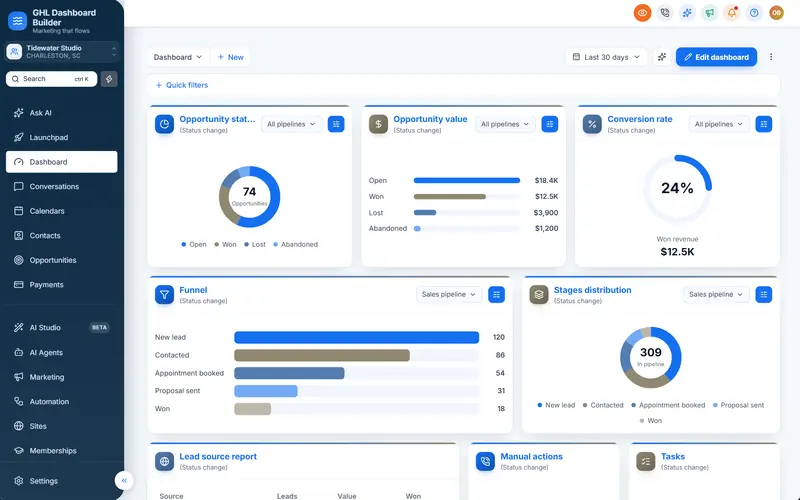
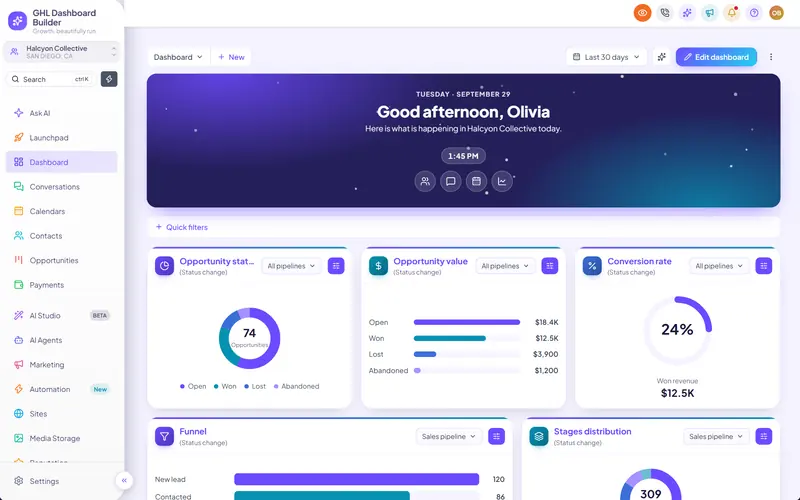
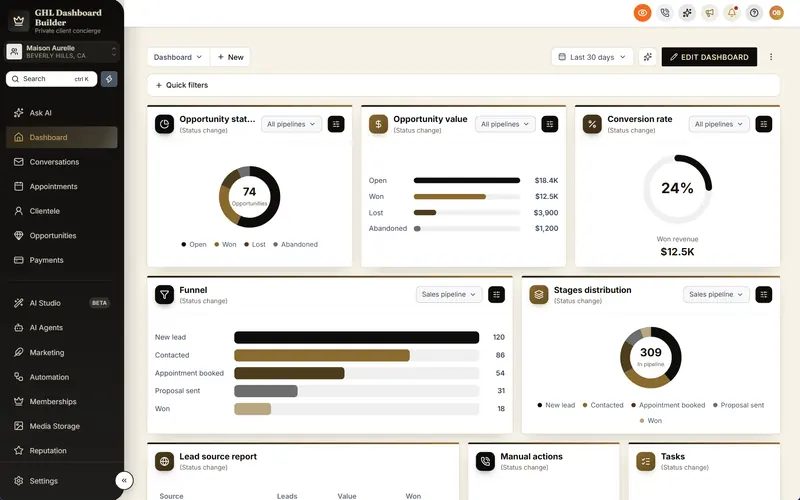
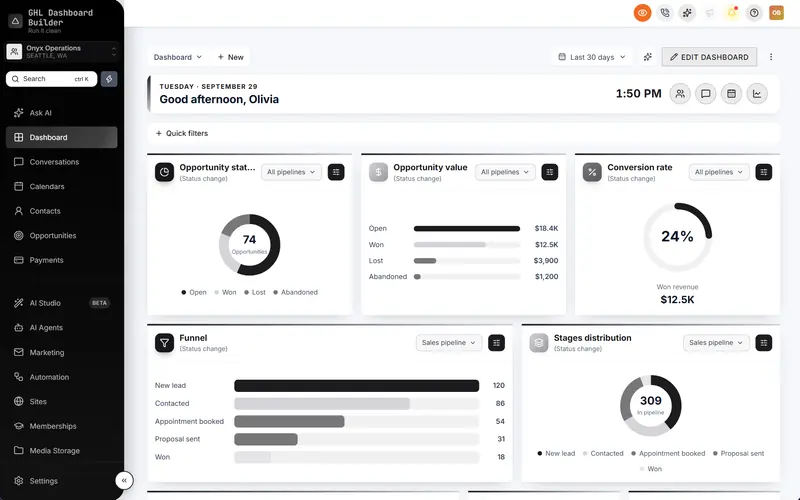
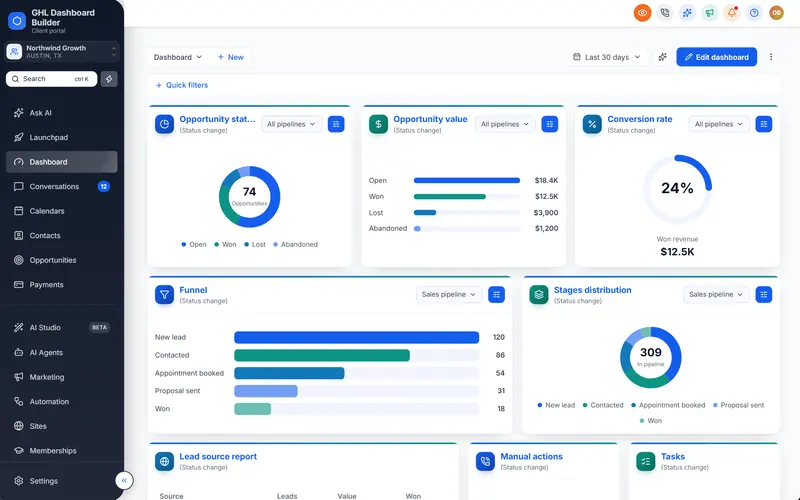
GoHighLevel Nederland, in short: HighLevel (also called GoHighLevel or GHL) already offers Dutch, Danish, Norwegian, Swedish and Finnish as platform languages, so your clients in the Netherlands and the Nordics can work in their own language today. What it does not give them is your brand, their trade words and a menu you can correct. That is the layer agencies add on top.
This guide is for agencies selling HighLevel to businesses in the Netherlands, Denmark, Norway, Sweden and Finland. It covers what HighLevel shows natively in Dutch and the Nordic languages, where that stops, how a branded Dutch, Danish or Norwegian dashboard works, how local dates, prices and week numbers should look, what Dutch telemarketing rules and the GDPR mean for your automations, the SMS characters that quietly double your costs, and a step-by-step setup. GHL Dashboard Builder is an independent design service and is not affiliated with HighLevel; where our product helps, we say exactly what it does and where it stops.
Can GoHighLevel be used in Dutch, Danish and Norwegian today?
Yes. Dutch (Nederlands), Danish (Dansk), Norwegian (Norsk), Swedish (Svenska) and Finnish (Suomi) are all built-in HighLevel platform languages. Each sub-account has a default language and each user can choose their own. Where HighLevel has not translated a screen yet, it shows English, so the result is mostly Dutch or mostly Danish rather than completely so.
Where the native setting lives
HighLevel’s help center article on internationalization describes two levels of language setting:
- The sub-account default. In a client’s sub-account, open Settings, Business Profile and choose Platform Language. Everyone in that sub-account sees this language unless they pick another one.
- The user’s own choice. Each user can open Settings, My Profile and choose their own Platform Language. The user’s choice takes priority over the sub-account default.
A sub-account is one client’s workspace in HighLevel; HighLevel also calls it a location. At the time of writing, the article lists Dutch, Swedish, Danish, Finnish and Norwegian alongside German, French, Spanish, Portuguese and Italian, and it explains that text without a translation falls back to English. There is one Dutch option for both the Netherlands and Flanders, and one Norwegian option rather than separate Bokmål and Nynorsk versions.
Why the Netherlands and the Nordics are a different kind of language market
Agencies sometimes assume that Dutch and Scandinavian clients do not care about language because they speak English so well. They do speak it well. In the EF English Proficiency Index 2025, the Netherlands ranks first in the world among countries where English is not a native language, with Norway fifth, Denmark seventh and Sweden eighth.
That ranking explains how these markets buy software, not that they want it in English. Office managers and marketers in Amsterdam or Oslo will cope with an English HighLevel. The receptionist at a physiotherapy practice in Aarhus, the planner at a plumbing company in Eindhoven and the owner of a hair salon in Bergen will work faster, make fewer mistakes and complain less in their own language. Our market page for clients in the Netherlands sums it up the same way: Dutch menus for teams who prefer their own language, even when they speak English fluently.
There is a sales angle too. A Dutch or Danish menu, in your colors, with your logo, is one of the clearest signals that a client bought a local product from a local agency rather than an American tool with a new logo. Our overview of GoHighLevel’s languages compares every language side by side if you serve more markets than these.
Infographic
GoHighLevel in the Netherlands and the Nordicsby the numbers
#1
the Netherlands' rank in the EF English Proficiency Index 2025
(EF EPI 2025)
72%
of Dutch online purchases paid with iDEAL in 2024
(Betaalvereniging Nederland)
5
Dutch and Nordic languages in HighLevel's Platform Language list
(HighLevel Help Center)
15
dashboard languages in GHL Dashboard Builder, all five among them
(GHL Dashboard Builder)
Sources: EF English Proficiency Index 2025; Betaalvereniging Nederland payments factsheet (2024); HighLevel Help Center; GHL Dashboard Builder, November 2026.
What does HighLevel show in Dutch or Danish, and what stays in English?
HighLevel’s native translation covers much of the web interface for users who choose Dutch, Danish, Norwegian, Swedish or Finnish, with English wherever a translation is missing. Customer-facing content, such as SMS, emails, forms and funnels, is in the client’s language only if someone writes it that way. Branding and industry wording are not part of the language setting at all.
That split matters before a sale. A client who expects every screen in Dutch will find English somewhere, most often in builders, automations and validation messages. HighLevel ships changes often, so treat any list of untranslated screens as a snapshot and check the screens your client actually uses.
| Part of GoHighLevel | Native Dutch or Nordic language | With a branded theme in the same language | Who controls the words |
|---|---|---|---|
| Left menu (sidebar) and its 19 items | Yes, HighLevel’s standard translation | Yes, in your wording, with trade renames | You, through the theme |
| Header search, notifications, profile menu | Mostly, where translated | Yes, for the parts the theme restyles | You, through the theme |
| Text inside HighLevel’s own pages | Mostly, with English fallback | Unchanged, follows the user’s Platform Language | HighLevel |
| Workflow, funnel, website and email builders | Partly | Unchanged | HighLevel |
| Colors, fonts, logo placement, layout | Not part of the language setting | Yes, your brand across the dashboard | You |
| SMS, WhatsApp and email content | Any language you type | Not affected | You or the client |
| HighLevel’s mobile app and system emails | Follow HighLevel | Not affected | HighLevel |
Why the two layers work together
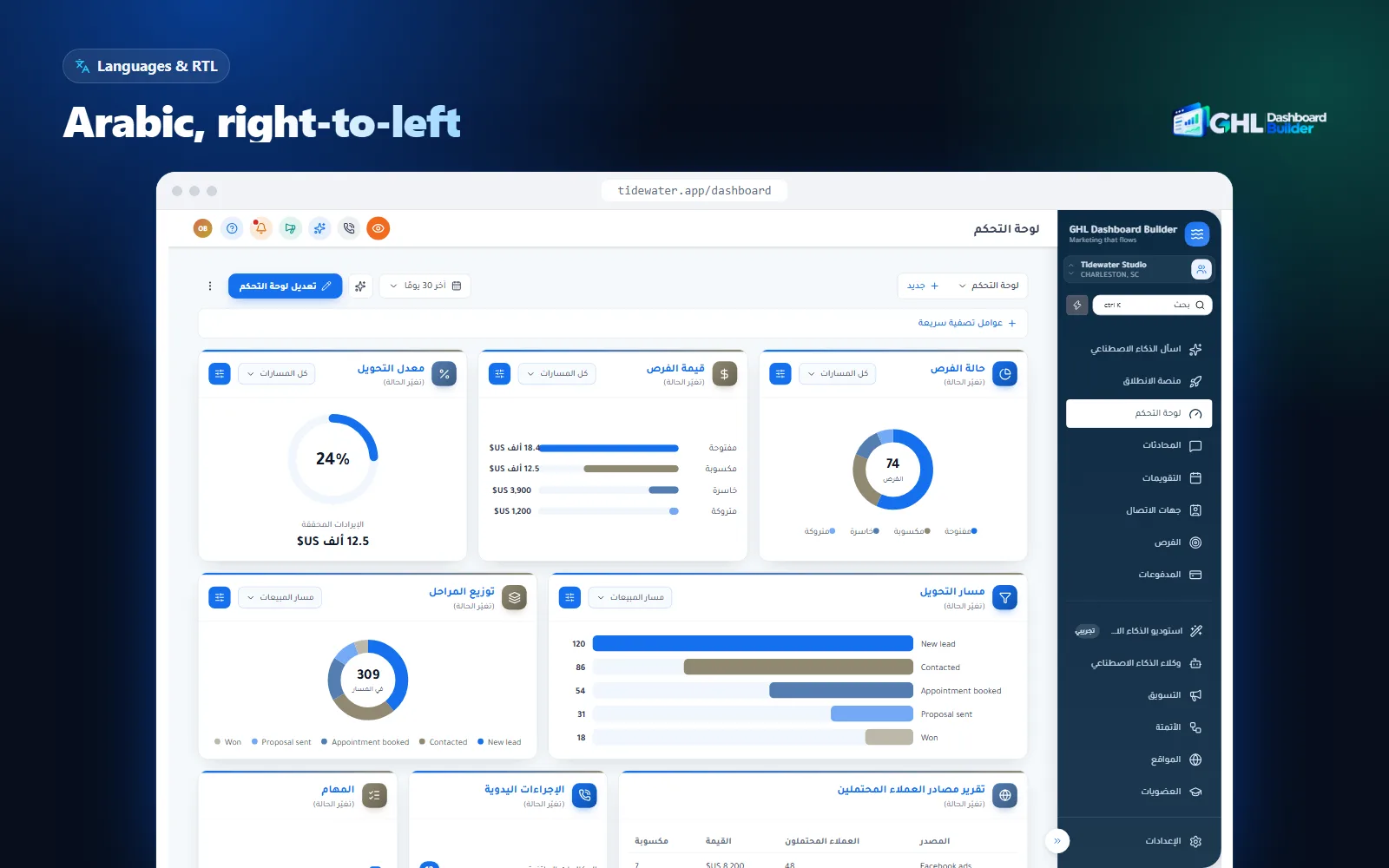
The native setting and a theme do different jobs. HighLevel’s Platform Language decides the text inside HighLevel’s own pages, for each user. A theme decides how the dashboard looks and what the menu and navigation say, for each sub-account it covers. The best setup for most Dutch and Nordic clients uses both: the client’s language as the Platform Language, so inner pages read in that language where HighLevel has translated them, and a branded menu in the same language, so the screen the team opens every morning carries your brand and their words.
For these languages, as for German, the value of a theme is not translation from nothing. It is control: your brand, your client’s words, and labels short enough for the sidebar. Our guide to HighLevel in German covers the closest comparable case for agencies that also serve clients in Germany, Austria or Switzerland.
How does GHL Dashboard Builder give a GoHighLevel Nederland or Nordic client their own dashboard?
GHL Dashboard Builder translates GoHighLevel’s menu and navigation into Dutch, Danish, Norwegian, Swedish or Finnish in your brand, lets you rename any menu item in your own wording, can limit the design to chosen sub-accounts, and installs as one CSS line and one JavaScript line in HighLevel’s custom code settings. Text inside HighLevel’s own pages keeps following each user’s Platform Language.
GHL Dashboard Builder is an independent design service that turns the standard HighLevel (GoHighLevel) dashboard into a branded platform: your colors, menu, login design, privacy mode and your clients’ language, installed with two lines of code. For Dutch and Nordic clients, the relevant pieces are the five language packs, the menu editor, sub-account targeting, privacy mode, the templates and the install itself. It is the same approach as our GoHighLevel white label dashboard, with the client’s language as the working language.
What the language packs include
Each pack translates the menu, the sidebar’s search and sub-account switcher, the header search box, notifications, the profile menu, common buttons and the tab names our theme shows. These are the main menu items in each pack:
| English (HighLevel) | Dutch | Danish | Norwegian (Bokmål) | Swedish |
|---|---|---|---|---|
| Conversations | Gesprekken | Samtaler | Samtaler | Konversationer |
| Contacts | Contacten | Kontakter | Kontakter | Kontakter |
| Opportunities | Kansen | Muligheder | Muligheter | Affärsmöjligheter |
| Calendars | Agenda’s | Kalendere | Kalendere | Kalendrar |
| Payments | Betalingen | Betalinger | Betalinger | Betalningar |
| Automation | Automatisering | Automatisering | Automatisering | Automatisering |
| Reporting | Rapportages | Rapportering | Rapportering | Rapportering |
| Settings | Instellingen | Indstillinger | Innstillinger | Inställningar |
| Switch sub-account | Subaccount wisselen | Skift underkonto | Bytt underkonto | Byt underkonto |
| Privacy mode | Privacymodus | Privatlivstilstand | Personvernmodus | Sekretessläge |
Finnish is included too, with labels such as Keskustelut, Yhteystiedot and Asetukset. All five languages are among our 15; 3 of the 15 (Arabic, Urdu and Hebrew) read right to left, and Dutch and the Nordic languages use the normal left-to-right layout. The Dutch pack uses the informal je, as most Dutch software does, and the Danish, Norwegian and Swedish packs address the user with du, which is standard in Scandinavian business software.
On top of the packs you get:
- Your own wording. Override any translated label, so a Dutch dental practice sees Patiënten instead of Contacten and a Danish accountant sees Klienter instead of Kontakter.
- Menu editor. Rename, reorder, hide and badge any of HighLevel’s 19 menu items, and add your own items.
- Templates. Start from one of 31 templates, then set the language. For Dutch clients we often suggest the Lumen template, a pastel-soft look with a light sidebar and gentle periwinkle highlights, or the Vertex template, an electric-blue primary on a dark slate sidebar.
- No data access. The builder never connects to your HighLevel account and the installed code does not send data anywhere.
At a glance: features, what they do, which plan
| Feature | What it does for your Dutch and Nordic clients | Plan |
|---|---|---|
| Languages | Menu and navigation in Dutch, Danish, Norwegian, Swedish or Finnish, with your own wording for any label | Pro and Agency |
| Menu editor | Rename, reorder, hide and badge the 19 menu items: Patiënten, Klienter, Opdrachten | Pro and Agency |
| Brand and colors, fonts | Your color system and fonts across the dashboard | All plans |
| Templates | 27 finished looks, including industry designs, as a starting point | All plans |
| Privacy mode | A header button (Privacymodus, Privatlivstilstand, Personvernmodus) that blurs client data during screen shares | All plans |
| Single sub-account | The translated design only for chosen sub-accounts, by link or Location ID | All plans |
| Login page design | 25 login designs in your colors; HighLevel’s Platform Language picker stays on the sign-in page | Pro and Agency |
| Two-line install | One CSS line and one JavaScript line; changes go live with Deploy to live | All plans, installed by us |
All three plans are one-time payments with no monthly fee, plus a one-time $100 setup fee on every plan, for which we install and configure the design in your HighLevel. Starter ($280) gives one branded design from any template, without the language section. Pro ($480) adds up to 3 designs, the menu editor, the dashboard in Dutch, Danish, Norwegian or any other of the 15 languages and the branded login page. Agency ($880) adds up to 100 designs, a look designed by our team, custom CSS and JavaScript and lifetime updates. Starter and Pro include 12 months of updates, then optional at $99 a year. The full list of what each feature does is on our features page.
What the client sees afterwards
After installation, a user in a Dutch sub-account logs in on your white-label domain and sees the sidebar in your colors with labels such as Gesprekken, Agenda’s and Contacten, or the renames you chose. A Danish user sees Samtaler, Kalendere and Kontakter. When they open a settings page or a builder, they see HighLevel’s own text in their Platform Language, which is their language for most of the interface and English on screens HighLevel has not translated yet. You can click through a live preview on our Dutch language page, the Danish language page and the Norwegian language page.
Which words should a Dutch, Danish or Norwegian menu use for each industry?
Use short, everyday office language and rename the items where your client’s trade has its own word. HighLevel calls every person a contact and every deal an opportunity in every language, while a Dutch practice thinks in patiënten, a Norwegian accountant in kunder or klienter and a Danish roofing company in opgaver. When the menu matches the way the business talks, staff find things faster and training takes less time.
Industry renames, language by language
Here are renames that fit each trade, following the industry renames in our templates (Contacts to Patients, Opportunities to Matters and so on). They are suggestions; always confirm the words with the client, since usage varies by company:
| Industry | Dutch | Danish | Norwegian (Bokmål) | Swedish |
|---|---|---|---|---|
| Dental and medical: Contacts | Patiënten | Patienter | Pasienter | Patienter |
| Legal and finance: Opportunities | Dossiers | Sager | Saker | Ärenden |
| Real estate: Opportunities | Woningen | Boliger | Boliger | Objekt |
| Gyms and fitness: Contacts | Leden | Medlemmer | Medlemmer | Medlemmar |
| Restaurants: Calendars | Reserveringen | Bordbestillinger | Reservasjoner | Bokningar |
| Home services: Opportunities | Opdrachten | Opgaver | Oppdrag | Uppdrag |
| Beauty and spa: Calendars | Afspraken | Bookinger | Timebestillinger | Bokningar |
Label length: why Swedish and Finnish need the most care
Sidebar space is limited, and long labels wrap or get cut off. We counted the characters in the 13 main menu labels of our own language packs. Dutch, Danish and Norwegian are only slightly longer than English, so they fit comfortably. Swedish and Finnish run longer, mainly because of words such as Affärsmöjligheter (17 characters, for Opportunities) and Myyntimahdollisuudet (20 characters).
Sum of the labels for Dashboard, Conversations, Contacts, Opportunities, Calendars, Payments, Marketing, Automation, Sites, Memberships, Reputation, Reporting and Settings. Source: GHL Dashboard Builder language packs, counted November 2026.
Three habits keep any of these menus tidy. First, shorten where meaning allows: Affärsmöjligheter can become Affärer, and Lidmaatschappen can become Cursussen for a Dutch coach. Second, hide the items a client never uses, so the menu shows six short words instead of nineteen. Third, check the menu at the width your client actually uses, including a laptop at 125% zoom, where long labels wrap first.
English loanwords are normal here
Dutch and Scandinavian offices use more English at work than most European markets. Words such as Dashboard, Marketing, Leads, Pipeline and Workflows are everyday vocabulary for many sales and marketing teams in Amsterdam, Copenhagen or Stockholm. Ask the client whether they say Kansen or Deals, Muligheder or Pipeline, and copy what they say in meetings. A menu that mixes the client’s language with the English words they really use is better than a pure translation nobody recognizes.
Our guide to renaming GoHighLevel menu items walks through the menu editor in detail, and the GHL sidebar and menu customization page shows everything you can change in the sidebar.
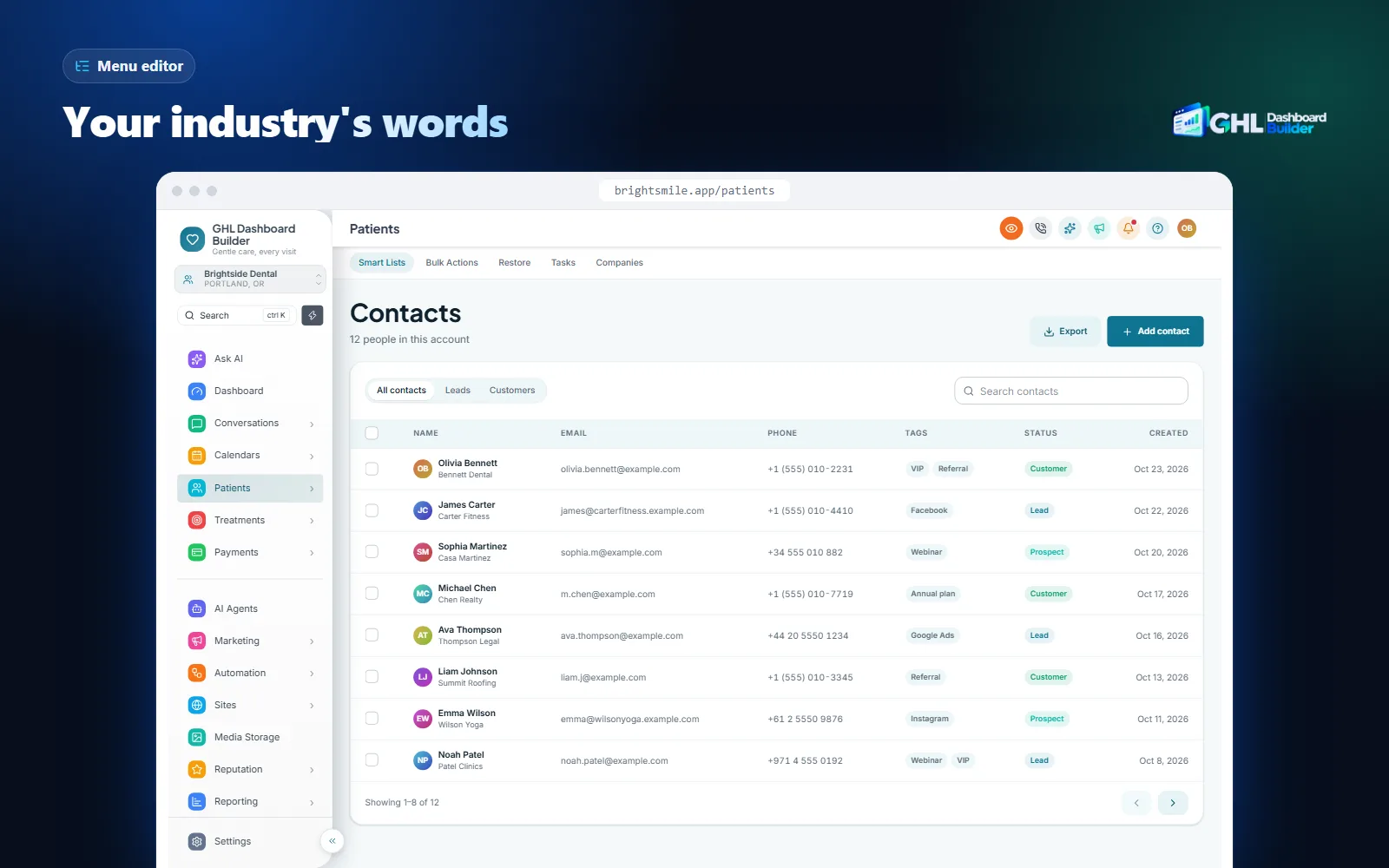
The menu editor writes the same wording into every sub-account the design covers, so the renames above appear for every user of that client. Users who prefer English inner pages can still set their own Platform Language; the menu keeps the wording you chose.
How should dates, prices and week numbers look for Dutch and Nordic clients?
Each country writes them differently. The Netherlands writes 05-11-2026 with dashes and puts the euro sign first. Denmark and Norway write 05.11.2026. Sweden writes dates year first, 2026-11-05. Denmark, Norway and Sweden all write prices with kr, for three different currencies. All five countries use the 24-hour clock and a week that starts on Monday.
What locale data says
Browsers and most software take number and date formats from the Unicode Common Locale Data Repository (CLDR), a shared database of how each language and country writes numbers, dates and currencies. We checked these locales in Node.js 22 with ICU 78.3, which ships CLDR version 48:
| Locale | Number 12,345.5 | Price 1,234.50 in local currency | Short date, 5 November 2026 | Time, 1:30 pm |
|---|---|---|---|---|
| nl-NL (Netherlands) | 12.345,5 | € 1.234,50 | 05-11-2026 | 13:30 |
| nl-BE (Flanders, Belgium) | 12.345,5 | € 1.234,50 | 5/11/2026 | 13:30 |
| da-DK (Denmark) | 12.345,5 | 1.234,50 kr. | 05.11.2026 | 13.30 |
| nb-NO (Norway) | 12 345,5 | 1 234,50 kr | 05.11.2026 | 13:30 |
| sv-SE (Sweden) | 12 345,5 | 1 234,50 kr | 2026-11-05 | 13:30 |
| fi-FI (Finland) | 12 345,5 | 1 234,50 € | 5.11.2026 | 13.30 |
| en-US (for comparison) | 12,345.5 | $1,234.50 | 11/5/26 | 1:30 PM |
Four details matter in practice. First, every one of these locales uses a comma for decimals, so an English-formatted price such as 1,234.50 reads like a typo to a Dutch or Danish customer. Second, Danish and Finnish CLDR data writes the time with a period, 13.30, which a Dane may prefer in written messages. Third, a Swedish customer reads 2026-11-05 as the normal way to write a date, and a date such as 05/11 can be read either way, so write dates out in full in your templates (“5 november 2026” works in Dutch, Danish, Norwegian and Swedish). Fourth, kr alone is ambiguous: a Danish krone (DKK), a Norwegian krone (NOK) and a Swedish krona (SEK) have different values, so an agency serving more than one Nordic country should use the ISO code on invoices and in reports.
Week numbers run the calendar
Dutch and Nordic offices plan in week numbers more than almost anyone. “Week 46” in the Netherlands, “uge 46” in Denmark, “uke 46” in Norway and “vecka 46” in Sweden all mean the ISO week that starts on Monday, and they appear in holiday plans, delivery promises and campaign calendars. Set each calendar’s week to start on Monday, use ISO week numbers in any report you build, and mention the week number in appointment and campaign messages where your client does so themselves.
Holiday periods matter too. Much of Scandinavia slows down for several weeks in July, and the Netherlands staggers school summer holidays by region. Set each calendar’s availability for the client’s real opening hours rather than assuming a year-round schedule.
What follows HighLevel’s settings
Invoices, payment links, products, reports and calendar pages are generated by HighLevel, so their currency and formats follow HighLevel’s own settings for the sub-account. In each Dutch or Nordic client’s sub-account:
- Set the business address and time zone under Settings, Business Profile. All five countries change their clocks in spring and autumn, so confirm that reminders fire at the right local time after each change.
- Set the client’s currency (EUR, DKK, NOK or SEK) in the payment settings so invoices and payment links show the right one.
- Check the date and price format on a sample invoice and a booking confirmation.
The language and format choices in our builder shape its live preview and the menu, but a theme does not change how HighLevel formats an invoice.
How do Dutch and Nordic customers expect to pay?
Not mainly by card. In the Netherlands, the bank-redirect method iDEAL dominates online payments, and each Nordic country has its own mobile payment habit. Before you build a payment flow in HighLevel for these clients, check which methods your client’s customers expect and which ones your HighLevel payment integration can offer.
iDEAL in the Netherlands
The Dutch Payments Association’s factsheet on payments in the Netherlands puts iDEAL’s share of online purchases at 72% in 2024. A Dutch customer who reaches a checkout without iDEAL often stops, or asks for a bank transfer instead.
Two changes are worth knowing. Stripe’s documentation on iDEAL and Wero payments says iDEAL is moving to the European Wero brand during 2026 and 2027, so payment pages and help texts may need new wording. And iDEAL is a one-time payment method, so recurring billing such as memberships usually runs on SEPA direct debit instead. A user request on HighLevel’s ideas board asks for native iDEAL digital direct debit mandates, which suggests that at the time of writing this flow needs testing before you promise it to a Dutch gym or course provider.
Mobile payments in the Nordics
Nordic customers are used to paying with their phone through apps such as MobilePay in Denmark and Finland, Vipps in Norway and Swish in Sweden. Whether a HighLevel checkout can offer them depends on the payment provider connected to the sub-account, so check with that provider rather than assuming. For many service businesses, the practical answer is a card or invoice option in HighLevel and the client’s own mobile payment setup at the counter.
What this means for your dashboard
Payments show up in the menu as Betalingen, Betalinger or Betalningar, and many clients check them every day. If a client takes most payments outside HighLevel, consider hiding the Payments item for their front-desk staff so nobody looks for numbers that are not there. If they take payments inside HighLevel, keep the item near the top and rename it in the words their bookkeeper uses.
What do the GDPR and Dutch telemarketing rules mean for your setup?
They shape your automations and how you show client data more than how the dashboard looks. The Netherlands, Denmark, Sweden and Finland apply the EU’s General Data Protection Regulation (GDPR, AVG in Dutch), and Norway applies it through the EEA Agreement. The Netherlands also requires consent before telemarketing calls to consumers. This section is background for a conversation with your client, not legal advice.
The GDPR across all five countries
In Norway, the GDPR is part of national law through the EEA Agreement and the Personal Data Act, which both took effect on 20 July 2018, as Linklaters’ summary of Norwegian data protection law explains. So a Norwegian client asks the same questions as a Dutch or Danish one: where is the data stored, who can see it, is there a data processing agreement (verwerkersovereenkomst in Dutch, databehandleraftale in Danish, databehandleravtale in Norwegian), and what happens during a screen share.
Answer the first three from HighLevel’s own documentation and your contracts. GHL Dashboard Builder does not store, process or transmit your clients’ data, because the builder never connects to your HighLevel account and the installed code does not send data anywhere. If a client needs a formal opinion, they should ask their own data protection officer or lawyer; each country has its own supervisory authority, such as the Autoriteit Persoonsgegevens in the Netherlands and Datatilsynet in Denmark and Norway.
Telemarketing in the Netherlands is opt-in
Since 1 July 2021, Dutch businesses may only make telemarketing calls to consumers who have given explicit consent, according to the Authority for Consumers and Markets (ACM). The ACM says this also covers existing customers and gives extra protection to small businesses such as sole traders.
For a HighLevel setup, that has practical consequences. If a Dutch client’s workflows create call tasks, use a power dialer or trigger outbound calls from a form, add a consent field to the form, store the date and wording of the consent on the contact, and make the workflow check it before a call task is created. Keep proof of consent with the contact record, not in a spreadsheet somewhere else.
Screen shares are where data leaks
The everyday risk is simpler than any regulation. A sales demo, an onboarding call or a recorded training video can show real names, phone numbers, email addresses and deal values to people who should not see them. Many agencies record training videos for clients’ staff in Dutch or Danish, and every one of those recordings is a chance to capture a real customer’s details.
Privacy mode handles that moment. An eye button in HighLevel’s header, labelled Privacymodus in Dutch, Privatlivstilstand in Danish and Personvernmodus in Norwegian, blurs contact names, emails, phone numbers, the conversation list and deal values with one click, and a second click shows them again. Our guide to hiding client data on screen shares explains when to use it and what it covers.
Which characters make Dutch and Nordic SMS more expensive?
The Nordic letters are safe; the Dutch diaeresis is not. Æ, Ø, Å, Ä and Ö are part of the basic SMS alphabet, so Danish, Norwegian, Swedish and Finnish messages cost the same as English ones. The Dutch ë and ï are outside it, and one of them in a message cuts the limit of a single SMS from 160 characters to 70.
How the SMS alphabet works
A normal SMS uses the GSM-7 character set. According to the GSM 03.38 character table, its basic set covers Latin letters, digits, common symbols and some accented letters, including Æ, æ, Ø, ø, Å, å, Ä, ä, Ö, ö, Ü, ü and é. The euro sign € sits in the extension table and counts as two characters. When a message contains any character outside these tables, the whole message is sent as UCS-2, where a single SMS holds 70 characters instead of 160, and each segment of a longer message 67 instead of 153.
| Character in a Dutch or Nordic SMS | Stays in GSM-7? | Effect |
|---|---|---|
| æ, ø, å, Æ, Ø, Å (Danish, Norwegian) | Yes | No effect: 160 characters per single SMS |
| ä, ö, Ä, Ö (Swedish, Finnish) | Yes | No effect |
| é (Dutch één, café) | Yes | No effect |
| ë, ï (Dutch ideeën, België, ruïne) | No | Whole message switches to UCS-2: 70 characters |
| € (euro sign) | Yes, from the extension table | Counts as two characters |
| ’ curly apostrophe, as in Dutch auto’s or agenda’s | No | Whole message switches to UCS-2 |
| Emoji | No | Whole message switches to UCS-2 |
The curly apostrophe is a real Dutch trap. Dutch writes plurals such as auto’s, foto’s and agenda’s with an apostrophe, and phones and word processors often turn it into a curly one. A 150-character appointment reminder that fits in one GSM-7 message becomes three UCS-2 segments because of one curly apostrophe or one ë. If the SMS provider bills per segment, that triples the cost of every reminder.
Keep templates plain:
- Use straight apostrophes. Type agenda’s with ’, never agenda’s, and paste templates through a plain-text editor first.
- Avoid ë and ï where you can. “Ideeën” can often be rephrased; “België” in an address is better left out of a short reminder.
- Write EUR 45 or 45 euro when you are close to the limit, since € costs two characters.
- Check segment counts in your provider’s calculator before you set a client’s monthly message budget.
WhatsApp and email
Messages that start a WhatsApp conversation need pre-approved templates, and Meta’s list of supported languages for WhatsApp templates includes Dutch, Danish, Norwegian, Swedish and Finnish. Each language version is its own template, reviewed on its own, so a client with Dutch and English customers needs both versions of each template. Store a preferred-language field on each contact and use it in workflows to choose the right one.
HighLevel’s email builder handles Dutch and Nordic text without special settings. Build one master template per language, have a native speaker from the client’s team read it, keep je or u (or du) consistent with the menu, and translate the footer, unsubscribe text and any button labels you wrote yourself.
Can you give Dutch to some clients, Danish to others and keep English for the rest?
Yes, with one rule to remember: one design shows one menu language for everyone in the sub-accounts it covers. An agency in Amsterdam serving Dutch, Danish and English-speaking clients can give each group its own design, and HighLevel’s Platform Language still lets each user choose the language of the inner pages.
Bilingual teams in one sub-account
Mixed teams are common in these markets: an international company in Amsterdam whose working language is English, a Finnish firm with Swedish-speaking staff, or a Copenhagen agency with Swedish employees from across the bridge. HighLevel’s native setting handles them per user. A theme works per sub-account, so decide which menu everyone will share:
- Local-language menu, Platform Language per user. The menu reads in Dutch or Danish for everyone, and each user’s inner pages follow their own Platform Language. This suits a practice or trades business where most daily users work in the local language.
- English menu, local inner pages per user. The menu stays in English, and local users set their Platform Language for inner pages. This suits international teams whose working language is English.
- Words that work in several languages. Dashboard, Marketing, Automatisering and Kontakter are the same or almost the same across several of these languages. Danish and Norwegian are close enough that many labels match; for a mixed Danish-Norwegian team, favour those shared words.
Different clients, different designs
HighLevel’s Custom CSS and Custom JavaScript boxes sit at agency level, so whatever you paste applies across all sub-accounts by default. To give one client a Dutch design, the theme must know which sub-accounts to target. GHL Dashboard Builder does this with an “Only these sub-accounts” option: you add the client’s sub-account by its link or Location ID, that sub-account gets the design, and every other sub-account and the agency view keep plain HighLevel. You still paste one install code.
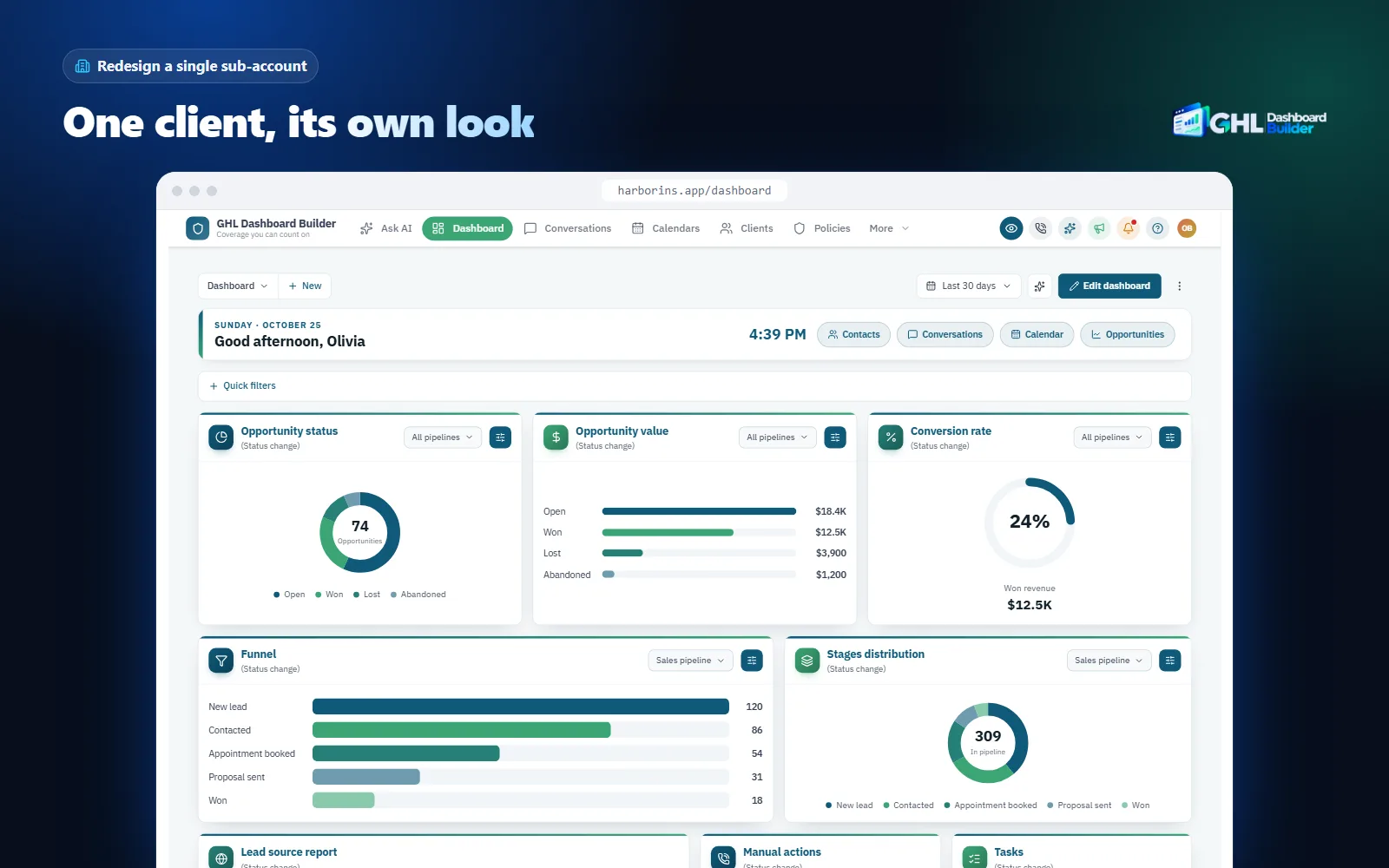
Be precise about what one install covers. One design is shown in the chosen sub-accounts; Pro includes up to 3 designs and Agency up to 100. A practical split for a Benelux and Nordic agency on Pro is one Dutch design, one Danish or Norwegian design and one English design. If you need a different arrangement, contact us and we will plan how to set it up. Our guide to GoHighLevel sub-account branding explains the options in more depth.
How do you set up a Dutch, Danish or Norwegian GoHighLevel dashboard, step by step?
Agree the scope, the language and the form of address with the client, set HighLevel’s native language and sub-account basics, write the local content, design and install the theme, then test with the people who will use it. The steps assume agency admin access and that your agency’s logo and domain are already set; our guide to white-labeling HighLevel covers those first. Menu paths follow HighLevel’s help center at the time of writing.
Infographic
A Dutch or Nordic GoHighLevel dashboardin five steps
- 1
Agree the scope
Language, je or u, and what will be translated.
- 2
Set native language
Platform Language, time zone and currency per sub-account.
- 3
Write the content
Plain-apostrophe SMS, approved WhatsApp templates, tested emails.
- 4
Design and install
Template, colors, local menu labels, two install lines.
- 5
Test like a user
Daily screens, a language switch and SMS segments.
Step 1: Agree the scope and the language
- Write down who logs in and which language each person reads best: the local language, English or both.
- Agree the language and variant: Dutch for the Netherlands or Flanders, Norwegian Bokmål or Nynorsk, Finnish or Swedish for a Finnish client. Agree je or u for Dutch customer messages.
- Agree in writing what will be translated: the menu and navigation, HighLevel’s inner pages where HighLevel has translated them, and all customer messages, forms and booking pages. Name what may stay in English: some inner screens, parts of the builders, system emails and the mobile app, depending on HighLevel’s current translation.
- Ask which words they use for customers, appointments and deals, and which English loanwords such as Leads or Pipeline they use at work.
Step 2: Set HighLevel’s native language and the sub-account basics
- Open the client’s sub-account and go to Settings, Business Profile.
- Set Platform Language to Dutch, Danish, Norwegian, Swedish or Finnish as the sub-account default.
- Ask English-preferring users to set their own language under Settings, My Profile.
- Enter the business name and address the way the client writes them, including the legal form (B.V., ApS, AS, AB, Oy), and set the correct time zone.
- Set the currency, EUR, DKK, NOK or SEK, in the payment settings.
- Set each calendar to start the week on Monday and to match the client’s opening hours and holiday weeks.
Step 3: Write the local content
- Create SMS templates with straight apostrophes and no ë, ï or emoji, and keep each one under 160 characters.
- Submit WhatsApp templates for approval in the client’s language.
- Build one email template per language and test it in two mail apps.
- Translate forms, surveys and booking pages, including confirmation and error messages you control. For Dutch clients that call consumers, add a telemarketing consent field and store it on the contact.
- Add a contact field for preferred language and use it in workflows to pick the right version.
Step 4: Design and install the theme
- Open the free builder in Dutch (or choose Danish, Norwegian, Swedish or Finnish in the language section), pick a template and set the client’s colors, logo and fonts.
- Rename the menu items you agreed in Step 1, shorten long labels, and hide the items the client does not use.
- If only this client should get the design, limit it to their sub-account.
- In the agency view, open Settings, Company, Whitelabel and find the custom code area. Copy whatever is already in Custom CSS and Custom JavaScript into a text file as your rollback.
- Paste the theme’s CSS line and JavaScript line and save. HighLevel warns about third-party scripts; confirm only if you trust the code. On every plan, we do this step for you as part of the setup.
Step 5: Test like an office user
- Open the sub-account in a new tab and hard-refresh.
- Walk through the dashboard, conversations, calendars, contacts and the opportunities board, on a laptop screen and at 125% browser zoom, and look for labels that wrap.
- Switch a test user’s Platform Language between the local language and English and check that the menu keeps your wording.
- Send yourself an SMS reminder and check its segment count with your provider.
- Ask two staff members to use it for a morning and tell you which labels confuse them.
| Step | What you do | Typical owner | Done when |
|---|---|---|---|
| 1. Scope | Agree language, variant, je or u, and what is translated | Account manager | The client has it in writing |
| 2. Native settings | Platform Language, time zone, currency, Monday weeks | Setup specialist | A test invoice and booking look right |
| 3. Content | SMS, WhatsApp, email, forms, consent fields | Native copywriter | Every template is read on a phone |
| 4. Theme | Design, local menu wording, install | Designer | The menu shows in your brand on one line per item |
| 5. Testing | Daily screens, language switch, SMS segments | Two client staff | No label confuses them |
What can go wrong, and what doesn’t a translated theme solve?
Most problems come from unclear promises, labels nobody tested, the wrong country’s formats and SMS costs nobody planned for. A theme changes how HighLevel’s menu and main screens look and read; it does not translate HighLevel’s inner pages, it does not correct HighLevel’s own translation, and it does not write your clients’ content.
| Problem | Why it happens | What to do |
|---|---|---|
| Some screens still show English | HighLevel falls back to English where a translation is missing | Explain this before the sale; recheck after HighLevel releases |
| A HighLevel label reads oddly | HighLevel’s own translation | Report it on HighLevel’s ideas board; a theme cannot change inner-page text |
| The menu says one thing, inner pages another | The theme’s wording differs from HighLevel’s translation | Choose menu words close to HighLevel’s where staff move between both |
| Swedish or Finnish labels wrap | Long compound words | Shorten labels and hide unused items |
| A Nynorsk client sees Bokmål | The pack is written in Bokmål | Override the labels with the client’s Nynorsk words |
| Prices look English or kr is ambiguous | Format and currency settings | Set the currency per sub-account; use DKK, NOK or SEK on invoices |
| Dutch SMS costs more than expected | ë, ï, a curly apostrophe or an emoji switches the message to UCS-2 | Use straight apostrophes; budget messages by segment |
| A Dutch client’s call workflow breaks the rules | Calls to consumers without consent | Add a consent field and check it in the workflow |
| Part of the theme looks wrong after an update | HighLevel changed a screen | Re-check after releases; keep the previous code to roll back |
There are also limits no theme removes. HighLevel does not officially support custom code, so a platform update can require a theme refresh; Starter and Pro include 12 months of updates for this, and Agency includes lifetime updates. A theme works in the web browser; it does not change HighLevel’s mobile app, its system emails or its builders. One design shows one menu language, so a bilingual team shares one menu. A translated menu does not answer a client’s GDPR questions or add payment methods such as iDEAL or MobilePay; those depend on HighLevel, your payment provider, your contracts and how the client uses the platform. And no menu translation makes up for poorly written customer messages: budget for a native writer, and see our FAQ for questions about installing, removing and data.
What to do next
- List your Dutch and Nordic clients and, for each one, who logs in, which language and variant they read best, and whether they expect je or u in customer messages.
- Set HighLevel’s Platform Language in each of those sub-accounts today; it is free and covers the inner pages a theme never touches.
- Fix the sub-account basics: time zone, currency, Monday weeks and real holiday periods, and add a telemarketing consent field for Dutch clients that call consumers.
- Search your SMS templates for curly apostrophes, ë, ï and emoji, and submit WhatsApp templates in each client’s language.
- Try the client’s colors and a Dutch, Danish or Norwegian menu in the builder, install on one sub-account first, and compare the plans when you are ready to roll it out.