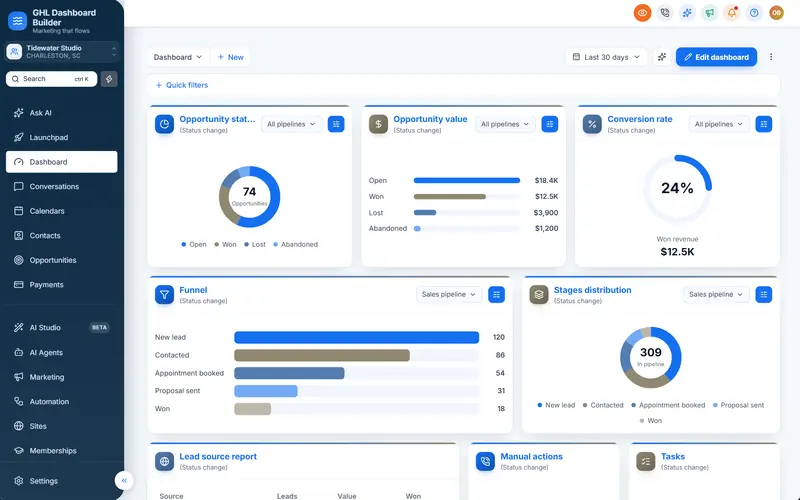
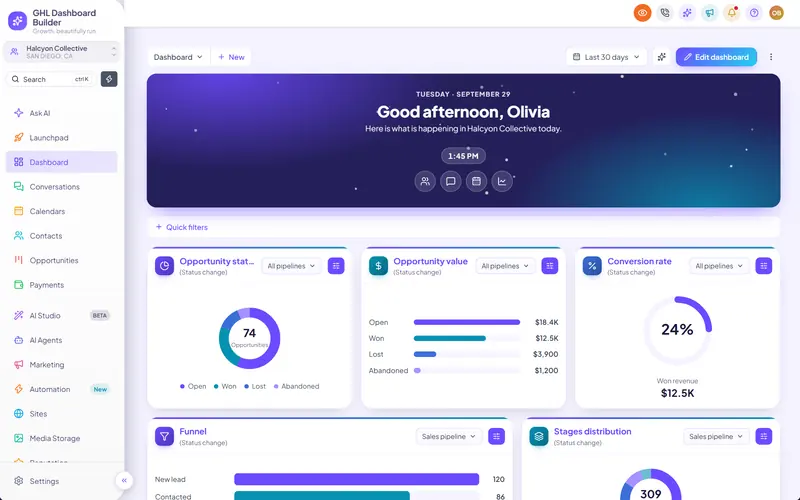
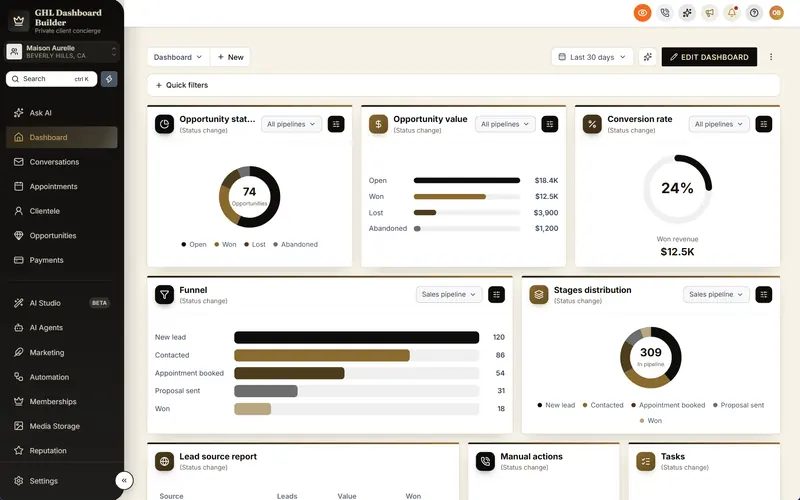
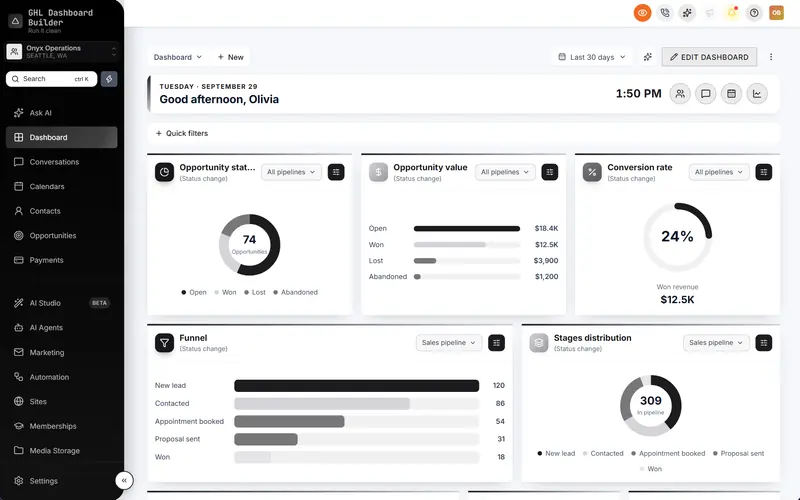
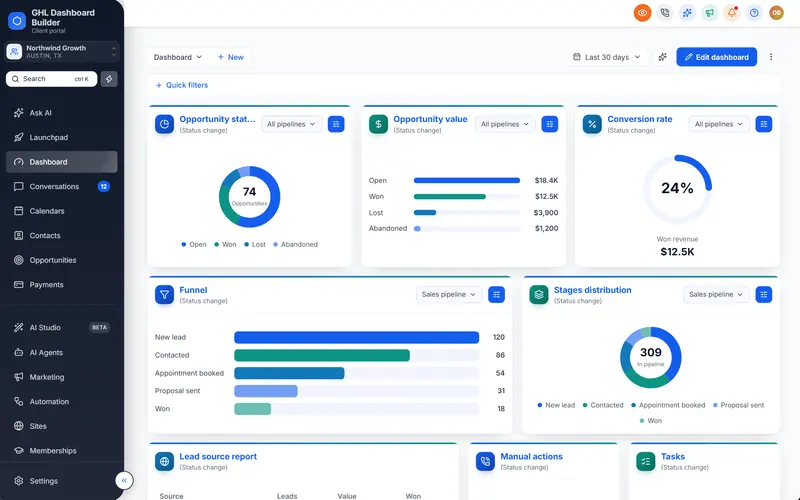
You want your clients to log in to something that looks like your own software, not like the same HighLevel screen every other agency resells. The built-in white-label settings changed the logo and the domain, and the rest still looks standard. So the next question is who builds the rest: a freelancer who writes the custom CSS for you, or a dashboard builder that produces the code from visual choices. Both promise a branded dashboard. They differ in price, in how long it takes, and above all in who fixes it when HighLevel changes something next month.
This guide compares the two routes for HighLevel (also called GoHighLevel or GHL) as plainly as we can. It covers what a GoHighLevel developer actually does with custom CSS, what hiring one costs with real published rates, how long each route takes, who maintains the code after updates, what to put in a brief, what access a developer needs, and how to hire one safely if that is the right call. GHL Dashboard Builder is one of the two routes, so we say exactly what our product does and does not do, and where a developer is the better choice. We are an independent service, not affiliated with HighLevel.
What does a GoHighLevel developer do with custom CSS?
A GoHighLevel developer writes custom CSS, and usually some JavaScript, that restyles the HighLevel app for your agency. The code goes into the agency’s Custom Code settings, where it loads for every user in every sub-account. Good developers also test the result on each main screen and on phones, and fix it after HighLevel updates.
HighLevel gives agencies two boxes for this. In the agency view, Settings, Company, Whitelabel, Custom Code holds a Custom CSS field and a Custom JavaScript field, as HighLevel’s agency company settings article describes. Code there is agency-wide. That single fact shapes everything in this comparison: whatever a developer writes, and whatever goes wrong with it, reaches every client at once.
A typical GoHighLevel custom CSS engagement includes some or all of the following work:
- Colors and fonts. The sidebar, header, buttons, tabs, tags, cards and form fields in your brand colors, with readable contrast.
- Layout touches. Rounded or square corners, spacing, a different header, icons in the menu.
- Menu changes. Renaming, reordering and hiding sidebar items. CSS can hide and recolor; renaming items consistently needs JavaScript.
- Extras. A welcome message on the Dashboard, counters on the menu, a login page design, a right-to-left layout for Arabic, Urdu or Hebrew. Each one is real development work.
- Testing. Every main screen, every role, dropdowns and pop-ups, tablet and phone widths.
- Upkeep. Finding and fixing rules that stop working when HighLevel changes the page structure they depend on.
The first four items are what you see in a demo. The last two are what decide whether the theme still looks right in six months. Our HighLevel custom CSS guide explains the technical side, including why selectors break, if you want to judge a developer’s approach yourself.
What does hiring a GHL developer cost?
Published rates for CSS developers start low, but the hourly figure is only one part of the price. Upwork’s own guide puts typical CSS developer rates at $15 to $30 an hour, its client fee adds up to 7.99% per payment on the Basic plan, and every HighLevel update that breaks the theme is billed again.
Here is what the published sources say, at the time of writing.
Upwork’s guide to the cost of hiring CSS developers gives a typical rate of $15 to $30 an hour. Treat that as a starting point, not a quote: Upwork itself notes that rates depend on experience and the job, and developers who specialize in HighLevel, or who live in high-cost cities, usually charge more. Some also prefer a fixed project price, which moves the risk of overruns to them but makes scope changes cost extra.
Marketplaces add their own fees on top. Upwork’s help article on the client marketplace fee states a fee of up to 7.99% of each payment to a freelancer on its Basic plan, with lower or higher rates on other payment methods and plans. Other marketplaces have their own terms, so read them before comparing quotes.
For a broader sense check, the US Bureau of Labor Statistics’ Occupational Outlook Handbook for web developers and digital designers reports a median annual pay of $99,520 in May 2025. Over a standard 2,080-hour work year, that works out to roughly $47.85 an hour. That is employee pay, not a freelance rate, but it is a useful reference when a quote looks very low or very high.
Infographic
Hiring a GHL developerby the numbers
$15–$30
typical hourly rate for CSS developers in Upwork's hiring guide
(Upwork)
7.99%
maximum client marketplace fee per payment on Upwork's Basic plan
(Upwork Help Center)
$99,520
median annual pay for US web developers and digital designers, May 2025
(US Bureau of Labor Statistics)
$100
one-time setup fee on every GHL Dashboard Builder plan, for installing and checking it
(GHL Dashboard Builder pricing)
Sources: Upwork CSS developer cost guide and client fee article; BLS Occupational Outlook Handbook; GHL Dashboard Builder pricing, November 2026.

There is no standard number of hours for a GoHighLevel theme, and we will not invent one. What we can do is show how the hours you are quoted turn into a price. The table multiplies example hour counts by three rates: the two ends of Upwork’s range and the BLS-derived hourly figure. Put your own quote into the same arithmetic.
| Example scope | Example hours | At $15 an hour | At $30 an hour | At $47.85 an hour |
|---|---|---|---|---|
| Recolor sidebar, header and buttons | 5 | $75 | $150 | $239 |
| Main screens styled and tested | 15 | $225 | $450 | $718 |
| Full coverage plus menu changes in JavaScript | 30 | $450 | $900 | $1,436 |
| The above plus a year of fixes after updates | 45 | $675 | $1,350 | $2,153 |
Add the marketplace fee, if any, to each figure. The hour counts are examples to make the arithmetic visible, not measurements of what any developer charges.
Two costs never appear on the invoice. The first is your own time: writing the brief, answering questions, and testing what you receive on several screens and roles. The second is the cost of a broken screen while clients are logged in, which is paid in support messages and trust rather than money.
How does GHL Dashboard Builder compare as the alternative?
GHL Dashboard Builder is an independent design service that turns the standard HighLevel (GoHighLevel) dashboard into a branded platform: your colors, menu, login design, privacy mode and your clients’ language, installed with two lines of code. You design visually, preview the result on HighLevel’s screens, and we install and check it for a one-time setup fee.
The difference from hiring a developer is where the work happens. A developer writes code for your account. Our builder already contains the code for 18 features, kept in step with HighLevel’s interface, and your choices (colors, template, menu wording, language) decide what it produces. You see the result before anything is installed, so there is no gap between what you briefed and what you get.
The install is one CSS line and one JavaScript line in Custom Code. Those two lines load the design you last deployed, so later changes go live when you press Deploy to live, without pasting anything into HighLevel again, and clearing the two boxes removes the theme. It takes about five minutes, and on every plan we do it for you.
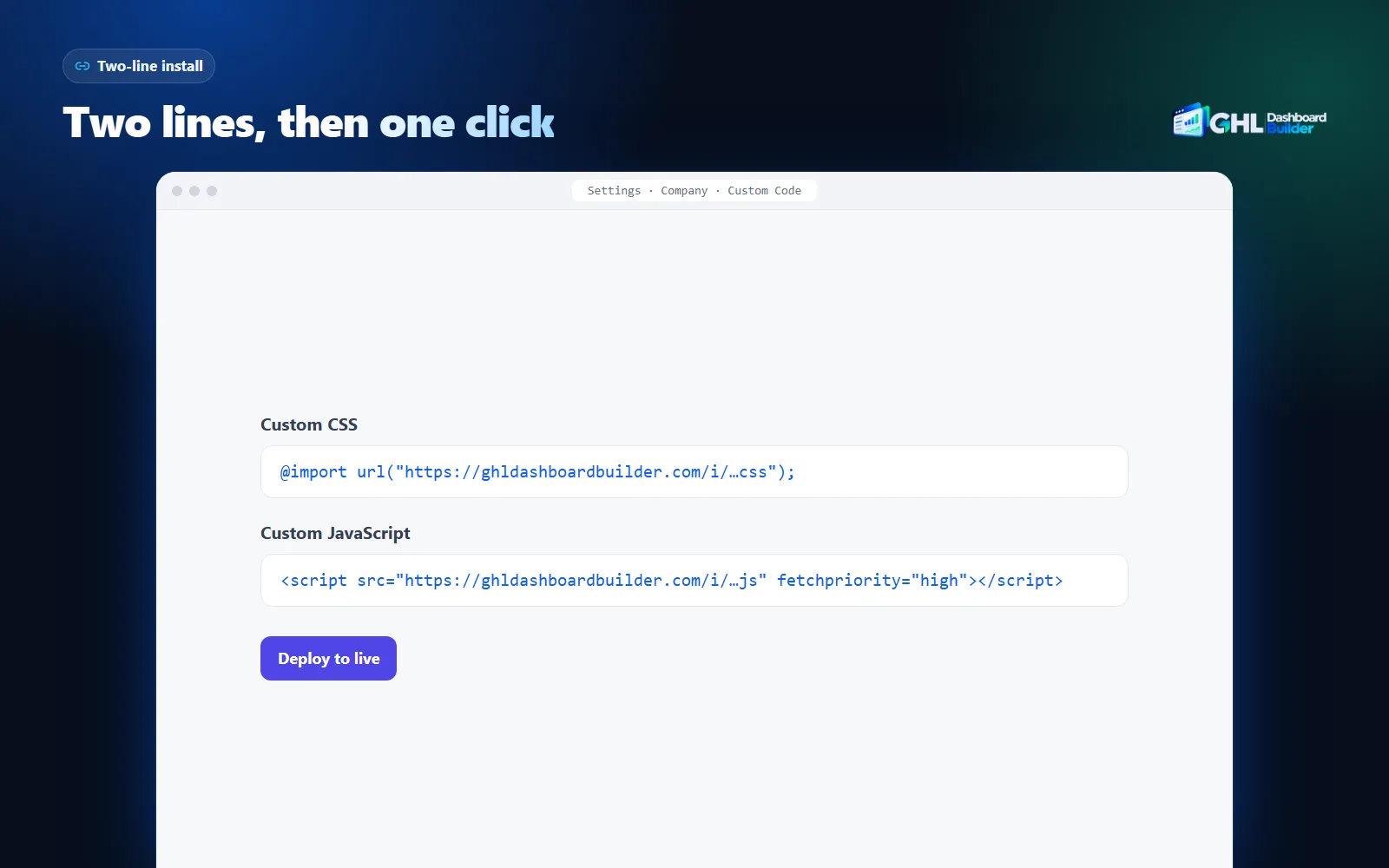
Here is what the product covers that a developer would otherwise build, and which plan includes each part.
| Feature | What it does for your agency’s clients | Plan |
|---|---|---|
| Brand and colors | Your color system, fonts and favicon across HighLevel’s sidebar, header, buttons, cards and forms | Starter and up |
| 27 templates | A finished look to start from, including industry designs for clinics, real estate, gyms and more | Starter and up |
| Welcome banner, appointments board, live counts | A Dashboard that greets each user by name and shows today’s numbers from HighLevel | Starter and up |
| Privacy mode | An eye button that blurs names, emails, phone numbers, conversations and deal values on screen shares | Starter and up |
| Whole agency or chosen sub-accounts | A design for everyone, or only for sub-accounts you add by link or Location ID | Starter (1 design), Pro (up to 3), Agency (up to 100) |
| Menu editor | Rename, reorder and hide any of HighLevel’s 19 menu items, plus your own items | Pro and Agency |
| Login page design | 25 designs for the white-label sign-in page | Pro and Agency |
| 15 languages | Translated menu and navigation, with right-to-left layout for Arabic, Urdu and Hebrew | Pro and Agency |
| A look designed by our team | One design made from scratch from your brand | Agency |
| Your own CSS and JavaScript | Code added on top of the generated theme, plus the full files to download | Agency |
All plans are one-time payments with no monthly fees: Starter $280, Pro $480 and Agency $880, each plus a one-time $100 setup fee for installing, configuring and checking the design in your HighLevel. Starter and Pro include 12 months of updates, then optional updates at $99 a year; Agency includes lifetime updates. The full list of plan contents is on the pricing page, and every feature is on the features page.
Be clear about the limits too. The builder covers what its features cover. If you need an unusual layout, an integration with your own tools, or a feature none of the 18 provides, a developer is the right person for that part. And like any custom code, a theme restyles HighLevel’s interface in the browser; HighLevel’s own white-label settings still handle the domain, the logo and the mobile app.
How long does each route take?
A builder gets you to a branded dashboard in days: you try the design the same day, we design it in one to two business days, and install it the same day you approve. A developer’s timeline depends on the brief, their availability and your feedback rounds, and is usually measured in weeks for full coverage.
The time difference comes less from typing code and more from the loop around it. With a developer, you describe what you want, wait for a version, test it, describe what is wrong, and wait again. Each round costs days because the developer can only show you the result once it is built and installed somewhere. With a builder, the preview is the product: you see your colors on HighLevel’s screens while you choose them.
| Stage | Hiring a GHL developer | GHL Dashboard Builder |
|---|---|---|
| Finding the person | Search, shortlists, interviews: days | Not needed |
| Brief | You write it, listing every screen and state | You choose in the builder; a short form for logo, colors and menu wording |
| First version | When the developer has built it | Our design in 1–2 business days, with a live preview link |
| Review | You test on a test account or live | On desktop, tablet and phone in the preview, before install |
| Changes | Another round with the developer | Within your plan’s revision rounds (1 on Starter, 3 on Pro, 5 on Agency) |
| Install | The developer or you paste the stylesheet | We paste two lines and check every screen, the same day |
| Later changes | Another request, another invoice | Edit the design and press Deploy to live |
The review stage deserves the most attention, because it is where hidden costs sit. A theme has to be checked on the Dashboard, Conversations, Calendars, Contacts, Opportunities, Payments and Settings, in dropdowns and pop-ups, as an agency user and as a sub-account user, and on a phone. When a developer delivers code, you do that checking on a real account. Our device preview shows the design on a live copy of HighLevel’s screens at three sizes before anything touches your account.
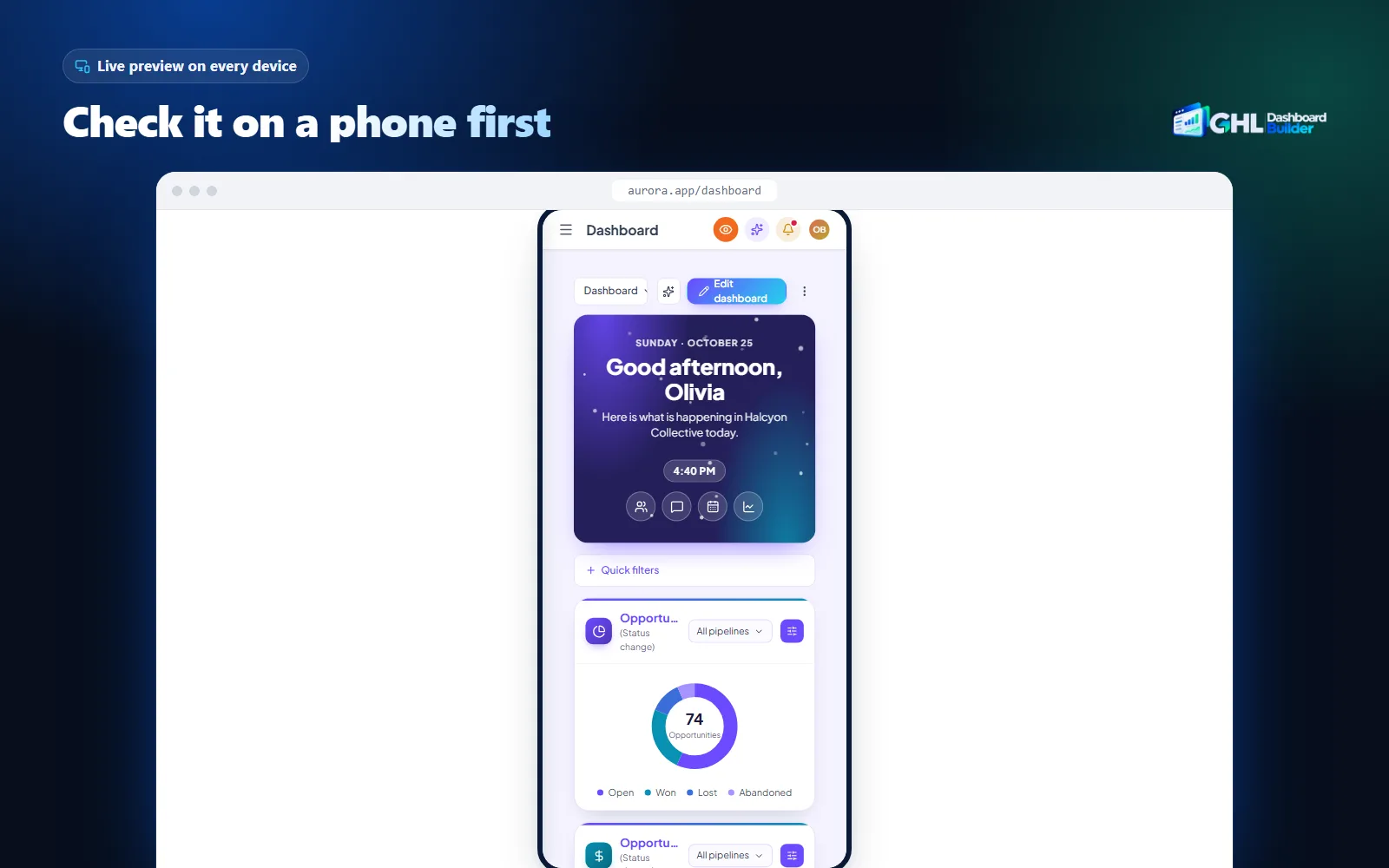
Neither route removes the final check after install. Whoever installs the theme should still open a sub-account, hard-refresh, and walk the main screens as a non-admin user. With us, that check is part of the setup fee; with a developer, agree in advance whether it is included.
Who maintains the code after HighLevel updates?
With a developer, whoever your agreement names maintains the code, usually the same developer at an hourly rate or on a retainer, if they are still available. With a dashboard builder, the provider maintains it within the updates the plan includes. Either way, someone has to, because HighLevel’s interface keeps changing.
HighLevel ships changes often and does not treat custom code as something it supports. Its help article on CRM loading states and the impact of custom CSS and JS explains that custom CSS or JavaScript which conflicts with the app’s loader can disrupt it.
A clear recent example is HighLevel’s redesigned navigation. Its article on using custom CSS and JavaScript with the Custom Navigation states that legacy custom code is disabled by default when Custom Navigation is enabled. The code is not deleted, and agencies can choose to reuse it, but the article warns that code written for the previous navigation may not work as expected in the new interface. For an agency with a developer-built theme, that kind of change means a new round of work: check every screen, rewrite the rules that target the old menu, test again.
Upkeep is where the two routes differ most over time:
- Developer. You notice the problem, often from a client’s screenshot. You contact the developer, wait for their availability, pay for the fix, and test it. If the developer has moved on, a new one first has to learn the old code.
- Dashboard builder. The provider updates the theme for everyone using it. With hosted install lines, the fix reaches your account without anyone pasting new code. You still check your screens, but you are not the one finding selectors.
Our plans include 12 months of these updates on Starter and Pro, then optional updates at $99 a year, and lifetime updates on Agency. Without the optional renewal, a theme keeps working as it is; it just stops receiving fixes and new features. The chart shows what each plan costs over three years if you keep updates on, which is the figure to compare with a developer’s first build plus two years of fixes.
Source: GHL Dashboard Builder pricing, November 2026: plan price + $100 setup fee + optional $99 a year for years 2 and 3 (Agency includes lifetime updates).
Our guide to GoHighLevel custom CSS that stops working walks through finding the cause when a theme breaks after an update, whoever wrote it. It is worth reading before you hire, because it shows the kind of work you will be paying for later.
What should a brief for a GoHighLevel developer include?
A good brief lists every screen and state the theme must cover, the menu changes, the devices, the roles to test, who owns the code, and what happens after HighLevel updates. Anything left out of the brief is usually left out of the theme, or added later at extra cost.
Developers quote on what you describe. Two quotes that look far apart are often quoting different jobs: one recolors the sidebar, the other covers every screen and fixes it for a year. A written brief makes quotes comparable and protects both sides. Use this checklist as the skeleton.
| Brief item | What to specify | Why it matters |
|---|---|---|
| Screens | Dashboard, Conversations, Calendars, Contacts, Opportunities, Payments, Settings, and any module your clients use | Screens left out keep HighLevel’s colors |
| States | Dropdowns, modals, date pickers, empty states, hover and focus states, error messages | Unreadable text usually hides in pop-ups |
| Brand | Logo files, hex colors, fonts, a reference site or screenshot | Avoids guesswork and extra rounds |
| Menu | Items to rename, reorder or hide, with exact wording | Needs JavaScript, often quoted separately |
| Devices | Desktop, tablet and phone widths, and which browsers | Many themes are only checked on one laptop |
| Roles | Agency admin, agency user, sub-account admin, sub-account user | Menus and pages differ by role |
| Scope by client | Whole agency, or only some sub-accounts | Code must check which sub-account is open |
| Languages | Any non-English or right-to-left menus | Right-to-left is specialist work |
| Delivery | Readable, commented source files, not only minified code | You or the next developer must be able to edit it |
| Ownership | That you own the code once paid | Lets you change developers later |
| Upkeep | Response time and price for fixes after HighLevel updates | Decides the real cost over a year |
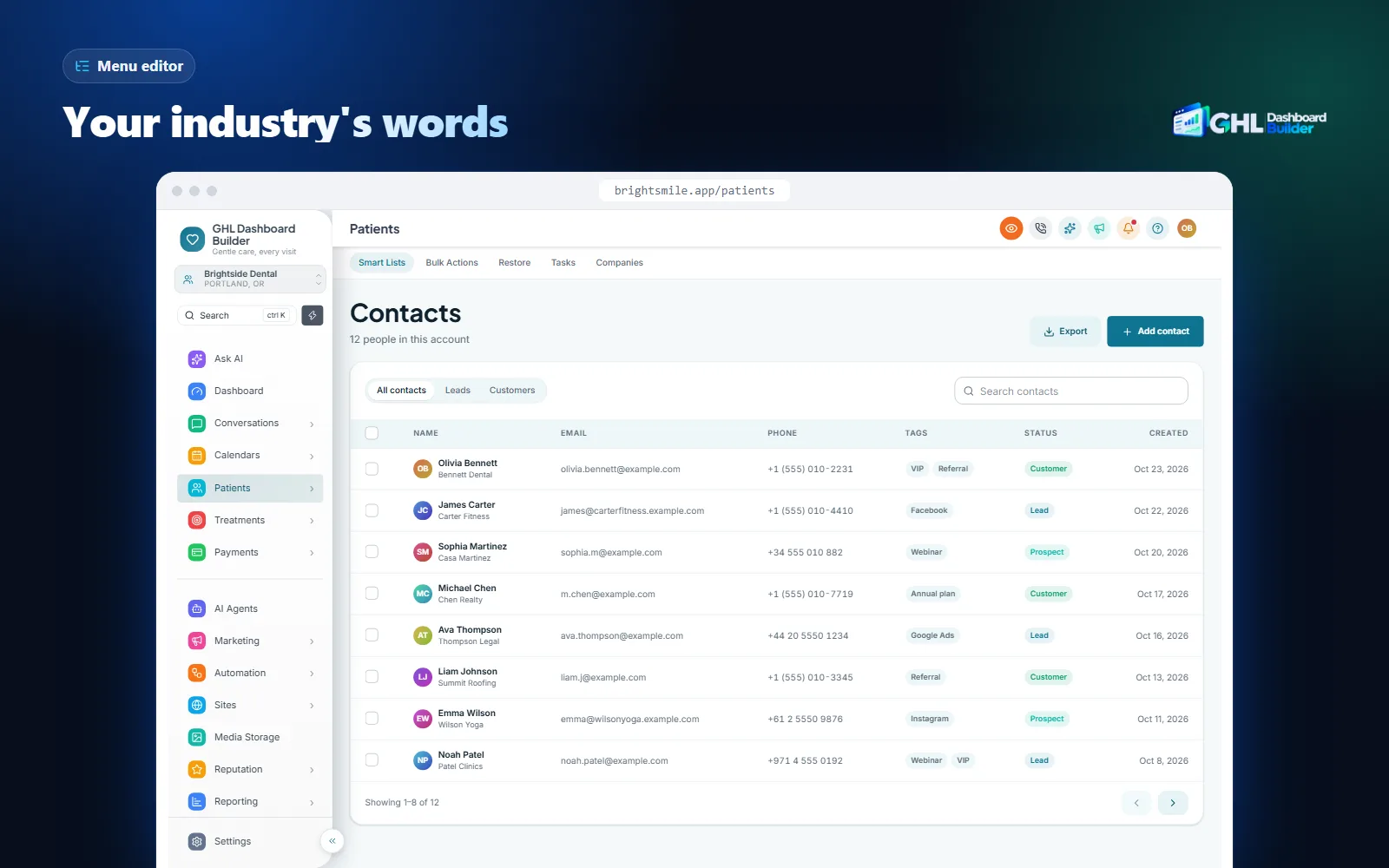
The menu row is the one agencies most often underestimate. Hiding an item takes one line of CSS. Renaming “Contacts” to “Patients” everywhere it appears, keeping the order you want, adding a custom item that links to your help center, and making it survive the next navigation update is JavaScript work, and it has to be tested on every page that shows the menu. Our menu editor works with 19 of HighLevel’s standard menu items, which gives a sense of how many labels a developer may have to handle, and each one you change is part of the scope.
This is also where a builder saves the most time. In our menu editor, you type the new label, drag items into order and switch off the ones a client does not need, and the builder writes the JavaScript.
If you go the developer route, attach the brief to the agreement and ask the developer to confirm each row in writing. If a row is excluded, at least you know before the first invoice rather than after it.
How do you hire a GoHighLevel developer safely?
Write the brief first, check the developer’s past HighLevel work, agree scope, ownership and upkeep in writing, give limited access, back up your Custom Code before anything is pasted, and test on one sub-account before the whole agency sees the theme. Each step below has the HighLevel menu path where one applies.
Infographic
Hiring a GoHighLevel developerin six steps
- 1
Write the brief
List every screen, state, menu change, device and role.
- 2
Check past work
Ask to see live HighLevel themes they built and maintain.
- 3
Agree it in writing
Scope, ownership, delivery format and the price of fixes.
- 4
Give limited access
A separate agency user with only the permissions needed.
- 5
Back up Custom Code
Copy both boxes into a dated file before any paste.
- 6
Test before everyone
One sub-account, every role, every device, then widen.

Menu paths are as HighLevel’s help center describes them at the time of writing. HighLevel moves settings from time to time; if a label differs in your account, search the help center for the article named in each step.
1. Write the brief
- Copy the brief checklist from the previous section into a document.
- Fill in every row, including the ones you decide to leave out, marked as excluded.
- Add screenshots of the screens your clients use most, with notes on what should change.
- Add your logo files, color codes and fonts.
2. Check past work
- Ask each candidate for two or three HighLevel themes they built that are still live, and ask how long they have maintained them.
- Ask what they changed after HighLevel’s Custom Navigation release. A developer who maintains themes will have a specific answer.
- Ask how they target elements: stable attributes and names, or generated class names that change between releases.
3. Agree it in writing
- Attach the brief to the agreement and ask for each row to be confirmed or excluded.
- State that you receive readable, commented source files and own the code once paid. Have a lawyer check the ownership wording if the work is significant.
- Agree the price and response time for fixes after HighLevel updates: hourly, a fixed fee per fix, or a retainer.
- Agree milestones and what happens if a deadline is missed.
4. Give limited access
- In the agency view, open Settings, Team (HighLevel’s article on managing agency user roles and permissions describes this area).
- Add the developer as a new user with their own email address. Never share your own login.
- Open the user’s Roles & Permissions and switch off everything they do not need, such as creating or deleting sub-accounts, and limit them to a test sub-account where possible.
- Write down the date, so you remember to remove the user when the work ends.
5. Back up Custom Code
- In the agency view, open Settings, Company, Whitelabel and scroll to Custom Code.
- Copy everything in Custom CSS and Custom JavaScript into a dated text file.
- Agree with the developer that you are told before anything in those boxes changes.
6. Test before everyone sees it
- Ask for the code to apply only to one test sub-account first. Because the Custom Code boxes are agency-wide, the code itself has to check which sub-account is open.
- Open that sub-account, hard-refresh with Ctrl+Shift+R (Cmd+Shift+R on a Mac), and walk the main screens as each role.
- Check dropdowns, pop-ups and phone widths.
- Only then widen the code to the whole agency, and keep the backup file for at least a month.
Our guide to where to add GoHighLevel custom CSS and how to roll it back covers steps 5 and 6 in more detail, including four ways to undo a theme quickly.
What access should a developer get to your HighLevel account?
A developer needs to see the screens they style and, at install time, the agency’s Custom Code settings. That second part is sensitive, because code saved there runs for every user in every sub-account. The safest options are a separate, limited agency user, or no access at all, with the developer sending files that you paste.
Custom Code sits in the agency’s company settings, not in a sub-account. Whoever can edit it can change what every client sees, and JavaScript saved there runs in each user’s browser with that user’s access. That is normal for any theme, ours included, and it is why the person writing the code matters.
There are three common ways to work with a developer, each with a trade-off.
- The developer pastes the code. Fastest, and the developer can test immediately. It needs an agency user who can reach the white-label settings, so limit everything else and remove the user afterwards.
- You paste the code. The developer sends the CSS and JavaScript as files; you back up, paste and test. Slower, but you see exactly what goes in and when.
- A test agency. Some developers work on their own HighLevel account and send you code that is already tested there. That keeps your clients out of it until the end, though your account may have different settings or modules.
Whichever you choose, read the JavaScript before it goes live, or ask the developer to explain each part in plain words. A theme script should change how HighLevel looks and what its menu says; it should not send data anywhere. GHL Dashboard Builder’s installed code does not read or send your data, and the builder never connects to your HighLevel account.
Limiting a new look to one client is also how to keep a developer’s first version away from everyone else. With our product, you choose “Only these sub-accounts” and add the sub-account’s link or Location ID, and the other sub-accounts keep their current look, from the same single install. That makes a pilot with one friendly client easy, whichever route built the design.
What can go wrong with either route?
With a developer, the common problems are a scope that misses screens, code only the author can read, and a developer who is unavailable when HighLevel changes. With a builder, the limits are that you get what its features cover and that a large HighLevel update can still require a theme refresh. Both routes rely on custom code HighLevel does not support.
Here are the common problems on each route, and how to reduce each one.
Missed screens. A developer styles the screens in the brief and the ones they happened to test. Settings pages, newer modules and pop-ups often keep HighLevel’s colors. Reduce it with the brief checklist and a review on every role.
Unreadable code. A theme delivered only as minified CSS, or as one long file with no comments, can only be changed by its author. Reduce it by requiring readable source files in the agreement.
Fragile selectors. Rules that target generated class names break when HighLevel releases a new build. Reduce it by asking how the developer targets elements, and by checking the theme after each large HighLevel release.
Unavailability. Freelancers take other projects, change careers or stop answering. Reduce it with readable code you own, so another developer can take over.
A broken screen for every client. Because Custom Code is agency-wide, a mistake reaches all sub-accounts at once. Reduce it with a backup, a test sub-account and a rollback plan.
Builder limits. Our product covers its 18 features. If you want something else, such as a custom layout for one page, it is not there unless you add code on the Agency plan. HighLevel’s mobile app, its system emails and the text inside its builders are not restyled by any theme, and the language feature translates the menu and navigation, not every page.
Updates still happen. HighLevel does not officially support custom code, so a big update can occasionally require a refresh of our theme too. The difference is who does the work: we do, within your updates, and the fix reaches you through the same two lines. If a theme does not apply correctly on your account at install, we fix it at no extra cost.
When is hiring a developer the better choice?
Hire a developer when the work is unusual, when it goes beyond the look, or when you need code you can modify freely. Use a dashboard builder when you want a complete, branded dashboard quickly at a known price, with upkeep handled for you. Some agencies use both: a builder for the look and a developer for one special piece.
This decision table sums up common situations.
| Your situation | Better fit | Why |
|---|---|---|
| You want your brand, menu wording and a branded Dashboard across HighLevel | Dashboard builder | The features exist, are tested and are maintained |
| You need a layout or a page no product offers | Developer | Bespoke work is what developers are for |
| You need an integration with your own tools or data | Developer | That is not a styling job |
| Your clients work in Arabic, Urdu or Hebrew | Dashboard builder | Right-to-left menus are built in on Pro and Agency |
| You want one look for some clients and the standard look for others | Dashboard builder | Designs limited by link or Location ID, one install |
| You need one color changed and nothing else | Either; a short developer task may be cheapest | A small, stable change |
| You have a developer on staff with time for upkeep | Developer, or both | The ongoing cost is already paid |
| You do not want to be the one who finds broken screens | Dashboard builder | The provider maintains the theme |
Two questions usually settle it. First, does a product already do what you want? If yes, paying someone to rebuild it means paying for the build and for its upkeep. Second, who will notice and fix a break at 9 a.m. on a Monday? If the honest answer is “me”, count that time as part of the price.
If you want to compare all the ways to brand HighLevel, including the built-in settings alone, our comparison of GoHighLevel white label options puts four routes side by side.
Can you combine a developer and a dashboard builder?
Yes. A practical setup is a builder for the full branded look and a developer for one specific addition. On GHL Dashboard Builder’s Agency plan, your own CSS and JavaScript are added after the generated theme, so a developer only writes and maintains the small part no product covers.
This split keeps each piece of code small and owned by someone. The generated theme handles colors, the sidebar, the menu, the Dashboard, the login page and languages, and receives updates. The developer’s code handles the unusual part, such as a special widget or a page-specific layout, and only that part needs their attention after a HighLevel update.
A few rules make the combination work:
- Keep the code separate. The developer’s code goes in the Agency plan’s custom code area, not mixed into the theme files, so a theme update does not overwrite it.
- Know the order. Your custom code loads after the generated theme, so its rules take priority. Tell the developer, so they do not fight the theme with overly specific selectors.
- Use the files. The Agency plan lets you download the full CSS and JavaScript files and export design files, which helps a developer see exactly what the theme already does.
- Test both together. After either part changes, walk the main screens as a sub-account user.
If you write the extra CSS yourself, our GHL custom CSS page explains what the generated code already covers, and the GoHighLevel theme builder page shows the design side, so you only write what is missing.
What to do next
- List what you actually want. Write down the screens, menu changes, languages and clients the new look must cover, using the brief checklist above, even if you never send it to a developer.
- Try it in the builder first. Put your colors, logo, menu wording and language together in the free builder and check them on desktop, tablet and phone. Whatever the builder cannot do is the real scope for a developer.
- Get comparable quotes. If you still want a developer, send the same brief to two or three candidates and compare what each one includes, especially fixes after HighLevel updates.
- Back up your Custom Code today. Copy both boxes in Settings, Company, Whitelabel, Custom Code into a dated file before anyone changes them.
- Price the whole year. Add the first build, the marketplace fee, your own review time and a year of fixes, then compare that total with a plan on the pricing page. If your situation is unusual, tell us about it and we will say honestly whether a developer is the better fit.