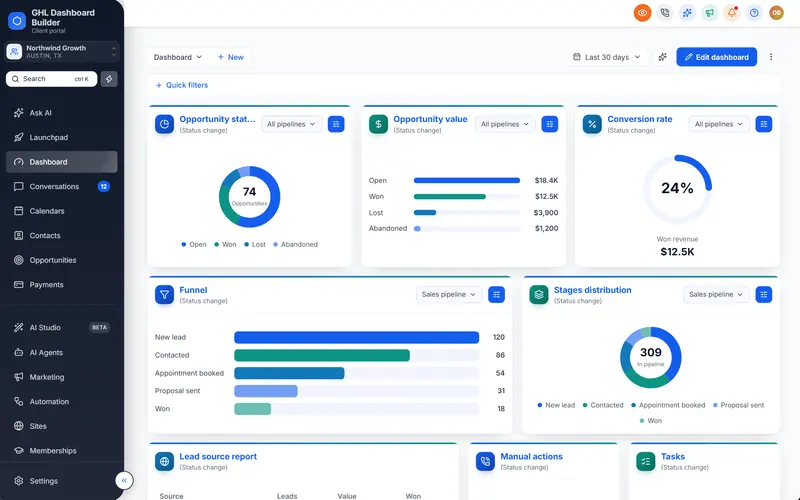
A boutique hotel group in West Bay signs up for the platform you sell. Its reservations team writes to guests in English all day, its Qatari owner reads reports in Arabic, and its marketing manager wants the system to look as polished as the lobby. The group also asks whether the CRM follows Qatar’s data protection law and whether invoices can carry Arabic. HighLevel can serve that client well, but not with the default screens and not with a setup copied from a client in London or Riyadh.
This guide is for agencies that sell HighLevel (also called GoHighLevel or GHL) to businesses in Qatar, whether you are based in Doha or serve Qatar from elsewhere in the Gulf. It covers how white label HighLevel in Qatar differs from other markets: the client mix, Arabic and English side by side, riyals and the Sunday-to-Thursday week, Qatar’s data protection and Arabic language rules, SMS sender names, and the premium look Qatar clients expect. It ends with a step-by-step setup, the common mistakes and what a branded dashboard costs in riyals.
What makes white label HighLevel in Qatar different?
Qatar is a small market with high expectations. There are fewer businesses than in Saudi Arabia or the UAE, but a large share of them sell premium services to residents and visitors, and they judge software by how finished it looks. Two languages, a fixed currency and a clear legal framework for data and Arabic shape every account.
Start with the size. Qatar’s population reached 3,214,609 at the end of December 2025, 2.3 percent more than a year earlier, according to National Planning Council figures reported by The Peninsula. Most residents and most businesses are in and around Doha, with Lusail, Al Wakrah and Al Rayyan close by, so an agency can meet almost any client in person after a short drive.
Then the visitors. Qatar Tourism reported a record 5.1 million international arrivals in 2025, up 3.7 percent, with the FIFA Arab Cup Qatar 2025 and the event calendar named as drivers, as the Qatar Tribune reported. Visitors from other GCC countries made up more than a third of arrivals, according to Connecting Travel. That is why hotels, restaurants, tour operators, event companies and retail are such a large part of Qatar agency books.
Infographic
Qatar for HighLevel agenciesby the numbers
3.21M
residents of Qatar at the end of December 2025
(National Planning Council, via The Peninsula)
5.1M
international visitors in 2025, a record year
(Qatar Tourism, via Qatar Tribune)
97%
of private sector companies in Qatar are SMEs
(Gulf Times)
3.64
Qatari riyals per US dollar, a fixed peg
(Qatar Central Bank, via Arabian Business)
Sources: National Planning Council (January 2026); Qatar Tourism (January 2026); Gulf Times; Arabian Business.

The third layer is the business base. Small and medium enterprises make up about 97 percent of private sector companies in Qatar, around 71,000 firms across IT, real estate, tourism and commerce, as Gulf Times reported in its coverage of Qatar’s Global Entrepreneurship Monitor results. Those owner-run clinics, agencies, restaurants, trainers and property firms are the businesses that buy HighLevel through an agency.
The identity layer comes first everywhere: your logo, a custom login domain and legal links under Settings, Company, Whitelabel. If that is not done yet, our guide on how to white-label HighLevel walks through it. This guide assumes that layer is in place and covers what a Qatar client notices next. Our Qatar market page summarizes the conventions we apply for Qatar in one place.
Who buys a white label HighLevel in Qatar?
Six client types make up most Qatar agency books: hotels and hospitality, property developers and brokers, clinics and aesthetic centers, training and education providers, professional and financial firms, and retail and food brands. Each needs a different balance of Arabic and English, different words in the menu and different rules in its automations.
| Qatar client type | What shapes the setup | What it changes in HighLevel |
|---|---|---|
| Hotel, tour operator or event company | Visitor peaks around events, guests writing in many languages | Seasonal pipelines, Bookings or Reservations in the menu, English-first staff screens |
| Property developer or broker | Designated areas for non-Qatari ownership, high-value buyers from abroad | Area and ownership-type fields on listings, a polished board the owner shows investors |
| Clinic, dental or aesthetic center | Ministry of Public Health rules on advertising, sensitive patient data | Patients in the menu, an approval step before campaigns, careful demos |
| Training center or education provider | Parents and students in Arabic and English, intake calendars | Courses and Students in the menu, bilingual messages, term-based follow-ups |
| Professional or financial firm | Group brand rules, QFC licensing for some, written security questions | An English design in the firm’s colors, short menu, clear answers about code |
| Retail, beauty or food brand | Arabic in names and ads, luxury positioning | A premium template, Arabic and English campaigns, loyalty and booking flows |
Two patterns run through the table. First, language is a per-client decision in Qatar: a Qatari-owned family business and a hotel run by an international operator can sit on the same street and want opposite things. Second, almost every Qatar client cares about presentation, because many of them sell premium services and expect their own tools to match.
Property deserves a note of its own. Non-Qataris can own or use real estate only in areas designated by the Cabinet; the first list in 2019 named 10 areas for freehold ownership and 16 for 99-year use, including The Pearl and Lusail, as Gulf Times reported. The list has been revised since, so treat it as a field the brokerage keeps up to date, not a fixed menu. Our guide to GoHighLevel for real estate covers the wider brokerage setup.
How does GHL Dashboard Builder handle a Qatar setup?
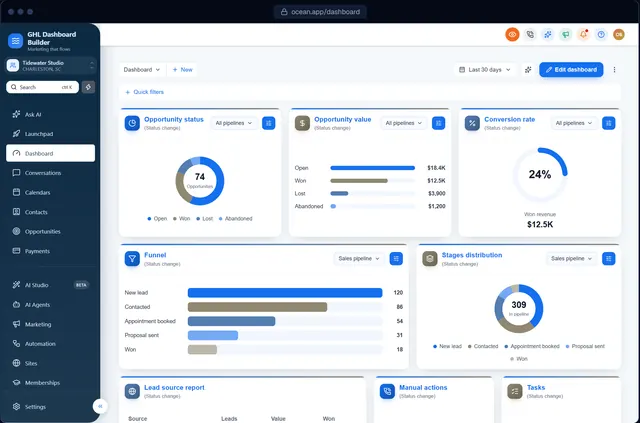
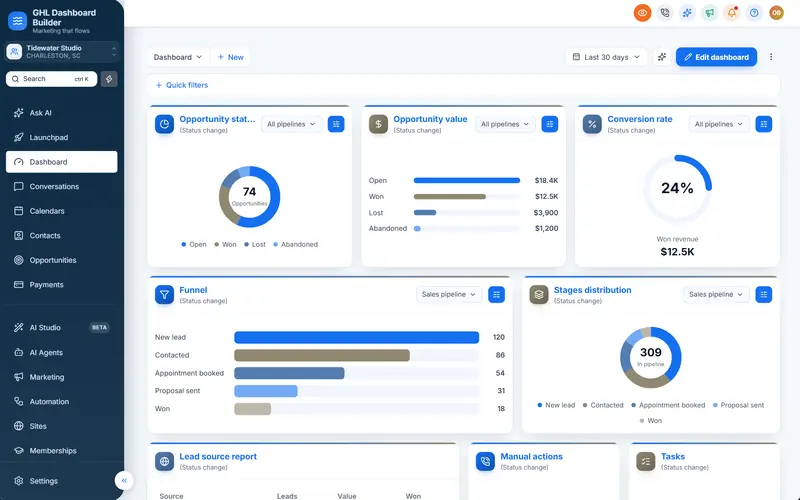
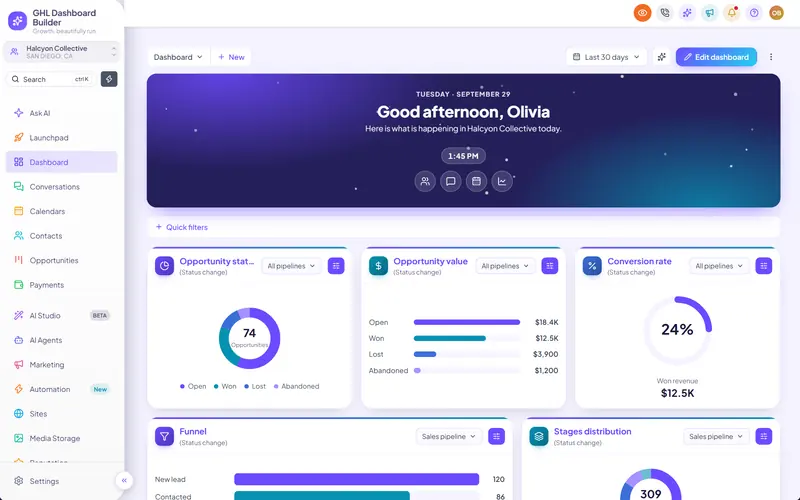
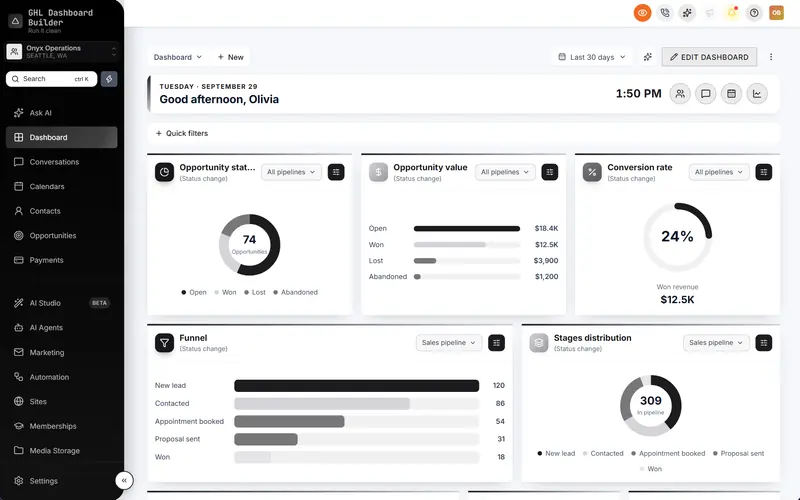
GHL Dashboard Builder is an independent design service that turns the standard HighLevel (GoHighLevel) dashboard into a branded platform: your colors, menu, login design, privacy mode and your clients’ language, installed with two lines of code. For Qatar agencies the useful parts are Arabic and English menus, premium templates, a branded login page, privacy mode and designs limited to chosen sub-accounts.
We design the look in our builder and install it for you as part of a one-time $100 setup fee: one CSS line and one JavaScript line in Settings, Company, Whitelabel, Custom Code, which takes about 5 minutes. After that, every client who opens HighLevel in a browser sees the design. The builder never connects to your HighLevel account, and the installed code does not send data anywhere, which is a short answer to give a Qatar client’s IT or compliance team. GHL Dashboard Builder is not affiliated with HighLevel.
| Feature | What it does for your Qatar clients | Plan |
|---|---|---|
| Languages and right-to-left | HighLevel’s menu and navigation in Arabic, mirrored right to left, among 15 languages, with English one setting away | Pro and Agency |
| Noor templates | Two ready-made Arabic dashboards: right to left (Noor) or left to right (Noor LTR) | Pro and Agency |
| Templates | 27 templates, including Monarch and Executive for premium service brands, recolored to the client’s brand | All plans |
| Login page design | 25 login designs on your white-label sign-in page, in your colors or your own gradient | Pro and Agency |
| Menu editor | Rename, reorder and hide any of HighLevel’s 19 menu items: Guests, Patients, Listings | Pro and Agency |
| Privacy mode | An eye button that blurs names, emails, phone numbers, conversations and deal values | All plans |
| Only these sub-accounts | A design shown only in the sub-accounts you choose, from one install | All plans |
Each of these features comes back in the sections below, where it solves a specific Qatar problem. The full list is on the features page. If you mainly want the identity side covered, our GoHighLevel white label dashboard page explains how a theme and HighLevel’s own white-label settings work together.
Should a Qatar client’s HighLevel be in Arabic or English?
Usually both. Arabic is Qatar’s official language and the law asks businesses to use it in public-facing material, while many teams in hospitality, property and professional services work in English every day. Decide per client by asking who logs in, then give each group the language it reads fastest.
What Qatar’s Arabic language law asks of businesses
Law No. 7 of 2019 on the protection of the Arabic language makes Arabic the language of contracts, correspondence, names and advertising for government and non-government bodies, with Arabic given prominence wherever another language appears alongside it, as Al Tamimi & Co explains in its review of the law’s effect on trade names. Earlier, the Ministry of Economy and Commerce had told businesses to issue invoices in Arabic, as the Qatar Tribune reported.
For a HighLevel account that mostly affects content, not the dashboard: Arabic or bilingual invoice templates, Arabic versions of funnels and ads, and an Arabic business name in the profile where the client has one. The staff dashboard is an internal tool, so its language is a usability choice. Ask the client’s legal adviser how the law applies to their material; this is an overview, not legal advice.
What HighLevel offers natively
HighLevel has begun translating its interface. HighLevel’s help center article on internationalization explains that a sub-account’s default language is set under Settings, Business Profile, Platform Language, and each user can change their own under Settings, My Profile. At the time of writing the list is mostly European languages, and the request for Arabic language support is still on HighLevel’s public ideas board. So an Arabic-speaking user in Qatar sees an English HighLevel by default.
What a theme adds
A theme fills the gap for the menu and navigation. GHL Dashboard Builder translates HighLevel’s menu and navigation into Arabic, switches the layout to right to left and moves the sidebar to the right, with your own wording for any label. The Noor templates start from a finished Arabic design; Noor LTR keeps the familiar left-to-right layout for bilingual teams who want Arabic words without flipping the whole screen, which suits many mixed Qatar offices.
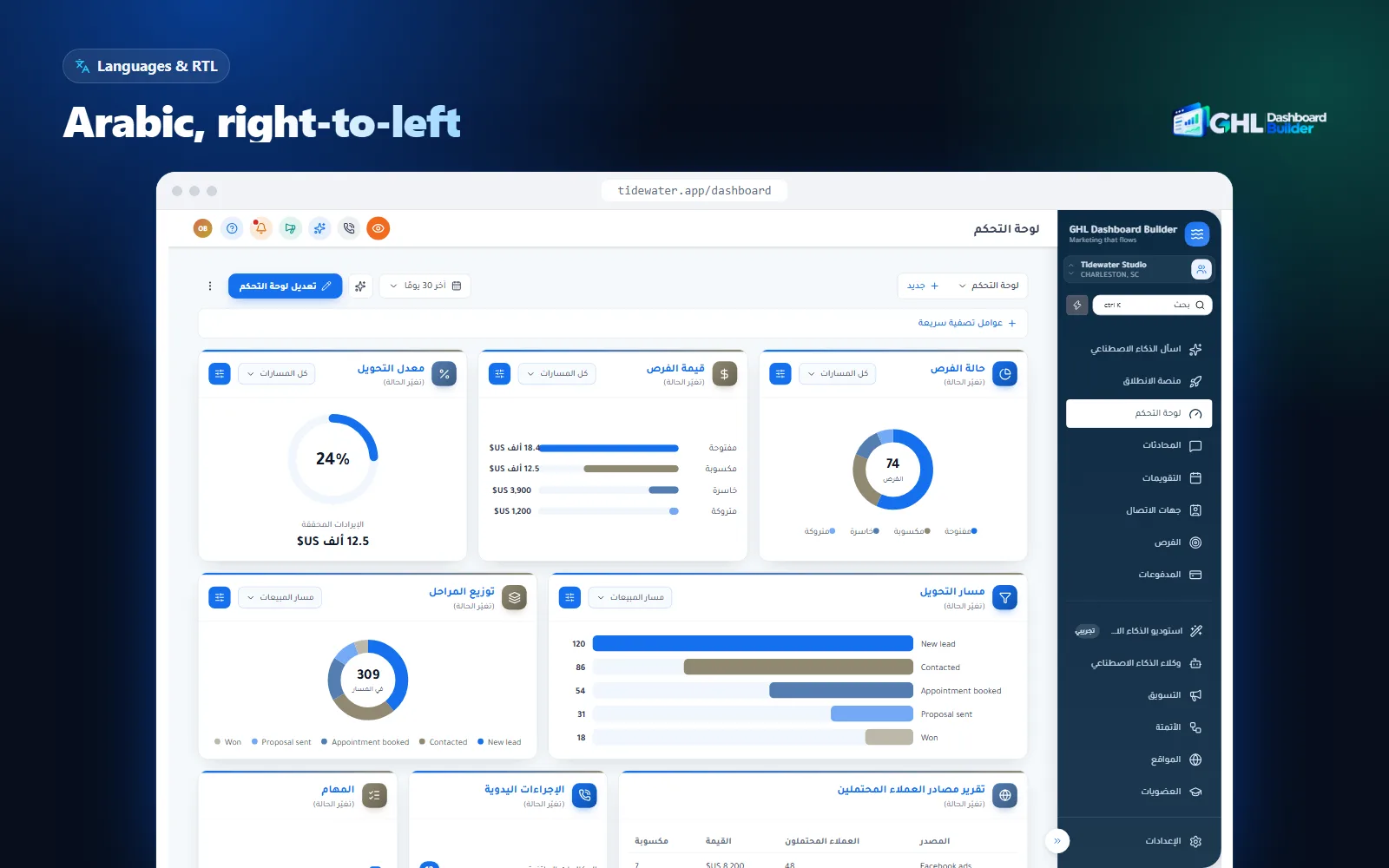
Two honest limits apply. Text inside HighLevel’s own pages, builders, system emails and the mobile app follows HighLevel’s language settings, so a theme does not translate the whole platform. And a theme does not write your clients’ content: Arabic invoices, forms, funnels and message templates are still written by people who speak the language well. Our guide to giving clients an Arabic HighLevel dashboard goes deeper into what mirrors well and what to test.
What does a premium look mean for Qatar clients?
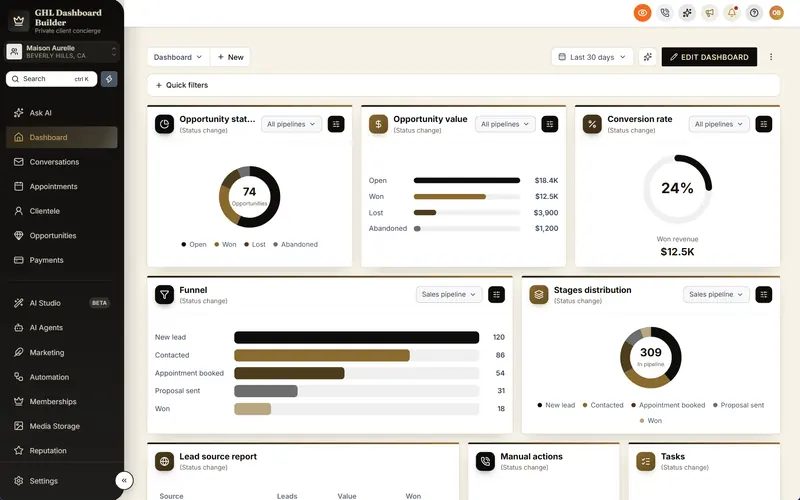
It means a dashboard that feels designed, not configured: a restrained palette, a confident typeface, clean spacing and a sign-in page that looks like the client’s own product. Our market notes for Qatar describe premium service businesses that favor polished, luxury-grade branding with Arabic and English side by side, and that is what most Qatar owners compare your platform with.
Think about who sees the dashboard. A hotel’s general manager shows the pipeline to owners, a developer shows it to investors, and a clinic’s director shows it to partners. When the screen still looks like the software every agency resells, the client starts to wonder what they are paying you for. When it carries their colors, their words and a finished design, the platform becomes part of their brand.
Templates that suit Qatar
- Monarch: ink-black navigation and antique gold in a quietly confident serif. It suits hotels, jewelers, fashion and premium real estate. See the Monarch template page.
- Executive: navy and muted gold with serif headings and top navigation. It suits law firms, financial firms, consultancies and family offices. See the Executive template page.
- Noor: the Arabic dashboard, for clients who want Arabic first.
- Estate, Clinic and Saffron: industry starting points for property, healthcare and restaurants, recolored to the client’s brand.
All 27 templates are in the template gallery, and every one can be recolored to the client’s brand colors and fonts in the builder.
The login page sets the tone
The sign-in page is the first screen a client’s staff see every morning, and it is where a generic platform shows most. HighLevel’s white-label settings let you put your agency logo and a custom domain on it; beyond that, the default page looks the same for every agency. GHL Dashboard Builder offers 25 login designs from the Pro plan, from a clean card and a brand panel to photo splits, in your colors or on your own gradient, with HighLevel’s Platform Language picker kept in place.
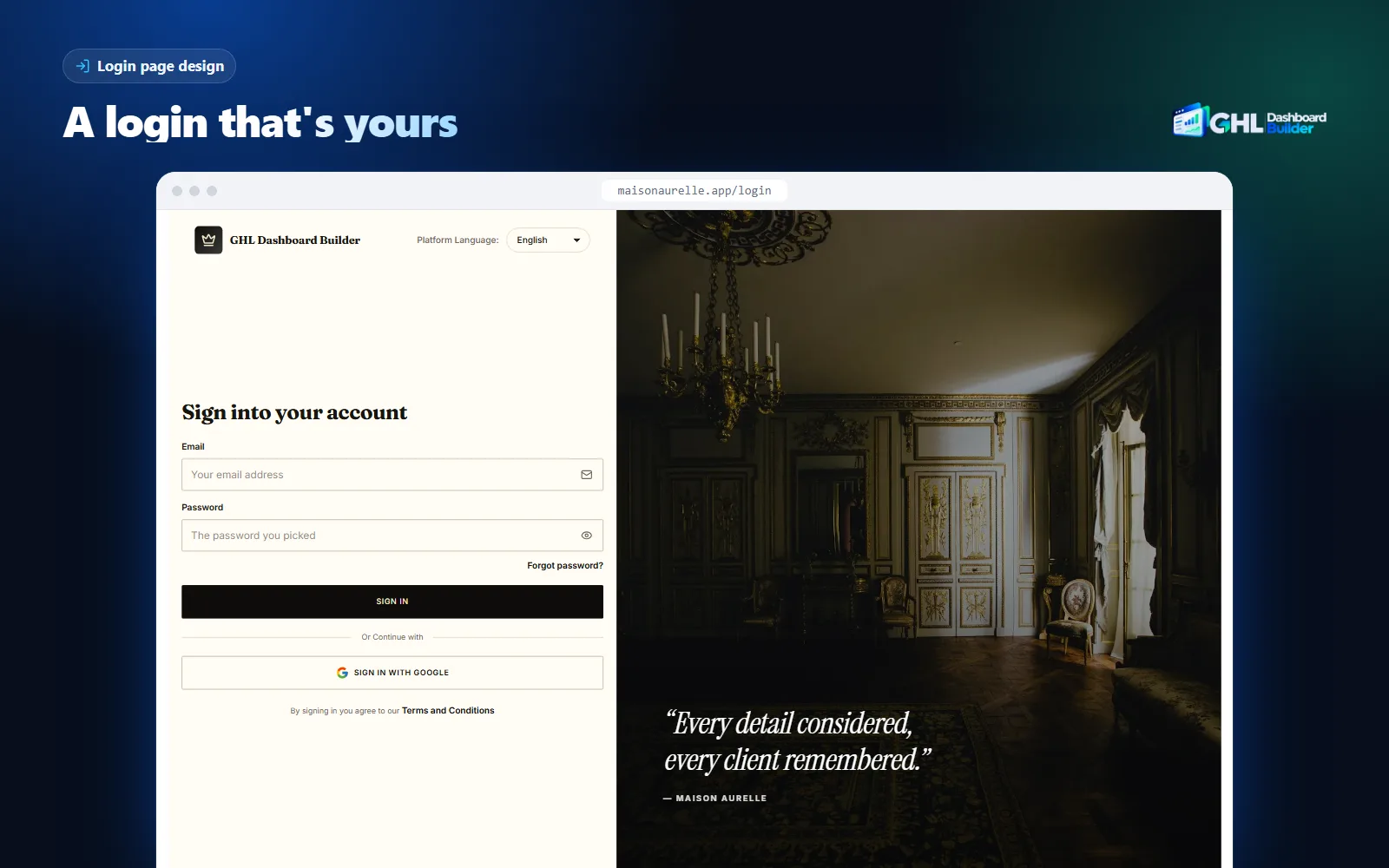
One limit to know: the installed theme code does not change HighLevel’s login page by itself yet; we design and set up the login look with you. Our article on the GoHighLevel custom login page explains what can and cannot be changed, and the GoHighLevel login page customization page shows the designs.
How should riyals, dates and the Qatar week appear?
Show prices in Qatari riyals (QAR), use the Asia/Qatar time zone, and plan every automation around a Sunday-to-Thursday week with a Friday and Saturday weekend. These are small settings, but they decide whether invoices, reminders and reports feel local or imported.
Riyals and invoices
The Qatari riyal has been fixed at 3.64 per US dollar since a 2001 decree, and the Qatar Central Bank has called the peg the cornerstone of its monetary policy, as Arabian Business reported. That makes dollar-priced software easy to budget: the riyal cost does not move with exchange rates. Set the sub-account’s currency to QAR in its payment settings so invoices, estimates and payment links show riyals.
Tax is simpler than in some neighbors. Qatar signed the GCC VAT framework but has no VAT law in force at the time of writing, according to Lookuptax’s guide to Qatar indirect tax. Build invoice templates so a tax line can be added later, and check the position with the client’s accountant before you quote, because it may change.
Dates, digits and the calendar
Business documents in Qatar use the Gregorian calendar, while religious dates such as Ramadan and the two Eids follow the Hijri calendar and fall earlier in the Gregorian year each year. Many clients like to see both dates on event confirmations. Agree with each client whether Arabic text should use Western digits (0–9) or Arabic-Indic digits (٠–٩), and keep phone numbers in the international +974 format so links and SMS work.
The week and Ramadan
Qatar’s government moved to a Friday and Saturday weekend in 2003, as Arab News reported at the time, and most of the professional private sector follows the same Sunday-to-Thursday week. Many shops, restaurants and hotels open on Fridays too, usually from the afternoon, so ask each client for its real hours instead of assuming.
Ramadan changes hours across the country. In 2026, government staff worked five hours a day, as The Peninsula reported for the government sector, and the Ministry of Labour cut private sector hours from the usual 48 a week to a maximum of 36, or six a day, as The Peninsula reported. Save a Ramadan copy of each client’s working hours, calendars and workflow windows, ready to switch on when the month begins.
| Setting | Where in HighLevel | Qatar value |
|---|---|---|
| Time zone | Settings, Business Profile | Asia/Qatar (no daylight saving) |
| Currency | Payments settings | QAR |
| Phone format | Contact fields and imports | +974 followed by the local number |
| Working days | Workflow settings, Time Window; calendar availability | Sunday to Thursday, plus the client’s real Friday and Saturday hours |
| Ramadan hours | A saved copy of calendars and workflow windows | Shorter days, switched on for the month |
| Invoice language | Invoice and estimate templates | Arabic or bilingual, as the client’s adviser recommends |
| Tax line | Invoice settings | None at the time of writing; ready to add if VAT arrives |
What do Qatar’s data protection rules mean for your HighLevel setup?
Most Qatar businesses fall under Law No. 13 of 2016 on Personal Data Privacy Protection, while firms licensed in the Qatar Financial Centre (QFC) follow the QFC’s own Data Protection Regulations. Both affect consent, retention and who may see client data in HighLevel. Ask every client which regime applies before you build forms and automations.
The national law
Qatar’s Personal Data Privacy Protection Law is broadly modeled on the former European data protection directive, and guidelines explaining how to apply it were published in 2021, as Clyde & Co explains. The National Cyber Security Agency now leads on it and has issued further guidance, including guidelines on individuals’ rights reported by The Peninsula in 2026.
The QFC regime
The QFC is a separate legal zone for financial and professional firms in Doha. Its Data Protection Regulations and Rules 2021 came into force on 19 June 2022 and follow principles close to the GDPR, as Clyde & Co’s summary of the QFC update explains. A QFC-licensed client will usually have a compliance officer who sends written questions about where data is stored and which processors handle it.
What that means in practice
- Consent on every form. Add a clear consent checkbox and a link to the client’s privacy notice, in Arabic and English, to forms and booking widgets.
- Collect less. Keep sensitive details, such as health or financial information, out of HighLevel unless the client and its advisers have decided otherwise.
- Roles first. Use HighLevel’s user roles so staff only see the contacts and pipelines they need.
- Careful screens. Demos, support calls and training recordings are where data leaks most often, because they show real names and numbers to people outside the business.
Clinics have an extra rule. Qatar’s Ministry of Public Health told practitioners in 2021 that the content of social media advertisements must be approved in writing before it is published, as The Peninsula reported. In a clinic’s HighLevel, add an approval stage before any campaign goes live and store the approval reference on the campaign. Our guide to HighLevel for dental and medical practices covers the wider clinic setup.
GHL Dashboard Builder’s privacy mode handles the screen-sharing part. It is an eye button in HighLevel’s header: one click blurs contact names, email addresses, phone numbers, the conversation list and opportunity values while you share your screen, and you choose how strong the blur is. It is included on every plan. Privacy mode is a presentation tool, not access control, so it does not replace user roles. Our guide to hiding client data in GoHighLevel covers demo accounts and recordings in more detail. This section is an overview, not legal advice.
How should SMS and WhatsApp work for Qatar clients?
Register a sender name before you send, keep promotional and transactional messages apart, and write every template in both Arabic and English. Messaging is where Qatar setups most often fail on day one, because messages sent from an unregistered name are simply not delivered.
Messaging providers that serve Qatar say alphanumeric sender names must be registered with the mobile networks in advance, otherwise operators reject the messages. Unifonic’s Qatar sender ID requirements describe the documents needed, and providers report that generic names such as “SMS” are refused. Some providers also restrict promotional content on a registered sender name, so a client may need one name for reminders and a separate route for marketing. Check the rules with whichever SMS provider the client’s HighLevel account uses before you promise a launch date.
A workable messaging setup for a Qatar client:
- Register the sender name early. Start as soon as the client signs, because approval takes days, not hours, and nothing else can replace it.
- Separate the two kinds of message. Keep appointment reminders, booking confirmations and payment receipts in their own workflows, apart from offers and newsletters.
- Write both languages. Write each template in Arabic and English, and send the version that matches a contact’s language field. An Arabic SMS fits fewer characters into each message segment than an English one, so keep it short.
- Respect quiet hours. Set workflow time windows to the client’s working days, and pause marketing during Friday prayers and late at night.
- Use WhatsApp where guests expect it. Many Qatar customers prefer WhatsApp for bookings and questions. HighLevel supports WhatsApp through its own integration; set it up with the client’s business number and approved templates.
The dashboard side matters here too. Staff answering dozens of guest messages a day need to see unread conversations at a glance. GHL Dashboard Builder’s live counts put real numbers from HighLevel on the menu and in the welcome banner, such as unread conversations, appointments today and overdue invoices, so a busy front desk sees what is waiting without opening every screen.
Should every Qatar client get the same design?
Usually not. A typical Qatar client list mixes Arabic-first family businesses, English-first hotels and firms, and premium clients who pay for “their own system.” Give your agency one consistent design and give the clients who need it their own, limited to their sub-accounts.
Reasons to treat some Qatar clients differently:
- Language. A training center’s admissions team may want Arabic right to left, while a hotel’s reservations desk works in English.
- Brand rules. A hotel run by an international operator must see the operator’s colors and fonts, not your agency’s.
- Sector wording. A hotel needs Guests and Bookings, a clinic needs Patients and a broker needs Listings; one menu cannot say all three.
- Premium tiers. Some agencies sell a fully branded platform as a higher tier, and only those clients should see it.
- Pilots. You want to test a right-to-left design on one friendly client before rolling it out to others.
HighLevel’s Custom CSS and Custom JavaScript boxes sit at agency level, so by default whatever you paste there applies across your sub-accounts. A sub-account is one client’s workspace in HighLevel; HighLevel also calls it a location. To give one client a different look, the theme itself must know which sub-accounts to target. GHL Dashboard Builder does this with an “Only these sub-accounts” option: you add the client’s sub-account by its link or Location ID, that sub-account shows the design, and every other sub-account and the agency view keep plain HighLevel. You still paste one install code.
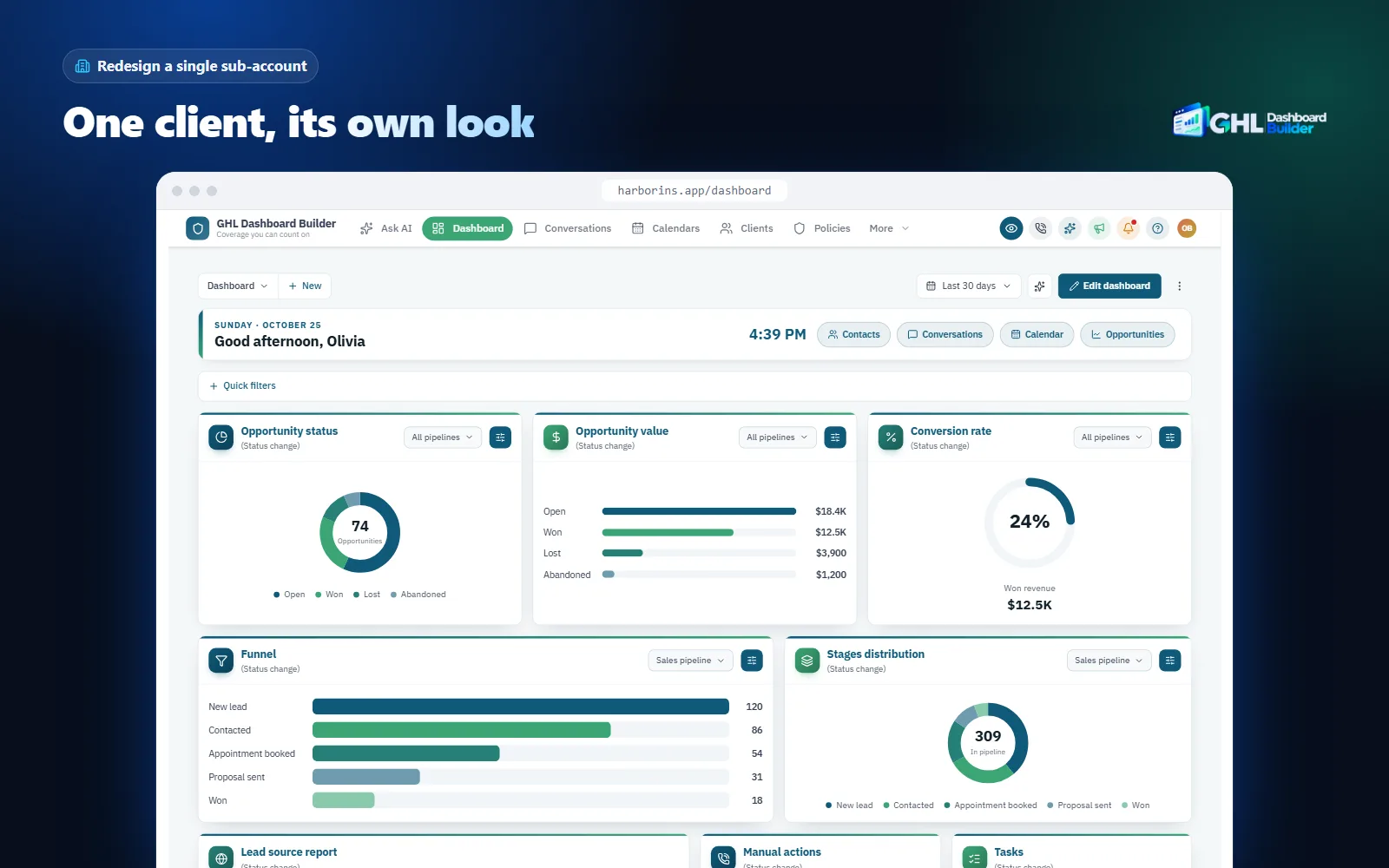
One install shows one design in the sub-accounts it targets. If you want, for example, an Arabic design for your Qatari family businesses and an English design in Monarch colors for your hotels, Pro gives you up to 3 designs and Agency up to 100; talk to us about how to set them up across clients before you buy. Our guide to GHL sub-account branding walks through the options in more depth.
How do you set up white label HighLevel for a Qatar client, step by step?
Prepare the sub-account’s local settings, build the fields and pipelines in the client’s words, set safe messaging and automations, then choose the design and install it on that one sub-account first. The steps below use a hotel as the example and assume your agency’s identity layer is done and you have agency admin access. Menu paths are as described in HighLevel’s help center at the time of writing.
Infographic
A Qatar client in HighLevelin six steps
- 1
Set local settings
Asia/Qatar time zone, riyals and the Sunday week.
- 2
Add the client's fields
Language, nationality group and stay or listing details.
- 3
Build the pipelines
Stages in the client's words, in Arabic and English.
- 4
Set safe messaging
Registered sender name, consent and quiet hours.
- 5
Pick the design
Arabic or English, a premium template and the client's colors.
- 6
Install and test
Two lines in Custom Code, then a morning with real users.

Step 1: Local settings
- Open the client’s sub-account and go to Settings, Business Profile.
- Enter the business name and address as the client writes them, in Arabic and English if they use both.
- Set the time zone to Asia/Qatar. Qatar does not change its clocks, so timers stay predictable all year.
- In the payment settings, set the currency to QAR so invoices and payment links show riyals.
- Agree which digits to use in Arabic text, and set phone numbers to the +974 format.
Step 2: Fields for the client’s data
- Go to Settings, Custom Fields and click Add Field.
- Create a dropdown for preferred language (Arabic or English) on the contact, so messages can be sent in the right one.
- For a hotel, add fields for arrival date, departure date, room type and booking source; for a broker, area, ownership type (freehold or 99-year use) and unit type.
- Add a text field for a consent reference and a date field for when consent was given.
- Group the fields in folders with clear names so staff find them quickly.
Step 3: Pipelines and stages
- In Opportunities, Pipelines, create one pipeline for direct bookings and one for group and corporate events.
- Name the stages in the client’s words, for example Enquiry, Quote sent, Deposit paid, Confirmed, Stayed.
- If the client wants Arabic stage names, agree the wording with them and use it consistently in reports.
Step 4: Messaging and automations
- Start the SMS sender name registration with the client’s provider on day one.
- In each workflow, open Settings and set the Time Window to the client’s real working days and hours.
- Add a condition that stops marketing workflows when the contact is on Do Not Disturb or has no consent reference.
- Write every template in Arabic and English and branch on the language field.
- Save a Ramadan copy of calendars and workflow windows, ready to switch on.
Step 5: Choose the design
- Open the free builder and start from Monarch for a hotel or luxury brand, Executive for a firm, or Noor for an Arabic-first client.
- Set the client’s colors, logo and business name, and rename menu items to the client’s words, such as Guests and Bookings.
- Turn on privacy mode, pick a login design, and check the preview on desktop, tablet and phone.
Step 6: Install and test on this sub-account
- In the agency view, open Settings, Company, Whitelabel and find the custom code area. On every plan we do this for you as part of the setup fee.
- Copy anything already in Custom CSS and Custom JavaScript into a text file. That is your rollback.
- Paste the theme’s CSS line and JavaScript line, then save. HighLevel warns about third-party scripts; confirm only if you trust the code.
- If the design is limited to chosen sub-accounts, confirm this client is on the list.
- Open the sub-account in a new tab, hard-refresh, and walk through the dashboard, conversations, calendars, contacts and the opportunities board.
- Ask two users, one who works in Arabic and one in English, to use it for a morning and tell you which labels confuse them.
| Step | What is done | Who should be involved |
|---|---|---|
| 1. Local settings | Business profile, time zone, currency, digits, phone format | Your setup specialist |
| 2. Fields | Language, booking or listing details, consent reference | The client’s operations or admin person |
| 3. Pipelines | Booking and events pipelines with the client’s stage names | The sales or reservations manager |
| 4. Messaging | Sender name, time windows, consent stops, bilingual templates, Ramadan copy | Your automation builder and the SMS provider |
| 5. Design | Template, colors, menu wording, privacy mode, login design | Your designer and the client’s owner |
| 6. Install and test | Two lines in Custom Code, a morning with real users | Your setup specialist and two client users |
What can go wrong, and what doesn’t a theme solve?
Most problems in Qatar setups come from copied templates, unregistered sender names and the assumption that a branded dashboard covers the law. A theme changes how HighLevel looks and reads; language rules, data protection and messaging approvals are met by how you configure the account and how the client works.
| Problem | Why it happens | What to do |
|---|---|---|
| Reminder SMS never arrive | The sender name was not registered with the networks | Register it on day one; use a registered name for every workflow |
| Messages go out on a Friday morning | Workflow time window left on “any time” or a Monday-to-Friday week | Set Sunday-to-Thursday windows and the client’s real weekend hours |
| An invoice has no Arabic | An English-only template copied from another market | Make an Arabic or bilingual invoice template and check it with the client’s adviser |
| A hotel sees your agency’s colors | One design applied to every sub-account | Limit each design to the right sub-accounts |
| Arabic screens mix directions | HighLevel’s own inner pages are not fully right-to-left aware | Mirror the menu and header; test the inner screens the client uses |
| A clinic campaign goes live unapproved | No approval stage in the campaign process | Add an approval stage and store the reference before launch |
| Part of the theme looks wrong after an update | HighLevel changed a screen | Re-check after HighLevel releases; keep the previous code to roll back |
There are also limits no theme removes. HighLevel does not officially support custom code, so a platform update can require a theme refresh; Starter and Pro include 12 months of updates that cover this, and Agency includes lifetime updates. A theme works in the web browser; it does not change HighLevel’s mobile app, its system emails or your clients’ content. It does not register sender names, collect consent or decide where data is stored. And it cannot make a generic offer feel local if the pipelines and messages underneath still read like they were written for another country.
What does a branded HighLevel dashboard cost a Qatar agency?
GHL Dashboard Builder has three one-time plans with no monthly fee, plus a one-time $100 setup fee on every plan, for which we install and configure it in your HighLevel. For an agency with Arabic-speaking clients or premium brands that want their own sign-in page, Pro is the usual starting point, because it includes the Arabic menu, the Noor templates, menu renames and the login designs.
We bill in US dollars. Because the riyal is fixed at 3.64 per dollar, the riyal cost below does not move with exchange rates.
Every plan adds a one-time USD 100 setup fee (about QAR 364). No plan has a monthly fee. Arabic menus and login designs are included from Pro. Source: GHL Dashboard Builder pricing (USD 280, 480 and 880, all one-time), November 2026, converted at the fixed rate of 3.64 QAR per USD.
Which plan fits depends on the client mix:
- Starter ($280) gives one branded design from any of the 27 templates, with colors, fonts, sidebar, header, buttons, the welcome banner, the appointments board, notification pop-ups, privacy mode and sub-account targeting. It suits an agency whose Qatar clients all work in English and share one look.
- Pro ($480) adds up to 3 designs, every editor option, the menu editor, 15 languages including Arabic right to left, the two Noor Arabic dashboards, top navigation and 25 login designs. It suits most Qatar agencies, for example one Arabic design for local businesses and one premium English design for hotels.
- Agency ($880) adds up to 100 designs, one look designed from scratch by our team, custom CSS and JavaScript, downloadable code files and lifetime updates. It suits agencies that brand many clients separately.
Starter and Pro include 12 months of updates, then optional at $99 a year; without them the theme keeps working as it is. You can resell the branded dashboard to your clients at your own price; we take no share and charge no per-client fee. Current details are on the pricing page, and our FAQ answers questions about installing, removing and data.
What to do next
- List your Qatar clients by type: hospitality, property, clinic, education, professional firm or retail. That list tells you which fields, pipelines and rules each sub-account needs.
- For each client, write down who logs in and which language they read best, then decide between an Arabic right-to-left menu, Arabic on a left-to-right layout, or English with industry wording.
- Fix the Qatar basics first: Asia/Qatar time, QAR, Sunday-to-Thursday windows, a registered sender name, consent on every form and bilingual invoices.
- Try the client’s colors and menu wording in the free builder, starting from Monarch, Executive or Noor, and install on one sub-account before any others.
- If you also serve clients across the Gulf, compare this setup with our guides to white-labeling HighLevel in Saudi Arabia and white-labeling HighLevel in the United Arab Emirates.