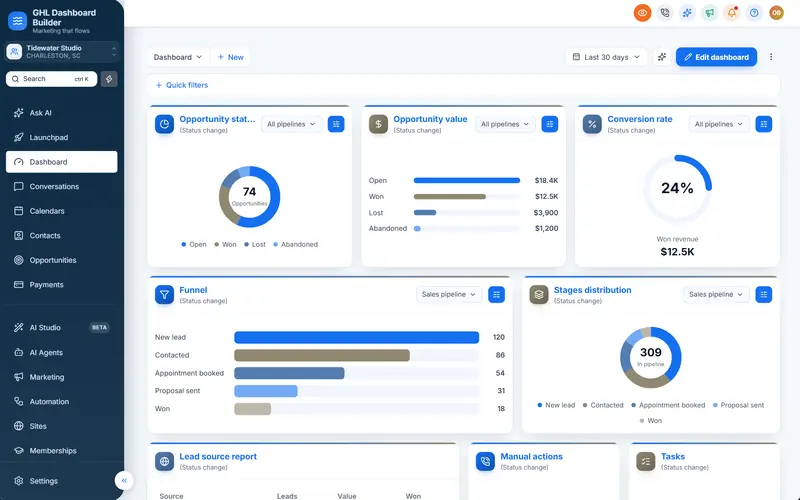
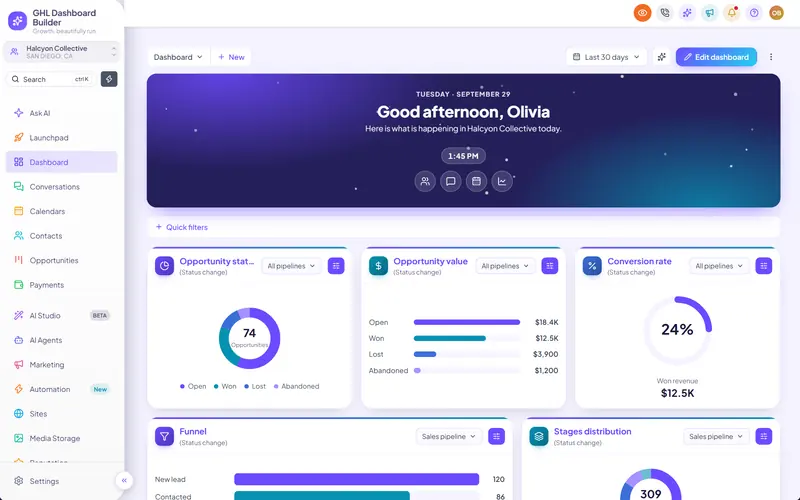
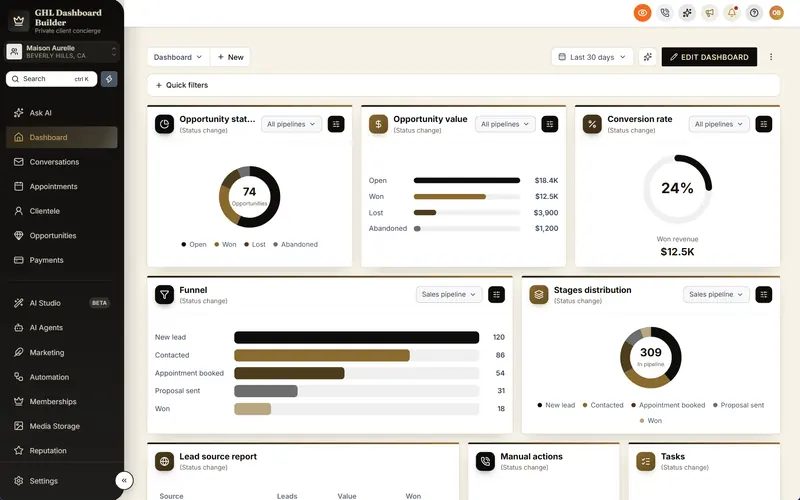
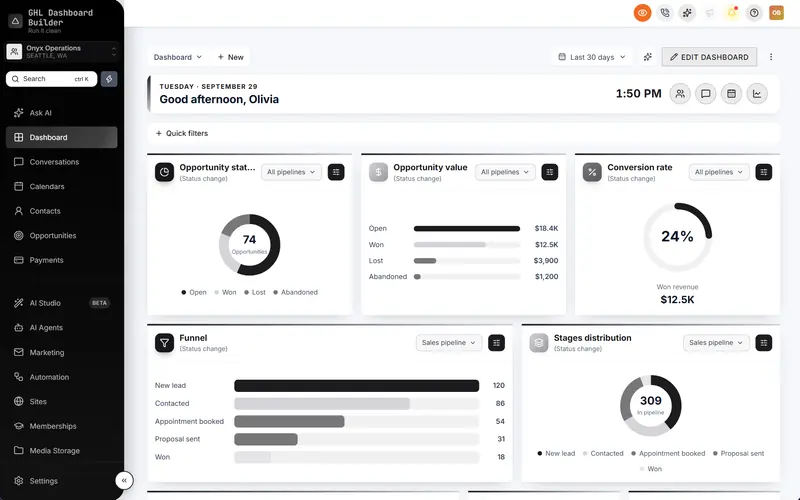
The GHL ideas board is the public site where HighLevel (also called GoHighLevel or GHL) collects feature requests: ideas.gohighlevel.com. You search for an idea, vote on it or post a new one on the board for that product area, then follow its status and the changelog. It is the official way to ask HighLevel for a feature.
Agency owners usually arrive at the board with a specific frustration: a client wants the menu in their own words, a Saudi team wants right-to-left, or you want your dashboard to stop looking like every other reseller’s. This guide explains how the board works, what each status really means, how to write a request that gets read, how to handle your own clients’ requests under a white label, and which of the most-requested dashboard changes you can already have today without waiting for HighLevel.
What is the GHL ideas board and where do you find it?
The GHL ideas board is HighLevel’s public feedback site at ideas.gohighlevel.com, built on the feedback tool Canny. It holds feature requests, votes and comments, organized into one board per product area, plus a changelog of shipped updates and a roadmap view. The board is public to read; you post and vote to add your voice.
HighLevel announced the board in its post on the public roadmap and ideas list in April 2022. That post says the aim is for users’ input to be heard and for users to see what is in development and what is coming next. It also says HighLevel shows the most popular ideas across all categories as Top Posts to help it prioritize, and that the board could be opened at ideas.gohighlevel.com or from the agency section of the app’s left menu. Menus move in HighLevel, so the web address is the reliable route at the time of writing.
How the board is organized
The ideas site is split into boards by product area rather than one long list. The boards include, among many others, Dashboard, CRM, Conversations, SaaS Mode, Users & Permissions, Snapshots, Website, Forms, Email and Language and Internationalization. Each board has its own posts, and each post has a title, a description, a vote count, comments and a status.
Two parts of the site are not requests at all:
- The changelog at ideas.gohighlevel.com/changelog lists what HighLevel has released, with an entry per update. It is the closest thing HighLevel has to public release notes, and it is where you confirm that a request has turned into a real feature.
- The roadmap view groups posts by status, so you can see what HighLevel has marked as planned, in progress or complete across boards. Because statuses are updated by hand, an item can sit in a column longer than the work actually takes.
Who the board is for
The board is written by agency owners, SaaS-mode resellers, freelancers and sub-account users, and the comments read that way: real use cases, impatience, workarounds and the occasional bug report filed in the wrong place. For an agency, the board does three jobs. It tells HighLevel what you need, it shows you whether a feature is coming before you build a workaround, and it shows you what other agencies struggle with, which is useful product research for your own offer.
What do the statuses on the GHL ideas board mean?
A status tells you where HighLevel’s team has placed an idea, not when it will ship. The GHL ideas board uses Canny’s status system, with filters such as Under Review, Planned, In Progress and Complete, and a post with no status is simply open. Read a status as a signal of attention, and never as a delivery date to repeat to a client.
Canny’s help article on post statuses defines its default statuses: Open, Under Review, Planned, In Progress, Complete and Closed. Every new post starts as Open, and companies on some Canny plans can rename or add statuses. HighLevel’s boards also filter by an Upcoming status, which you can see in board addresses such as the Dashboard board’s planned filter, so treat the list below as a guide and read the label on the post itself.
| Status | What it means in Canny’s definitions | What an agency should do |
|---|---|---|
| Open (no status) | Posted, no decision yet | Vote, add a clear use case in a comment, keep your workaround |
| Under Review | The team is considering the request | Add concrete examples; this is when detail helps most |
| Planned | The team intends to work on it | Don’t promise a date; plan to compare it with your workaround |
| In Progress | Work has started | Watch the changelog; prepare to test the native version |
| Complete | The work is finished and released | Test it in one sub-account, then decide whether to keep your workaround |
| Closed | The team will not act on it | Keep your workaround, or post a narrower request with a new use case |
Two practical consequences follow. First, a request can stay open for years and still be valid, because votes keep arriving and the problem has not gone away. Second, Complete sometimes covers only part of what people asked for. When HighLevel shipped themes for dashboards and widgets, the changelog entry on dashboard themes listed colors for widget titles, backgrounds, metrics, charts and links. That is a real improvement, and it still leaves the sidebar, header, menu wording and login page around the widgets unchanged. Always read the changelog entry, not just the status.
Which dashboard and white-label requests keep coming up on the ideas board?
The same handful of requests appear again and again across the Dashboard, SaaS Mode and Language boards: deeper dashboard styling, per-client branding, menu control, right-to-left and better translations, login page branding and hiding contact data. They have one thing in common. Each one is about what the agency’s clients see, not about what HighLevel does with the data.
Here are real requests on the board, grouped by the problem behind them. Their status can change at any time, so open each one before you quote it to anyone.
Styling the dashboard beyond widget colors
A request for custom CSS dashboard themes asks for CSS-level theming and several dashboard looks for white-label use, because the color options are close but not enough. Another asks for a drag-and-drop dashboard layout, and a third for a fully customizable table widget with chosen columns. HighLevel’s own guide to customizing dashboard themes shows what is native today: a predefined or custom theme for the whole dashboard or for one widget, set in edit mode. Our guide to what the GoHighLevel dashboard shows by default covers those widgets and their limits in detail.
Branding one client differently
Agency Custom Code applies to every sub-account. That is why the board carries a request for per sub-account customization of colors, CSS and JavaScript and a longer one for full per-sub-account white-label branding, a custom sidebar builder and custom login domains. Agencies with a premium client, a SaaS tier or a pilot want one sub-account to look different from the rest.
Controlling the menu
Requests such as the ability to reorder menu items come from agencies whose clients only use five of HighLevel’s menu items and want them first. HighLevel has added native options around the edges: it lets you rename standard objects such as Contacts and Opportunities per sub-account, and the changelog on custom menu links added reordering for your own custom links. The built-in items themselves keep HighLevel’s order and names in most places. Our guide on how to rename GoHighLevel menu items compares the native settings with code.
Language and right-to-left
The SaaS Mode board has a request for right-to-left text direction support, and another to improve translations and allow custom translation. A separate post asks for login screen translation, with the argument that a white label does not hold up when the client’s first screen is in English.
Login page and contact privacy
On the Onboarding board, agencies ask HighLevel to allow CSS to apply to the login page. On the Contacts board, requests for sensitive contact data masking and a contact data protection mode ask for phone numbers and emails to be hidden from some users.
| Request on the board | What HighLevel offers natively at the time of writing | What you can do today |
|---|---|---|
| Custom CSS dashboard themes | Dashboard and widget color themes | A full branded design via Custom Code (sidebar, header, buttons, cards) |
| Per-sub-account branding | One agency-wide Custom Code box | Limit a design to chosen sub-accounts by link or Location ID |
| Reorder and rename menu items | Rename standard objects; reorder custom menu links | A menu editor that renames, reorders and hides the built-in items |
| Right-to-left and custom translation | Platform languages, English fallback | A translated menu and navigation with right-to-left layout |
| Login page CSS and translation | White-label domain and logo | A designed login page in your colors |
| Masking contact data | Role permissions and assigned data | A blur button for screen shares (not an access control) |
The last column is where a design layer helps, and it is honest about the gaps. Masking for permission purposes, new widget types and anything that changes how HighLevel stores or sends data still need HighLevel.
How does GHL Dashboard Builder deliver the most-requested dashboard changes today?
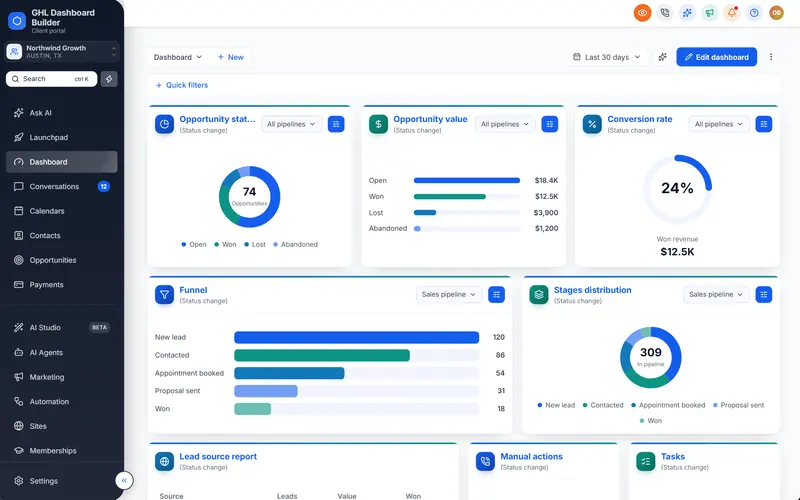
GHL Dashboard Builder installs a design layer on top of HighLevel that covers the visual and wording requests above: branded styling, a menu editor, 15 languages, per-sub-account targeting, a login design and a privacy button. It uses HighLevel’s own Custom Code box, so nothing about your data or HighLevel’s features changes. Requests that need HighLevel’s back end stay with HighLevel.
GHL Dashboard Builder is an independent design service that turns the standard HighLevel (GoHighLevel) dashboard into a branded platform: your colors, menu, login design, privacy mode and your clients’ language, installed with two lines of code. We are not affiliated with HighLevel. The service has 18 features and 31 templates; the ones below map directly onto the ideas board requests above.
Infographic
Ideas board requests you can solve todayby the numbers
19
HighLevel menu items the menu editor can rename, reorder or hide
(GHL Dashboard Builder)
15
dashboard languages, 3 of them right-to-left (Arabic, Urdu, Hebrew)
(GHL Dashboard Builder)
25
login page designs in your colors
(GHL Dashboard Builder)
2
lines in Custom Code install the whole design
(GHL Dashboard Builder)
Sources: GHL Dashboard Builder features and plans, November 2026.

The design is made visually in our builder, on a live copy of HighLevel’s screens, and you preview it on desktop, tablet and phone. It installs as one CSS line and one JavaScript line in Settings → Company → Whitelabel → Custom Code, which HighLevel provides for agencies with white-label features. On every plan, the one-time $100 setup fee covers us installing it in your HighLevel, configuring it and checking every screen. To remove it, you clear the two boxes.
| Feature | What it does for your agency’s clients | Plan |
|---|---|---|
| Brand & colors, buttons, cards & forms | Your color system, fonts and favicon across the sidebar, header, buttons, tabs, tags and pipeline | All plans |
| Ready-made templates | A finished look, including industry designs for clinics, real estate, gyms, legal and more | All plans |
| Single sub-account | The design shows only in the sub-accounts you choose; the rest stay plain HighLevel | All plans |
| Privacy mode | An eye button that blurs names, emails, phones, the conversation list and deal values | All plans |
| Menu editor | Rename, reorder and hide any of the 19 menu items, add New and Beta labels and your own items | Pro and Agency |
| Languages & RTL | Menu and navigation in 15 languages, right-to-left for Arabic, Urdu and Hebrew | Pro and Agency |
| Login page design | 25 login designs in your colors on your white-label sign-in page | Pro and Agency |
| Custom CSS and JavaScript | Your own code on top of the design, plus downloadable files | Agency |
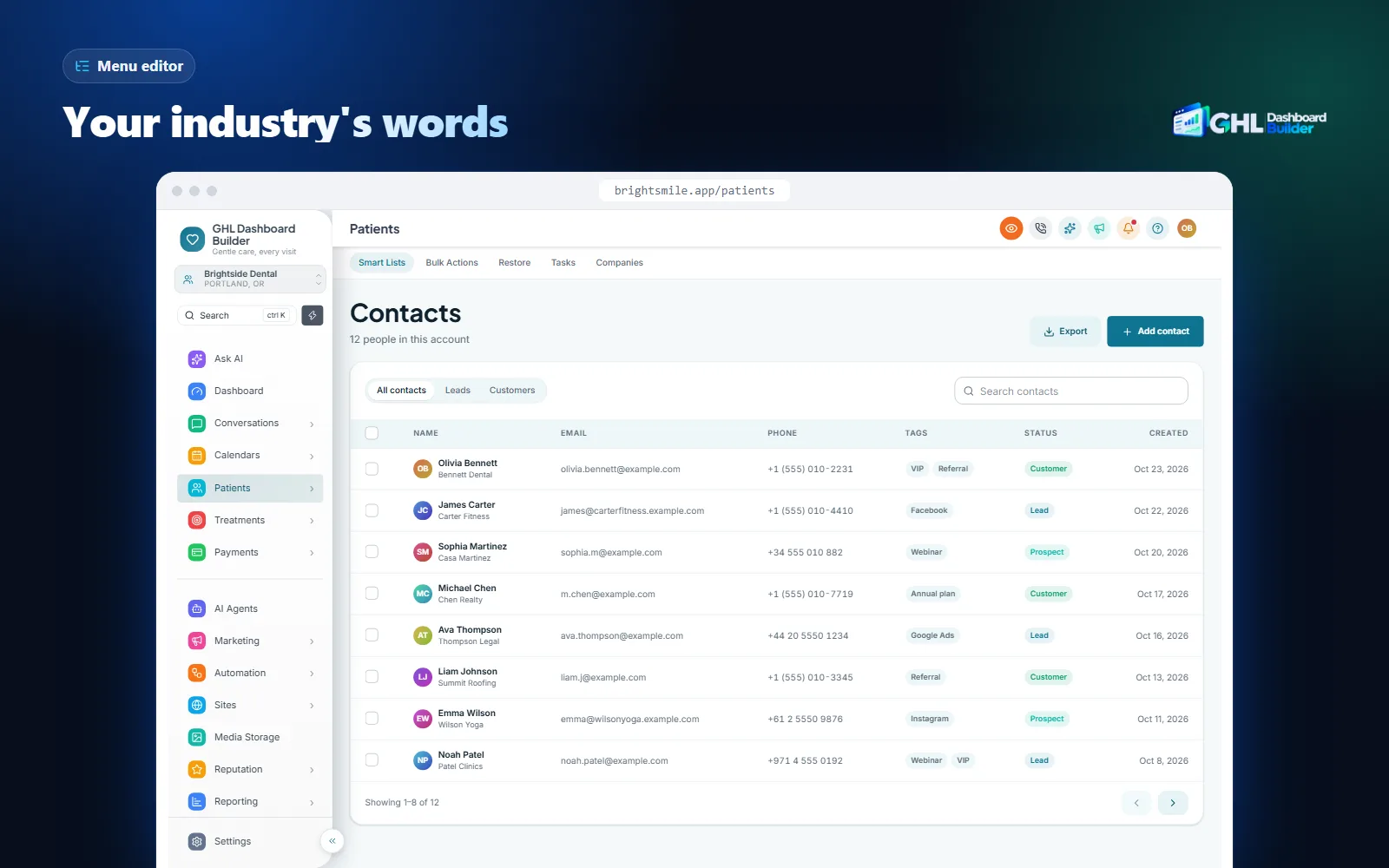
The menu request is the clearest example. A request to reorder menu items has to wait for HighLevel to change its navigation for every customer. The menu editor changes what your clients see instead: Contacts can become Patients for a clinic and Matters for a law firm, Opportunities can move to the top, and items a client never uses can disappear from their menu. For the commercial side of this, see our page on GHL sidebar and menu customization.
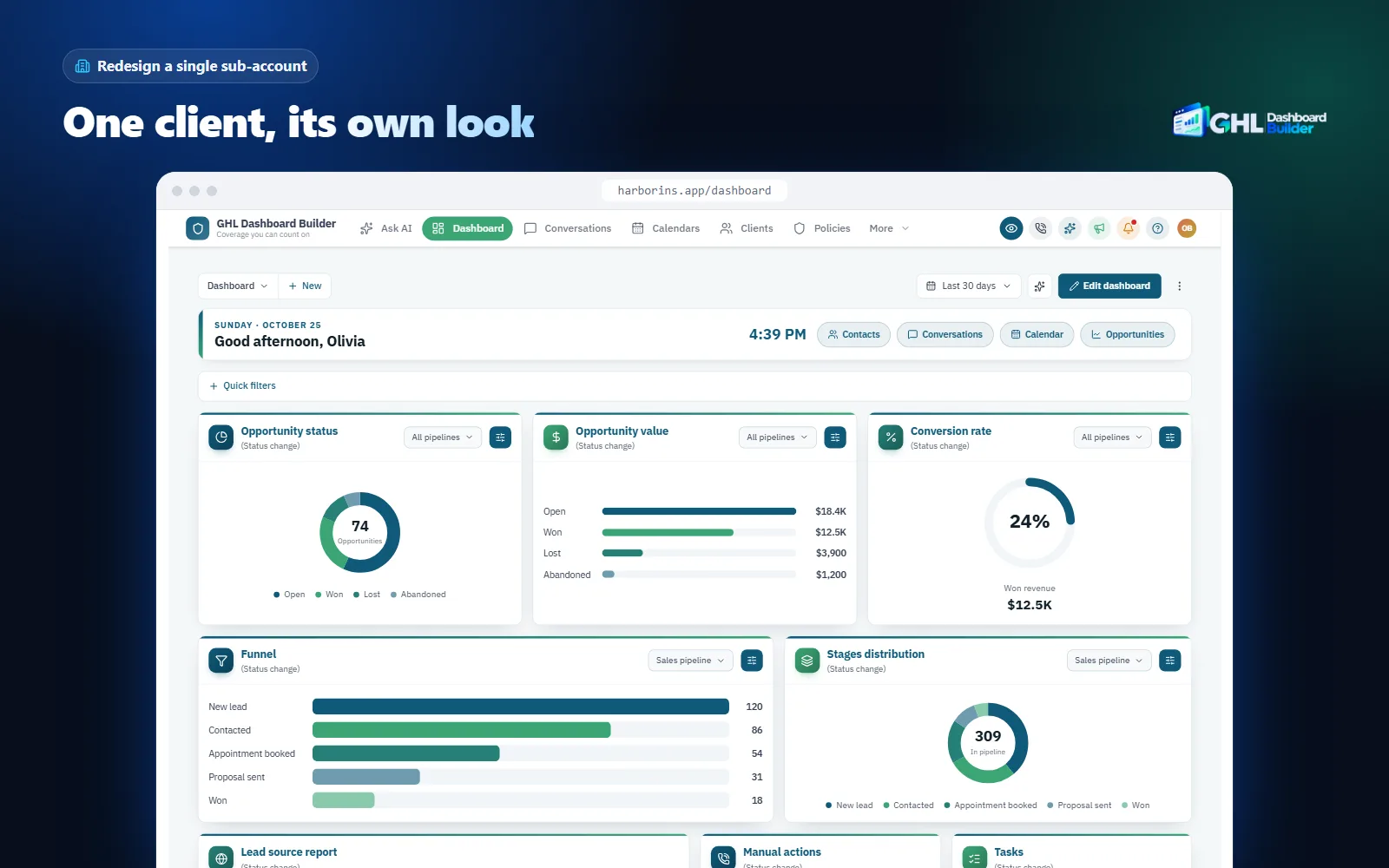
The per-client request works the same way. HighLevel’s Custom Code applies at agency level, but our design can be limited to chosen sub-accounts by their link or Location ID. One install, and only those sub-accounts see the new look; your other clients and the agency view stay as they are. One design is shown in those sub-accounts. If you need different looks for different clients, our plans include up to 3 designs on Pro and up to 100 on Agency, and you can talk to us about the setup.
Taken together, this is the same approach as our GoHighLevel white label dashboard: HighLevel’s built-in white-label settings handle the domain, logo and mobile app, and the design handles what your clients see in the browser every day. The full list of what each feature does is on our features page.
The trade-off is worth stating plainly. HighLevel does not officially support custom code, and a large HighLevel update can require a refresh of the theme. Starter and Pro include 12 months of updates that cover this, then optional at $99 a year, and Agency includes lifetime updates. Without updates, the theme keeps working as it is.
How do you write a GHL ideas board request that gets attention?
Write one problem per post, in a title a stranger understands, with the people it affects, what you do today and what a good result looks like. A request that reads like a short user story is easier for HighLevel’s product team to judge, and easier for other agencies to find and vote on, than a long list of wishes.
Weak requests tend to fall into four patterns: the title is vague (“Dashboard improvements”), the post asks for five unrelated things, it describes a solution without the problem, or it is really a bug report. Bugs belong with HighLevel’s support team, where they can look at your account; the ideas board is for features.
A request template you can copy
Use this structure for every post:
- Title: the outcome in plain words, with the product area. “Let agencies reorder built-in sidebar items per sub-account” beats “Menu”.
- Problem: two or three sentences on what goes wrong today and for whom. Name the role: agency admin, sub-account user, a client’s front desk.
- Example: one real situation, with the client’s industry but never the client’s name or data.
- Workaround today: what you do now and why it is not enough. This shows the need is real and tells HighLevel what the native version must beat.
- What good looks like: the smallest version of the feature that would solve it, and where the setting should live.
- Scope: agency level, sub-account level or user level. A request without a clear scope is hard for anyone to act on.
Good and weak requests side by side
| Weak request | Stronger request |
|---|---|
| “Make the dashboard customizable” | “Let sub-account admins choose which widgets the default dashboard shows for each user role” |
| “Arabic please” | “Support right-to-left layout in the sub-account sidebar and header when the platform language is Arabic” |
| “Better white label” | “Allow a different logo on the login page than inside the app, set at agency level” |
| “Fix privacy” | “Add a role permission that hides contact phone numbers and emails in list views while keeping call and SMS buttons” |
Search the board for the stronger version of your idea before posting. If someone has already written it, add your use case as a comment and vote; a second post with the same idea splits the votes.
How do you post, vote on and track a request, step by step?
Search first, vote or post on the right board, add evidence, then follow the status and the changelog. The whole routine takes a few minutes per request and saves you from duplicate posts, lost updates and promises to clients you cannot keep.
Infographic
The GHL ideas board routinein seven steps
- 1
Search first
Look for your idea in several wordings before posting.
- 2
Pick the board
Post on the product area that owns the feature.
- 3
Write one problem
Use the template: problem, example, workaround, result.
- 4
Add safe evidence
Attach a screenshot with client data blurred.
- 5
Vote and comment
Vote on related posts and add your use case.
- 6
Watch the status
Status emails reach voters; check the changelog monthly.
- 7
Run a workaround
Solve it for clients now and review when HighLevel ships.

1. Search before you post
- Open ideas.gohighlevel.com.
- Search for your idea with two or three different wordings: “menu order”, “reorder sidebar”, “rearrange navigation”. People describe the same need differently.
- If you find a match, open it, read the comments and vote. Add a comment only if your use case adds something new.
2. Post on the right board
- If nothing matches, open the board for the product area that owns the feature: Dashboard for widgets and layouts, SaaS Mode for reseller and white-label needs, Users & Permissions for role controls, Language and Internationalization for translations.
- Create a new post with the template from the previous section.
- If the board asks you to sign in, use the email address of your agency account and one you read, because that is where status emails go.
3. Add evidence without exposing anyone
- A screenshot or short screen recording helps, but it must not show your clients’ customers. Use a demo sub-account, or blur names, emails and phone numbers before you capture anything.
- Never paste a Location ID, API key, client name or customer record into a public post.
4. Follow the request
- Canny’s help article on status change emails explains that the people who voted on a post get an email when its status changes, unless the admin chooses not to notify voters. Voting on your own post is therefore how you hear about it.
- Check the HighLevel changelog once a month for the area you care about; a feature can ship as part of a broader update without every related post changing status.
- Keep a simple list of the requests your agency follows, with the date you posted or voted, the status and your current workaround. HighLevel’s own board has a request asking for an easier way to see all your ideas in one place, so your own list is the dependable record for now.
How should you collect feature requests from your own clients?
Collect them yourself, inside your own brand, and post the ones that matter under your agency account. The GHL ideas board carries HighLevel’s name and public comments that mention HighLevel, so sending white-label clients there undoes the branding you have built. Your clients should tell you what they need; you decide what goes to HighLevel.
The board itself shows the tension. A request for a white or grey label ideas board asks for a version agencies could show their own clients, and a commenter points out that even a rebranded copy would show public comments naming HighLevel. Until something like that exists, the practical answer is an intake process of your own.
A simple client request process inside HighLevel
- A short form. Build a form in your own agency sub-account with four fields: what the client wants to do, why, how often, and how they do it today. Link it from a custom menu link in each client’s sidebar, or from your support page.
- A pipeline for requests. Send each submission to a pipeline with stages such as New, Can be done today, Send to HighLevel, Posted, Shipped. Some requests end in the second stage, because the feature already exists or a setting solves it.
- A monthly review. Once a month, group similar requests, check the ideas board and post or vote on the ones you cannot solve yourself.
- A reply to the client. Tell the client what happened in your own words: “This is now possible, here is how”, “We have asked the platform team for it”, or “This is not planned; here is what we suggest instead”.
This keeps the conversation about your service. Clients rarely care which company writes the code; they care that someone listened and either solved it or gave them a straight answer.
Recording the problem safely
The best evidence for a client request is often a short recording of the client’s own screen: the cluttered menu, the English label in an Arabic team’s workflow, the step that takes four clicks. The risk is that the recording shows real names, phone numbers and deal values, and recordings travel further than you expect, into support tickets, public posts and team chats.
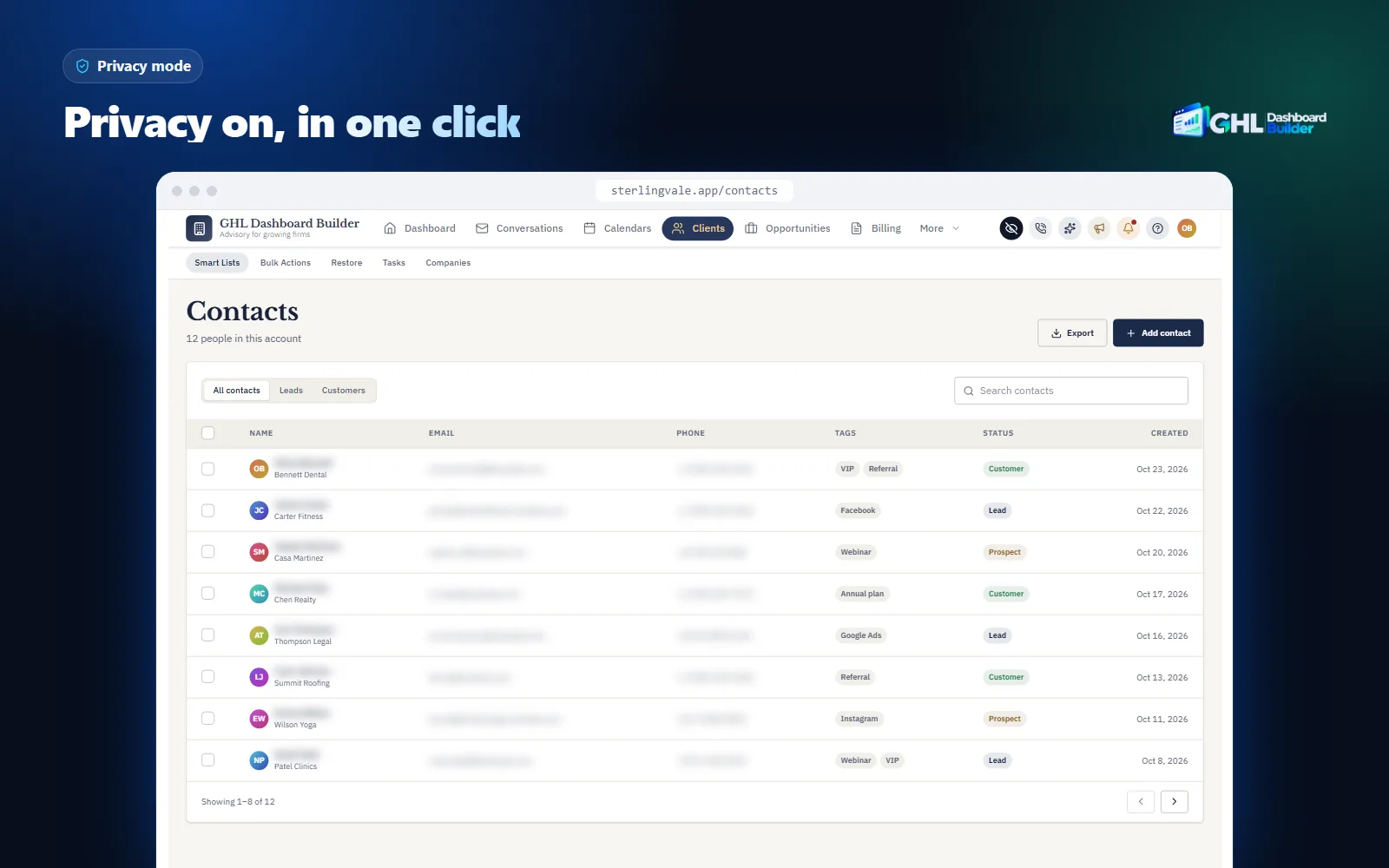
Privacy mode in GHL Dashboard Builder is a button in HighLevel’s header that blurs contact names, emails, phone numbers, the conversation list and opportunity values while you share or record. It is a visual blur for screens, not a permission control, so it does not replace HighLevel’s role settings or the masking requests on the Contacts board. Our guide to hiding client data in GoHighLevel covers safe screen shares and demo accounts in full.
Once the recording is safe, you can use it three ways: in your internal request pipeline, as an attachment when you describe the problem to HighLevel, and later as a before-and-after clip when you show the client the solution. If a request involves a client’s own data or a regulated industry, record in a demo sub-account instead, even with blurring on.
Should you wait for HighLevel or work around it?
Wait when the feature needs HighLevel’s back end, affects data or permissions, or when a native version is already in progress and your clients can live without it. Work around it when the request is about how HighLevel looks or reads, when a paying client needs it now, or when the request has sat open for a long time with no status change.
The decision is easier when you split requests into what they change. Anything that changes data, sending, billing, integrations or permissions belongs to HighLevel: a workaround in the browser cannot make a new widget type, mask a phone number at permission level or change how messages are sent. Anything that changes appearance, wording, layout or language can usually be handled in the browser, which is exactly what HighLevel’s Custom Code box allows agencies to do.
| Question | Points to waiting | Points to a workaround |
|---|---|---|
| What does the feature change? | Data, permissions, sending, billing, integrations | Colors, layout, menu wording, language, what the screen shows |
| Status on the board | In Progress or recently Planned | Open or Under Review for a long time |
| Who is asking? | Your own team, as a convenience | A paying client, or a sale that depends on it |
| Cost of being wrong | High: compliance, money, customer messages | Low: a design you can switch off by clearing two boxes |
| Scope | Every user on the platform | One client, a few sub-accounts or one market |
| Your capacity | No one to maintain code | A done-for-you service or a developer on hand |
If a workaround is right, the next question is cost. A developer can write custom CSS and JavaScript for you, which suits one specific change but leaves you maintaining code through HighLevel’s updates; our page on GHL custom CSS explains that route. A design service bundles the common changes and the maintenance. Ours is priced as one-time plans, and the number of designs is the main difference between them.
Each design can cover the whole agency or chosen sub-accounts, from one install. Source: GHL Dashboard Builder pricing, November 2026 (config/site.ts). One-time plans plus a one-time $100 setup fee.
For a single client who keeps asking for something on the board, a pilot is the lowest-risk start: design for that one sub-account, show it to the client, and decide from their reaction whether the rest of your agency should get it. Our guide to branding a single GoHighLevel sub-account walks through that pilot.
What can go wrong with workarounds, and what do they not solve?
Code-based workarounds can break after a HighLevel update, can clash with each other, and only change what the browser shows. They do not touch HighLevel’s mobile app, system emails, builders or data. Knowing those limits up front is what keeps a workaround from becoming a support problem.
HighLevel is clear that custom code is the agency’s responsibility. Its help article on CRM loading states and the impact of custom CSS and JS explains that custom code which conflicts with the app’s loader can disrupt it, and recommends testing in a private window and clearing site data when pages hang. If something breaks after you add code, our guide to GoHighLevel custom CSS that is not working goes through the usual causes.
The common failure points, and how to handle them:
- HighLevel updates. HighLevel ships changes often. A page that moves or gets a new layout can need a theme refresh. Keep updates active for the period you depend on the design, and test the main screens after large HighLevel releases.
- Stacked snippets. Agencies that collect CSS snippets from several sources can end up with rules that fight each other. Keep one owner for the Custom Code box and remove old snippets before adding a design.
- Scope surprises. Agency-level code reaches every sub-account. If only one client asked for a change, limit the design to that client’s sub-account so the others do not see it.
- Native features arriving. When HighLevel ships a request you had worked around, the two can overlap: for example a native rename and a menu editor rename of the same item. Test the native version, then keep one.
And what a design layer does not solve, however good it is:
- Text inside HighLevel’s own pages. A translated menu and navigation do not translate HighLevel’s builders, system emails or inner pages, which follow HighLevel’s language settings. The requests for better translation on the board still matter for those.
- The mobile app. HighLevel’s white-label mobile app is configured in HighLevel; browser code does not reach it.
- Data permissions. Blurring for screen shares is not the same as hiding data from a user’s role. Use HighLevel’s role permissions and assigned data for that, and keep voting on the masking requests if you need more.
- New features. A design cannot add a report type, an integration or a new automation action. Those need HighLevel, and the board is the right place to ask.
The login page deserves its own note. Our login designs install on your white-label sign-in page with your agency logo, and HighLevel’s white-label domain settings still control the address itself. Our guide to the GoHighLevel custom login page explains which parts come from HighLevel and which from the design, and the GoHighLevel login page customization page shows the designs.
How do you keep up with what HighLevel ships?
Follow three sources: the changelog on the ideas site for releases, status emails on the requests you voted for, and a monthly check of the boards that matter to your clients. Then review your workarounds against what has shipped, so you never pay to maintain something HighLevel now does natively.
The changelog is the most reliable record, because it describes what was released rather than what was asked for. Entries such as dashboard and custom report available on all plans or the dashboard themes update change what you should build on top of HighLevel. When an entry touches an area where you run a workaround, add a line to your request list and test it the same week.
A monthly routine that takes about twenty minutes:
- Read the changelog entries since your last check and note any that affect your clients’ screens, menus or languages.
- Open the boards you follow (Dashboard, SaaS Mode, Language and Internationalization, Users & Permissions) and filter by Planned and In Progress.
- Update your request list: status, date and whether your workaround is still needed.
- For anything that shipped, test it in one sub-account and decide whether to switch to the native version.
- Tell affected clients, in one short message, what changed for them.
This routine also gives you something to say in client reviews. “HighLevel released this, we tested it, and here is what it means for you” is a better conversation than a client discovering a change on their own. If you sell HighLevel as your own platform, your clients should hear about it as your product update, in your words.
What to do next
- Open ideas.gohighlevel.com, find the three requests your clients raise most, vote on them and add one clear use case each.
- Set up a client request form and a small pipeline in your agency sub-account, so requests reach you instead of the HighLevel-branded board.
- Sort your open requests into “needs HighLevel” and “about looks, wording or language”, using the decision table above.
- For the second group, try your brand, menu wording and language in the free builder and check the plans and setup fee; our FAQ answers the common install questions.
- Put the changelog on a monthly calendar reminder and review your workarounds every time something relevant ships.