
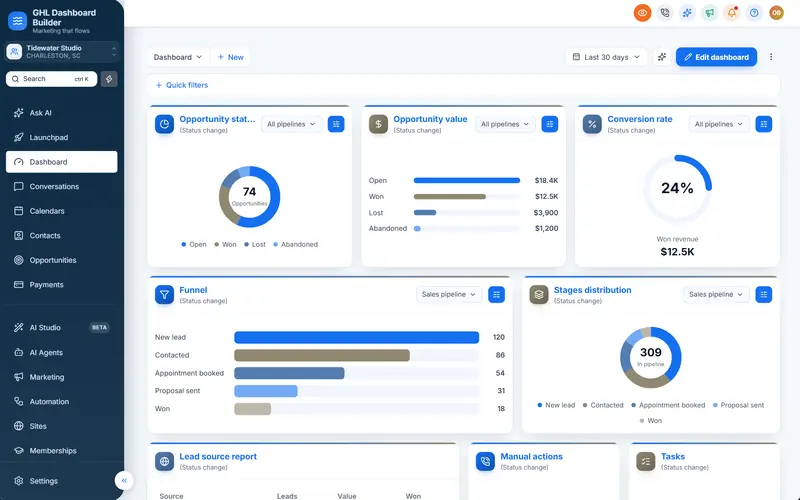
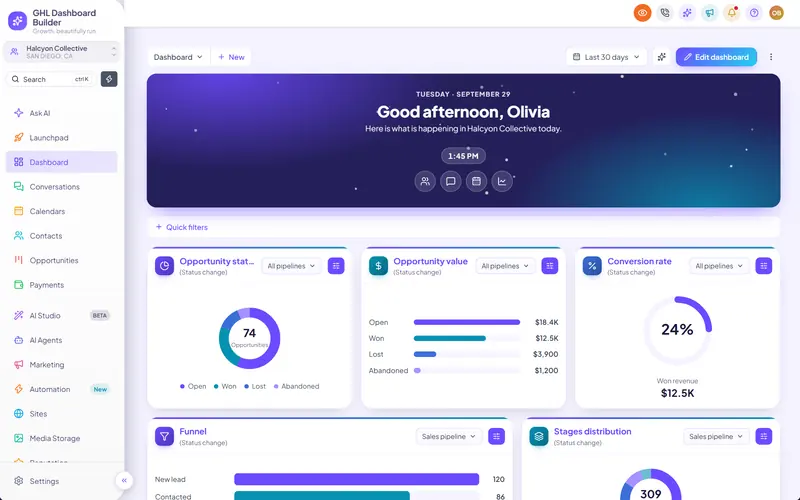
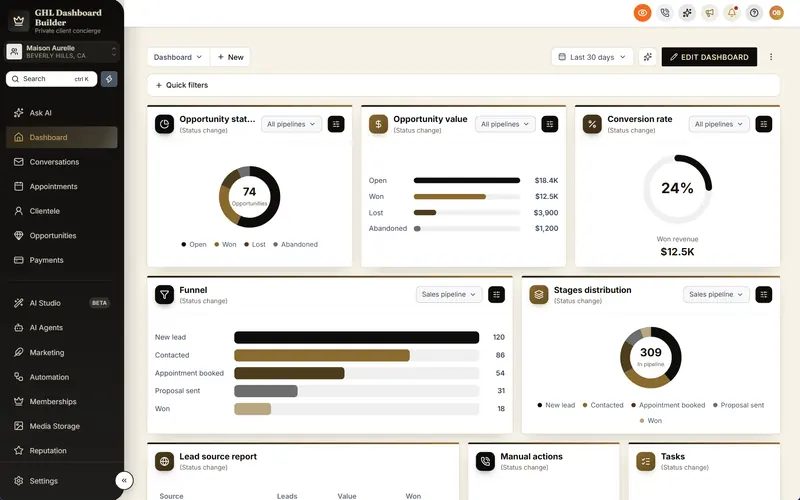
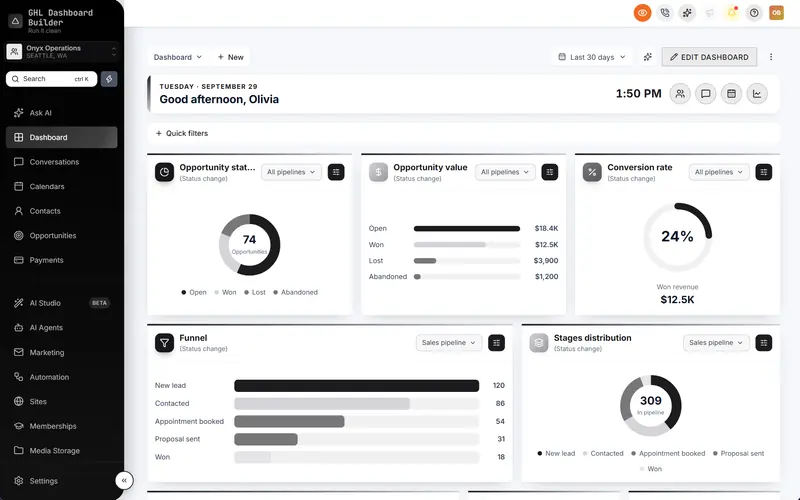
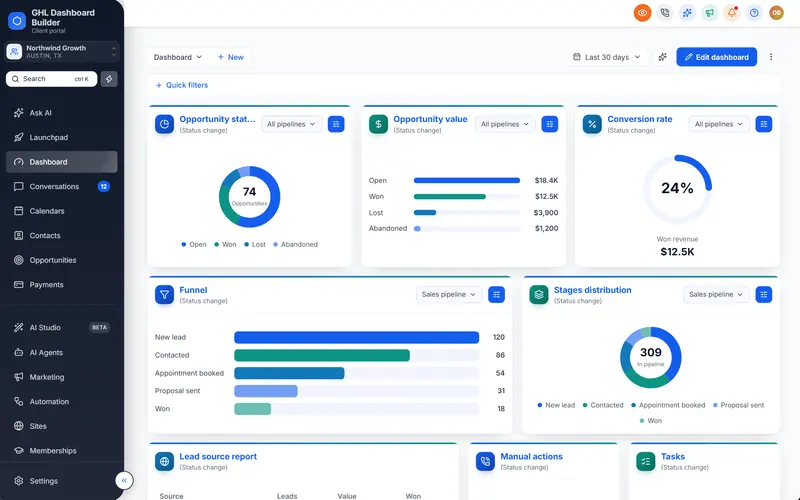
You sold a roofing company on missed-call text back, estimate follow-ups and review requests. Then the office manager logs in and sees a bright interface that looks nothing like the navy-and-orange trucks parked outside, a menu that calls homeowners Contacts and jobs Opportunities, and a dozen modules nobody will open between the morning dispatch and the afternoon rush. The software works. It just does not feel like the contractor’s own system, and an office that is answering phones all day notices every extra click.
This guide shows how to set up GoHighLevel for home services so the account fits the way roofing, HVAC, plumbing and electrical companies work, and looks like your agency’s own platform. HighLevel (also called GoHighLevel or GHL) has the building blocks a trade business needs; the work is in choosing which ones to show, what to call them and how to present them. We cover what a contractor actually uses, menu wording, a lead-to-job pipeline, colors that survive a phone screen in a truck, a step-by-step setup with HighLevel’s menu paths, the first screen the office sees each morning, keeping customer data private, Spanish-speaking teams, and the limits of branding. GHL Dashboard Builder is an independent design service and is not affiliated with HighLevel; where our product helps, we say exactly what it does and what it does not.
What does a home-services company need from GoHighLevel?
A home-services company needs HighLevel to turn calls into booked, paid and reviewed jobs: answer or text back every caller within minutes, book estimates and service visits, track each lead until the job is done, send estimates and invoices, remind customers about maintenance and ask for a review afterwards. Everything else is optional, and every unused menu item is something the office has to learn to ignore.
Think about who opens the account. In a typical roofing, HVAC or plumbing company, the busiest user is the office manager or customer service representative (CSR), the person who answers the phone, books appointments and chases estimates. A dispatcher or scheduler decides which crew goes where. A salesperson or comfort advisor runs in-home estimates for bigger jobs. The owner opens the account to see how many leads came in and how many turned into jobs. Technicians and crews are usually in the field, on their phones, if they open it at all.
Here is how the main HighLevel modules map to a home-services company’s daily work.
| HighLevel module | What a home-services company uses it for | Typical user |
|---|---|---|
| Conversations | Calls, texts, web chat, Facebook and Google messages from homeowners in one inbox | Office, CSR |
| Contacts | Homeowners, property managers, builders and past customers | Everyone |
| Opportunities | Leads moving from first call to estimate, sold job and completed job | Office, sales, owner |
| Calendars | Estimates, service calls, installs and maintenance visits | Office, dispatcher |
| Automation (workflows) | Missed-call replies, appointment reminders, estimate follow-ups, review requests | Agency, owner |
| Payments | Estimates, invoices and payment links | Office |
| Reputation | Review requests after a job | Owner, office |
| Sites | Landing pages for storm repair, seasonal tune-ups and free estimates | Agency |
| Reporting | Lead sources, call answer rates, campaign results | Owner, agency |
Three HighLevel features fit trade businesses especially well. HighLevel’s missed call text back sends a text automatically when nobody answers a call to a HighLevel number, which matters in a business where the person who answers the phone is often on another call or up a ladder. HighLevel’s estimates feature lets the office build an estimate from products and prices, send it by email or text, and turn an accepted estimate into an invoice. And HighLevel’s pipelines and opportunities give each lead a card on a board with stages you name yourself.
What HighLevel is not, for most contractors, is the dispatch and job-costing system. Routing technicians, tracking parts, recording time on site and calculating margins usually live in a dedicated field-service tool, and accounting lives elsewhere. Be clear about that line on day one and design the dashboard for the jobs HighLevel will really do: calls, messages, estimates, follow-up, reviews and repeat business.
Why does a branded CRM matter to roofing, HVAC and plumbing companies?
Contractors put their brand everywhere: wrapped trucks, uniforms, yard signs and door hangers all carry the same logo and colors. A generic software screen breaks that the moment the office opens it in front of a new hire or a homeowner at the counter. A branded dashboard keeps your agency’s platform consistent with the company’s brand and makes the system feel built for them, which helps when you ask a busy office to change how it works.
The audience is large and steady, which is why many agencies build a home-services niche. The U.S. Bureau of Labor Statistics’ Occupational Outlook Handbook projects tens of thousands of openings a year in the core trades over the 2025 to 2035 decade: about 40,600 a year for heating, air conditioning and refrigeration mechanics and installers, about 42,000 for plumbers, pipefitters and steamfitters, about 12,000 for roofers and about 72,700 for electricians, at the time of writing.
Source: U.S. Bureau of Labor Statistics, Occupational Outlook Handbook (2025 to 2035 projections), at the time of writing
The same BLS pages project employment growth over the decade of 11 percent for HVAC mechanics and installers, 9 percent for electricians, 7 percent for plumbers and 5 percent for roofers, each faster than the average for all occupations. For an agency, those openings matter in a practical way: many trade companies are hiring and training new office staff and technicians all the time. A system with plain words on the menu and only the tools the company uses is quicker to teach to someone who started on Monday.
None of these numbers says a branded dashboard wins a contractor more jobs, and we will not claim it does. What a branded, simplified dashboard does is practical: the office finds things faster because the menu uses its words, the owner sees your agency’s platform rather than a resold tool, and new hires learn one system that looks like the company’s own. Those are the reasons agencies give trade clients their own look.
How does GHL Dashboard Builder set up GoHighLevel for home services?
GHL Dashboard Builder is an independent design service that turns the standard HighLevel (GoHighLevel) dashboard into a branded platform: your colors, menu, login design, privacy mode and your clients’ language, installed with two lines of code. For home services, the relevant pieces are the Roofline template, the menu editor with live counts, the welcome banner and appointments board, the opportunities board, notification pop-ups, privacy mode, single sub-account targeting and the login design.
The Roofline template
Roofline is our home-services template, one of 27 templates, built for roofers, HVAC, plumbing and other home-service crews. It pairs a dark navy sidebar with colorful menu icons and a safety-orange accent on a light grey work area, with a sturdy heading font (Archivo) and a plain, slightly rounded body font (Rubik). The menu comes with Contacts renamed to Customers, Opportunities renamed to Jobs and Calendars renamed to Schedule, live counts switched on for Conversations, Schedule and Customers, and Launchpad, Memberships and AI Studio hidden.
The Dashboard opens with a welcome banner that greets each user by first name, shows the date and a clock, and says “Today’s jobs, quotes and crew schedule” with quick links, followed by an appointments board listing the next six appointments from every calendar. Its login design is a full-screen roofing photo under a navy overlay with the headline “Welcome back to the job board”. You can see it on the Roofline template page and try it with your client’s logo and colors in the free builder. The preview uses a sample company name and city; replace both with your client’s before you show it.
What each feature does for a contractor’s office, and which plan includes it
| Feature | What it does for the contractor’s team | Plan |
|---|---|---|
| Roofline template | A navy-and-orange trade design with Customers, Jobs and Schedule already in the menu | Starter and up |
| Brand and colors | The company’s own colors, fonts and logo across HighLevel | Starter and up |
| Welcome banner | A greeting with the user’s first name, date, clock and quick links to today’s work | Starter and up |
| Appointments board | The next appointments from every calendar in a card at the top of the Dashboard | Starter and up |
| Notification pop-ups | New messages, bookings and payments slide in with Reply, Mark read and Call, with quiet hours | Starter and up |
| Opportunities board | Branded stage headers and job cards on HighLevel’s pipeline board | Starter and up |
| Privacy mode | An eye button that blurs customer names, emails, phone numbers, conversations and job values | Starter and up |
| Single sub-account | The design shown only in the contractors you choose, by link or Location ID | Starter and up |
| Menu editor | Your own wording for any of HighLevel’s 19 menu items, plus reorder, hide, favourites and live counts | Pro |
| Login page design | 13 login designs in the company’s colors on your white-label sign-in page | Pro |
| Languages and right-to-left | The menu and navigation in 15 languages, with Arabic, Urdu and Hebrew right-to-left | Pro |
| A look designed by our team | A design built from scratch from a contractor’s brand | Agency |
On the Starter plan you use the Roofline template’s layout and menu as they come, including Customers, Jobs and Schedule. Choosing your own wording, such as Service calls or Projects, needs the Pro plan’s menu editor. The full list of what installs into HighLevel is on our features page.
How it installs and what the office sees
The builder produces the CSS and JavaScript for the design, and you install it with two short lines in HighLevel’s Custom Code boxes under Settings, Company, Whitelabel, Custom Code, which takes about five minutes. Change the design later, press Deploy to live, and HighLevel picks up the new version without re-pasting. On every plan we install it for you, as part of the one-time $100 setup fee.
After the install, the office logs in on your white-label domain and sees the company’s colors, Customers, Jobs and Schedule in the sidebar with live counts beside them, and a shorter menu without the tools nobody uses. The Dashboard greets each person by first name and lists the next appointments. HighLevel’s own white-label settings still handle the domain, logo and mobile app; our design restyles the web interface in the browser, and our guide to white-labeling HighLevel explains what those built-in settings cover.
On data: the builder never connects to your HighLevel account, and the installed code changes styling and menu labels only. It does not read or send your clients’ customer data anywhere.
Should Opportunities be called Jobs? Wording the home-services menu
Use the words the office already says on the phone: Customers rather than Contacts, Jobs rather than Opportunities, and Schedule rather than Calendars. Keep the rest of the menu where HighLevel users expect it and hide what the company will never open. If the office uses another word, such as Projects for a remodeler or Service calls for a plumber, use that one.
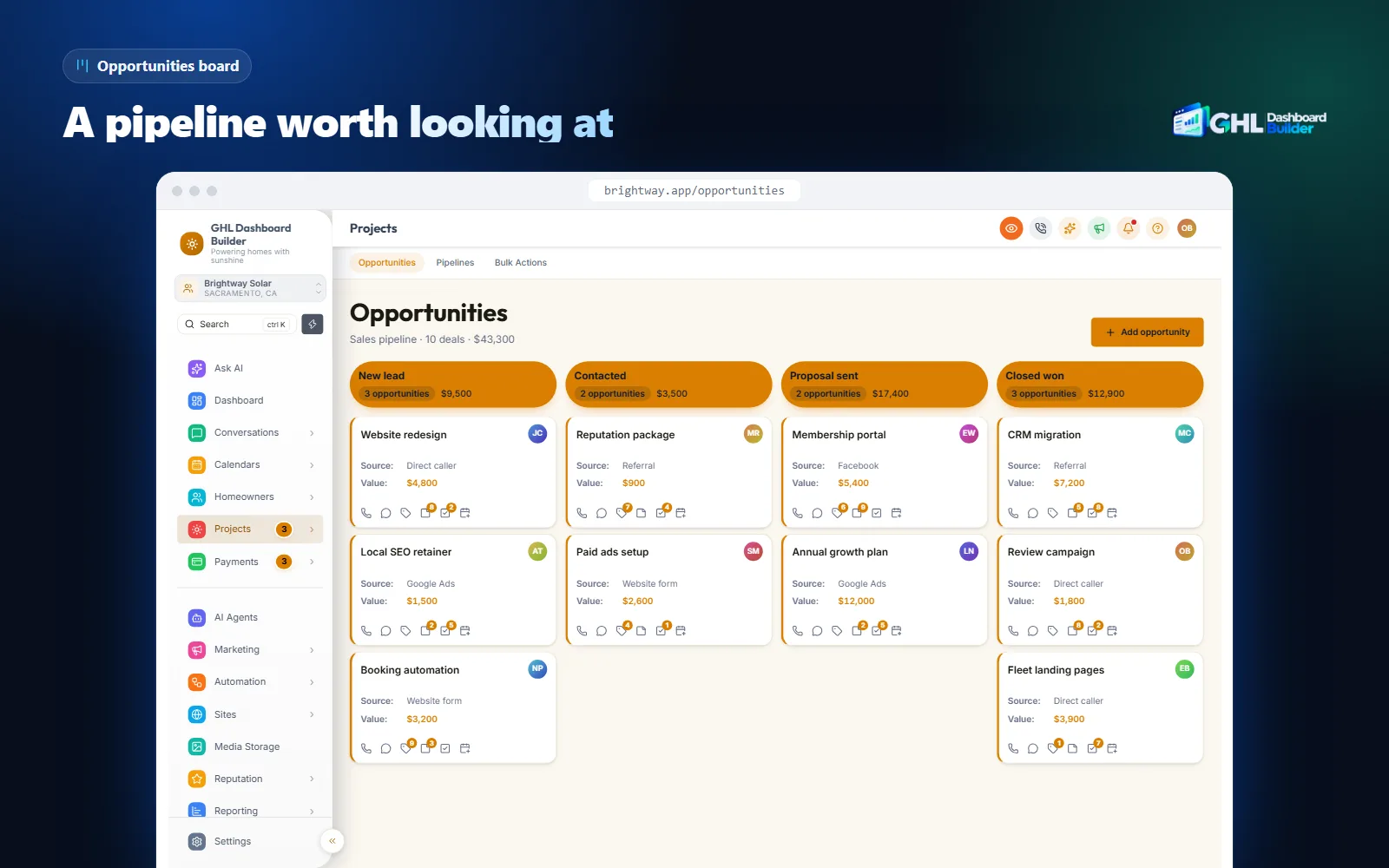
HighLevel does not offer a setting to rename its main menu items. Agencies do it with custom JavaScript added at agency level, which our guide to HighLevel custom CSS explains, including why hand-written code needs care after platform updates. Our step-by-step guide to renaming GoHighLevel menu items covers the wording choices for other industries too.
The Jobs question
Renaming Opportunities to Jobs creates one small trade-off. In HighLevel, every lead you track on the board is an opportunity, whether the homeowner has agreed to anything or not. A CSR who sees “Jobs” may expect to find only sold work there, not a lead who called for a quote yesterday. Three options work:
- Jobs, for companies whose pipeline is mostly booked service work, or where the office already calls every enquiry a job.
- Leads or Estimates, for replacement-heavy roofing and HVAC companies where most cards are quotes that have not been sold yet.
- Projects, for remodelers, solar and larger install companies with long, staged projects.
Ask the office manager what the team calls a card on the board in its morning meeting, and use that word.
Here is a menu map that works for most home-services companies. Treat it as a starting point.
| HighLevel calls it | Suggested label | Show or hide | Why |
|---|---|---|---|
| Contacts | Customers | Show | Covers homeowners, property managers and past customers |
| Opportunities | Jobs, Leads or Projects | Show | Match how the office describes the work |
| Calendars | Schedule | Show | Estimates, service calls and installs in the office’s own word |
| Conversations | Conversations or Messages | Show | The inbox for calls, texts and web chat |
| Payments | Payments or Invoices | Show if used | Estimates and invoices sent from HighLevel |
| Reputation | Reviews | Show | Review requests after each job |
| Memberships | Hide | Rarely used by trade companies; Roofline hides it | |
| Launchpad and AI Studio | Hide | Agency territory, not the office’s | |
| Sites | Sites or Websites | Hide unless used | The agency usually builds the pages |
Of HighLevel’s 19 menu items, the Roofline template renames three, hides three, adds live counts to three and keeps the rest in their usual order, so anyone who has used HighLevel before does not have to relearn where things are.
Source: GHL Dashboard Builder Roofline template, October 2026
Live counts help a busy office most. With a count beside Conversations, a CSR coming back from lunch sees immediately whether homeowners are waiting for a reply, and a count beside Schedule shows how much is booked today without opening a calendar.
How should a home-services pipeline look in GoHighLevel?
Run one pipeline per kind of work, because a same-day repair and a full replacement move through very different steps. Name each stage after something that happened, not a feeling: Estimate sent is a fact, Hot lead is not. Keep each pipeline to six to eight stages so the office moves cards instead of debating which column a job belongs in.
HighLevel’s help center describes a pipeline as the overall sales process and a stage as one step in it, and you create both under Opportunities, Pipelines in the sub-account, as its getting-started guide to pipelines and opportunities shows. Pipeline names must be unique within a sub-account. Use the opportunity’s status for won and lost work rather than adding extra stages for them.
A service and repair pipeline
For plumbing, electrical and HVAC repair calls, where most jobs are booked and done within days:
- New call or request — from a call, a form, Google or a referral.
- Contacted — the office has spoken to or texted the homeowner.
- Visit booked — a service call is on the schedule.
- Diagnosed — the technician has found the problem and priced the fix.
- Approved — the homeowner has agreed to the work.
- Completed — the job is done; send the invoice.
- Paid and reviewed — payment received and the review request sent.
A replacement or install pipeline
For roof replacements, new HVAC systems, water heaters and other quoted work:
- New lead
- Inspection or estimate booked
- Estimate sent
- Follow-up — the homeowner is comparing quotes or waiting on insurance.
- Sold — estimate accepted, deposit taken if the company asks for one.
- Scheduled — install date on the calendar, materials ordered.
- Installed — work finished; final invoice sent.
- Not now — a lead who is not ready, with a reason and a follow-up date.
Estimates belong in this pipeline. HighLevel’s guide to creating and sending estimates covers the Estimates area under Payments; creating the estimate from the opportunity itself keeps it linked to the job card, so the office sees which quote belongs to which lead. When the homeowner accepts, the estimate can be turned into an invoice.
A maintenance-plan pipeline
Many HVAC and plumbing companies sell service agreements: a yearly or twice-yearly tune-up for a fixed price. A short pipeline (Offered, Signed up, Visit due, Visit done, Renewal due) and a workflow that reminds customers before each visit turn one-off repair customers into repeat business. For roofing companies, an annual inspection reminder does the same job.
Missed calls are the top of every pipeline
A home-services lead often starts as a phone call the office could not answer. HighLevel’s Call Status workflow trigger starts a workflow when an inbound call is not answered or goes to voicemail, so the workflow can text the caller, create an opportunity in New call or request and alert the office. If you also turn on the built-in missed call text back, check that the two do not both text the same caller.
Our guide to GoHighLevel pipeline customization goes deeper on stages, card fields and how the board looks once it is branded.
Which colors work for a contractor’s dashboard?
Trade brands are usually bold: navy, black or dark green for structure, and a strong accent such as safety orange, red or yellow. That works well on screen as long as every piece of text has enough contrast with what sits behind it. The usual mistake is putting small white text on a bright orange or yellow button.
The W3C’s accessibility guidance sets a minimum contrast ratio of 4.5 to 1 for normal text and 3 to 1 for large text. For a trade business this is practical, not theoretical: owners and salespeople check the dashboard on phones in bright sunlight on a job site and in dark trucks early in the morning.
We measured six color pairs from our own Roofline template with the WCAG contrast formula. Dark text on the light canvas and the sidebar’s light grey text on navy are very readable. Safety orange on navy passes. White text on Roofline’s orange does not pass for normal-size text.
Source: Calculated with the WCAG 2.2 contrast formula from the Roofline template's colors, October 2026. Minimum for normal text: 4.5 to 1; for large text: 3 to 1.
Three lessons follow. First, white on Roofline’s orange scores 3.20 to 1, which meets WCAG’s 3 to 1 minimum for large text only, so it suits large, bold headings but not small button labels. Roofline’s buttons use bold text, which helps, but if you want small labels to pass, use navy text on the orange (4.90 to 1) or darken the orange: white on #C2410C scores 5.18 to 1 by the same formula. Second, if the contractor’s own orange or yellow is lighter than Roofline’s, the gap gets worse, so test the exact hex code before you promise it as a button color. Third, keep muted grey text dark enough: Roofline’s muted grey scores 5.10 to 1 on its light canvas and 5.48 to 1 on white cards, comfortably above the minimum.
Design choices that work for trade businesses
- A dark sidebar with a light canvas. A navy or charcoal sidebar gives structure, and a light grey or white work area keeps long customer and job lists easy to scan.
- Strong headings, plain body text. A sturdy heading font suits a trade brand; the body stays plain so phone numbers, addresses and appointment times are easy to read at a glance.
- Compact spacing. A busy office scrolls long lists of calls and jobs all day, so tighter rows show more at once.
- Moderately rounded corners. Roofline uses 8-pixel corners on controls and 12-pixel corners on cards: practical rather than playful.
- One accent color. Reserve orange for the action that matters on each screen, such as New job or Send estimate.
Not every trade client wants navy and orange. A solar installer may prefer greens and yellows, and an upmarket remodeler may want something closer to a luxury brand. Browse the template gallery and apply the same contrast rule to whichever one you start from. Our comparison of GoHighLevel dashboard themes explains how to choose a look and what free themes leave out.
How do you set up GoHighLevel for a home-services company, step by step?
Build the account first, then brand it, then test it with the people who will use it. Branding is easier to adjust once pipelines, calendars and the menu are final, and testing with the office manager on a busy morning catches problems an admin at a quiet desk never sees. Menu paths below match HighLevel’s help center at the time of writing; HighLevel moves things occasionally.
Step 1: Build the account
- Create the contractor’s sub-account from the agency view and set the time zone and business hours under the sub-account’s Settings, Business Profile. Business hours decide when calls ring through and when automated replies say the office is closed.
- Register for business texting before you send a single text. In the US, HighLevel’s A2P 10DLC brand and campaign registration is done under Settings, Phone System, Trust Center. Carriers make the final decision, so start early; missed-call replies and appointment reminders by text are the heart of most trade setups.
- Buy or port the company’s tracking numbers and turn on missed call text back. Depending on your HighLevel version, it sits under Settings, Phone System, Voice or under Settings, Business Profile, as HighLevel’s missed call text back article describes. Write the message in the company’s voice and test it from your own phone.
- Create the service, replacement and maintenance pipelines under Opportunities, Pipelines, with the stages from the previous section.
- Create calendars: one for estimates or inspections, one for service calls and, if the company uses it, one for maintenance visits. Give each salesperson or crew lead their own availability, and set realistic buffers for driving time.
- Add the company’s common services and prices as products under Payments, so the office can build estimates and invoices in minutes.
- Build the core workflows under Automation: a missed-call reply that creates an opportunity, a confirmation and reminder before every appointment, an estimate follow-up after two and five days, a maintenance reminder, and a review request after the job is marked complete.
- Connect the company’s Google Business Profile under Reputation, Settings so review requests go to the right listing. If the company runs Google Local Services Ads, check HighLevel’s Reserve with Google and Local Services Ads article for whether that integration is available to your account at the time of writing.
- Add a user for the office manager, each CSR, the dispatcher, the salespeople and the owner, with only the permissions they need. Office staff rarely need Automation or Settings.
Step 2: Brand the dashboard
- Complete the identity layer at agency level under Settings, Company: logo, white-label domain and legal links.
- Choose or design the theme: colors, menu wording, hidden items, welcome banner and appointments board.
- In the agency view, open Settings, Company, Whitelabel and scroll to Custom Code.
- Copy whatever is already in the Custom CSS and Custom JavaScript boxes into a text file as your rollback.
- Paste the new CSS and JavaScript and save. HighLevel shows a warning about third-party scripts; read it and confirm only if you trust the code.
- Open the contractor’s sub-account in a new tab and refresh.
Step 3: Test with real users
- Log in as a CSR, not as an admin, and walk through a normal morning: a missed call comes in, the CSR replies, books an estimate and moves the card.
- Repeat as the dispatcher, checking that today’s appointments are on the first screen.
- Repeat as a salesperson on a phone, building and sending a test estimate to yourself.
- Check every dropdown, pop-up and table for readable text, especially anything using the company’s orange or yellow.
- Ask the office manager to find three things without help, and note where they hesitate.
That is 20 steps across three stages. The first stage takes the longest and holds the contractor’s real value; the branding stage is short because the design is chosen before you start.
What should the office see first each morning?
The office should open HighLevel to today’s work: how many appointments are booked, who is waiting for a reply and which estimates need a follow-up. In a trade business the first hour sets the day, and a Dashboard full of charts nobody reads wastes it. Put the schedule and the inbox first.
HighLevel’s own Dashboard is built from widgets the agency chooses, and it is useful for owners who want lead and revenue figures. The office’s question at 7 a.m. is simpler: what is happening today? Four of our features answer that question on the first screen.
- Welcome banner. A greeting with the user’s first name, the date, a clock and quick links. In Roofline it reads “Today’s jobs, quotes and crew schedule” with links to the pages the office opens first. You can choose from six designs and five layouts, or put your own photo or colors behind it.
- Appointments board. The next appointments from every calendar in one card at the top of the Dashboard, each a click away from the calendar. Roofline shows the next six, so the dispatcher sees the morning’s estimates and service calls without opening Schedule.
- Live counts. Real numbers from HighLevel on the menu and in the welcome banner: unread conversations, appointments today, tasks due, new opportunities and overdue invoices. The overdue-invoices count gives the office a daily reminder to chase completed jobs that are still unpaid.
- Notification pop-ups. New messages, bookings and payments slide in with a “Hey {name}” greeting and Reply, Mark read and Call buttons, with quiet hours and an optional chime. A homeowner who texts back after a missed call gets an answer while the CSR still has the context.
There is also a favourites star in the header, which pins any page to the top of the menu. A dispatcher can pin the service pipeline and a salesperson the replacement pipeline, so each reaches their own board in one click.
These features show HighLevel’s own data in a different place; they do not add a dispatch board, route planning or technician tracking. If the company runs a field-service tool for that, keep it, and let HighLevel’s Dashboard be the office’s view of calls, messages, estimates and payments.
How do you keep customer data private on calls, ride-alongs and training?
Use sample data for every demo and training video, and blur real data whenever you have to show a live contractor’s account. Home-services work involves more screen sharing than most agencies expect: sales calls with new contractors, weekly reviews with the owner, training sessions for new CSRs, and tablets passed around in trucks and at trade shows.
Each one can expose something sensitive. A pipeline review on a shared screen shows homeowners’ names next to job values. A recorded training video shows a customer’s phone number and street address. A conversation list shows a homeowner’s message about when the house is empty or the gate code. Home addresses and access details are exactly the information a customer would not want a stranger to see.
A practical routine for any agency serving trade companies:
- Build a demo sub-account. Fill it with clearly fake customers, jobs and conversations. Use it for every sales call and every training video.
- Never record in a live contractor’s account unless customer data is hidden first.
- Close the conversations panel before you share a screen; message previews are the most common leak.
- Share one browser tab, not your whole screen, so notifications and other clients’ accounts stay private.
- Keep access details out of notes others can see, such as gate codes or alarm codes, or keep them in a field that is not shown on cards and lists.
- Agree how pipeline reviews run. Show the board with values blurred, and open a single job only when the team discusses it.
- Write the routine down and give it to every CSR, salesperson and contractor you train.
Our guide to hiding client data in GoHighLevel covers screen-sharing habits in more depth.
Privacy mode is a visual safeguard on your own screen. It does not encrypt anything, change who can access records or replace the routine above; it makes the routine easier to follow when you are moving quickly between clients.
What about Spanish-speaking teams and contractors with several brands?
Translate the menu for the people who use it every day, and brand only the sub-accounts that need a different look. Some US trade companies have office staff or crew leads who work more comfortably in Spanish, and many agencies serve contractors alongside clinics, gyms and real estate teams that should keep their own look.
A menu in Spanish
The menu and navigation can be shown in any of 15 languages on the Pro and Agency plans, with your own wording for any label, so Jobs can read Trabajos and Schedule can read Agenda. Our Spanish menu language page shows HighLevel’s menu items in Spanish, and our Spanish dashboard guide compares HighLevel’s own Spanish setting with a branded Spanish menu. Our market page for the United States covers US formats and suggests Spanish for bilingual clients. Roofline also supports right-to-left layout if you serve Arabic-, Urdu- or Hebrew-speaking companies.
Two limits to explain to the contractor up front:
- The menu and navigation can be translated by a theme; HighLevel’s own pages follow HighLevel’s language settings. That includes HighLevel’s builders, system emails and the mobile app. Check the screens the office uses most, such as conversations and calendars, before promising a fully translated system.
- Customer-facing messages are separate. Missed-call replies, reminders and estimate follow-ups are written in the workflow builder, in whatever language the company chooses. Write them with the office, in its voice, rather than by machine translation.
One contractor, or a few, with their own look
Agency-level custom code in HighLevel applies across the interface your users see, including sub-account views. To give one contractor its own look, the theme has to check which sub-account is open, using its Location ID, and apply the design only there. Situations where that makes sense:
- A pilot. You test the Roofline design on one HVAC company before rolling it out to every trade client.
- A premium client. A larger roofing company pays for a fully branded platform in its own colors.
- A mixed agency. Your contractors get Customers, Jobs and a navy-and-orange theme; your other clients keep their own wording. Our setup guide for real estate teams and our guide for gyms and fitness studios show how other industries word the same menu.
- A company with several locations. Each branch is a sub-account, and all of them should share the company’s look.
Be exact with clients about one thing: from one install, one design is shown in the sub-accounts you choose. Our single sub-account page explains how to add them by link or Location ID, and our guide to GoHighLevel sub-account branding walks through testing the result. If several contractors each want a different look, talk to us about how to set that up.
What can go wrong, and what doesn’t branding solve?
Most problems come from treating branding as more than it is, or from skipping the test with the office on a real morning. A theme is custom code running in the browser. HighLevel provides the place for it but does not officially support it, so a HighLevel update can occasionally leave part of a screen unstyled until the theme is refreshed.
| Problem | Why it happens | What to do |
|---|---|---|
| The CSR cannot find a quote under Jobs | Unsold leads sit in the same menu item as sold work | Rename to Leads or Projects, or train the team that Jobs holds every card |
| White button text is hard to read | White on a bright orange falls below 4.5 to 1 | Use navy text on orange, or a darker orange such as #C2410C |
| Callers get two texts after one missed call | Built-in missed call text back and a workflow both reply | Use one, or filter the workflow so it does not repeat the built-in text |
| Missed-call and reminder texts are blocked | Business texting is not registered | Complete A2P 10DLC registration before launch |
| Part of a screen loses its styling after an update | HighLevel changed that screen’s structure | Update the theme; keep a rollback copy of the old code |
| A customer’s address appears in a training video | Recorded in a live account without blur | Use the demo sub-account; review recordings before sharing |
| Your support team cannot find Opportunities | The contractor’s menu says Jobs | Keep a one-page map of renamed items for your team |
| Technicians want the mobile app in the company colors | The design restyles the web interface only | Use HighLevel’s own white-label mobile app options |
What branding will never do
- It will not change HighLevel’s features, data, permissions or billing.
- It will not change the HighLevel mobile app, the emails HighLevel sends, or customer-facing forms and pages; those follow HighLevel’s own settings and builders.
- It will not add dispatching, route planning, job costing or inventory, or connect HighLevel to a field-service tool. Those need the right software or an integration.
Being clear about these limits in the sales conversation protects you. An owner who knows exactly what they are buying is less likely to be disappointed later.
DIY code, a developer or a ready-made design: which suits a home-services agency?
All three can produce a branded dashboard for a contractor. The difference is how much time each takes and who keeps it working after HighLevel updates. For an agency with one or two trade clients, cost and speed usually decide; for an agency building a home-services niche, maintenance matters most.
| Route | Good for | Watch out for |
|---|---|---|
| Write your own CSS and JavaScript | Agencies with a developer and time to maintain code | Finding selectors, testing every screen, fixing breaks after updates |
| Hire a freelance developer | A one-off custom look | Who fixes it after the next HighLevel update, and at what cost |
| Start from a ready-made design such as Roofline | Fast, consistent results across many contractors | Templates cover common needs; a unique look needs more design work |
If you write your own, start with the safe approach in our custom CSS guide. If you would rather start from a finished design, GHL Dashboard Builder’s plans are one-time payments with no monthly fee: Starter at US$280 for one design from a template such as Roofline, Pro at US$480 for up to 3 designs with your own menu wording, a branded login page and 15 languages, and Agency at US$880 for up to 100 designs, a look designed by our team, custom code and lifetime updates, each plus a one-time US$100 setup fee for which we install it in your HighLevel. Starter and Pro include 12 months of updates, then optional at US$99 a year. Full details are on the pricing page.
What to do next
- Agree the line with the owner. Write down which jobs HighLevel will do (calls, messages, estimates, pipelines, invoices, reminders, reviews) and which stay in the field-service and accounting tools.
- Register business texting and turn on missed-call replies before launch, then build a demo sub-account with fake customers before your first sales call or training video.
- Draft the pipelines and menu map with the office manager: service, replacement and maintenance stages, and whether cards should read Jobs, Leads or Projects.
- Try the Roofline look on HighLevel’s screens in the free builder with the contractor’s colors and logo, and check the contrast of every orange or yellow button.
- Roll out to one contractor first, test a real morning with the office, and review hidden items and wording after 30 days.
If you would rather have the design done for you, or your trade clients need something no template covers, get in touch and tell us about the companies you serve.